

How Pakistani Traders Can Use TradingView.com Effectively
Explore how Pakistani traders can use TradingView.com for advanced charting 📈, community insights 🤝, and smart trading tools 💡 to boost their strategies effectively!
Edited By
James Bennett
Trading in Pakistan is growing rapidly, with more people diving into the financial markets every day. However, knowing where to look and how to use the right tools can make all the difference. That’s where TradingView and Deriv come into play. These platforms together offer a dynamic way to analyze markets and execute trades efficiently.
This guide aims to walk you through how Pakistani traders can combine the power of TradingView’s advanced charting with Deriv’s accessible trading environment. Whether you’re just starting out or looking to sharpen your trading skills, the tips and strategies here are tailored to help you make better decisions and avoid common pitfalls.
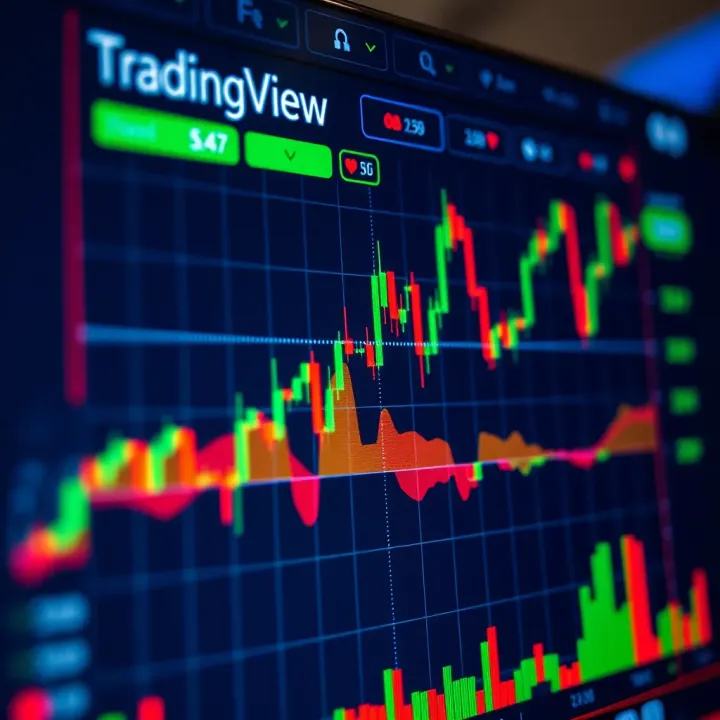
Why this matters? Many traders jump in with little understanding of how their tools really work or how to connect them correctly. As a result, they might miss opportunities or make costly mistakes. We’ll highlight the key features of TradingView relevant to your trading style and show you practical ways to sync it with Deriv. This way, you get live data and smarter insights at your fingertips.
"Successful trading isn’t just about luck; it’s about knowing your tools and using them smartly."
In the sections that follow, we'll cover everything from basics to advanced tips, putting you on a path to trade with more confidence and control. So, buckle up and get ready to boost your trading game using platforms that fit well with Pakistan’s market conditions and regulations.
TradingView has become a cornerstone tool for traders across the globe, especially for those looking to navigate today's fast-paced markets. For traders in Pakistan, understanding what TradingView brings to the table is essential in making smarter, data-driven decisions. This platform offers more than just charts—it delivers an ecosystem that combines technical analysis, social networking, and real-time data access.
TradingView stands out with its powerful charting tools. It’s not just about seeing price movements, but about analyzing them deeply. From simple moving averages to complex oscillators like the MACD or RSI, these indicators provide insights into potential market trends or reversals. For instance, a Pakistani trader looking at the KSE-100 index might notice an RSI creeping into oversold territory, signaling an upcoming bounce.
Traders can customize charts with dozens of indicators and drawing tools to mark support and resistance levels, trend lines, or chart patterns. This flexibility helps individuals tailor their analysis to their trading style or asset class—whether that's Forex, commodities, or the equity stocks accessible via Deriv.
Beyond tools, TradingView is a social hub where traders share their ideas, strategies, and market outlooks. This community aspect gives Pakistani traders a chance to learn from others’ experiences and tap into diverse perspectives. For example, a new trader confused by sudden market swings might find detailed explanations and trade setups posted by more seasoned members.
This interaction helps reduce the feeling of trading in isolation—a common challenge that leads to impulsive decisions. Instead, traders can validate their ideas or discover alternative views, which is invaluable in volatile markets.
Whether you're on a laptop at home, a tablet during a commute, or a smartphone while grabbing a chai, TradingView remains easily accessible. The platform’s cloud-based system syncs charts, alerts, and settings across devices. This constant connectivity ensures Pakistani traders never miss out on crucial market moves, even if they’re away from their main trading desk.
This feature is especially important for those juggling work, family, or studies alongside trading. The ability to jump onto a mobile app, glance at notifications, and check charts in seconds makes trading more manageable and less stressful.
For Pakistani traders, accessing international markets can sometimes be tricky, due to local restrictions or lack of updates. TradingView helps bridge this gap by offering data on a wide variety of global markets and providing localized content. It supports multiple languages and time zones, which means traders see prices and news in their own context.
Furthermore, some Pakistani brokers integrate with TradingView, allowing seamless transacting alongside analysis. This connection simplifies execution and portfolio tracking, making it easier to diversify beyond the Pakistan Stock Exchange or local Forex pairs.
TradingView offers several subscription tiers including a free option that’s quite capable for beginners. This is valuable for Pakistani traders who may want to test the waters before committing financially. Paid plans unlock more advanced features, but even the basic version supports enough indicators and alerts to suit many trading strategies.
Compared to other professional analysis tools that come with hefty fees, TradingView balances affordability and functionality. Pakistani traders often find this mix perfect, allowing them to stop guessing and focus on data-driven trades without breaking their budget.
Lastly, TradingView isn’t just for execution but also learning. The platform hosts a wealth of educational content—everything from how-to guides on reading charts to in-depth video tutorials on Pine Script for building custom indicators.
Pakistani traders can take advantage of these materials to improve their skills progressively. Moreover, the community posts real-time market commentary which serves as ongoing, informal learning. This means traders can evolve with the market rather than feeling stuck or overwhelmed.
In short, TradingView offers Pakistani traders a well-rounded toolset and an informed network that’s indispensable for today’s competitive trading.
Understanding these roles sets the stage for integrating TradingView with platforms like Deriv, maximizing both technical analysis and trade execution as we explore in the following sections.
Getting a solid grip on Deriv is key for traders wanting to tie in TradingView effectively. Deriv isn't just another online platform; it's known for its versatility and accessibility, making it a favorite among traders from Pakistan who want to dive into various markets with ease. For anyone looking to pair detailed analysis from TradingView with real trading execution, understanding what Deriv brings to the table is a must.
Deriv offers a range of features tailored to meet different trader needs—whether you're a newbie or a seasoned pro. Its user-friendly setup helps in navigating markets comfortably without too much fuss, which is particularly handy when you want to act quickly on TradingView insights. The platform’s ability to handle multiple asset types under one roof also means that you can diversify your trades without hopping between platforms.
One of Deriv’s biggest draws is the variety of assets it supports. Traders in Pakistan can access forex pairs, cryptocurrencies, stock indices, and commodities, all from a single account. This diversity is crucial for those who want to spread risk or capitalize on different market movements. Imagine having the chance to trade EUR/USD one minute and then switch to Bitcoin or Gold. It expands trading opportunities without the hassle of opening several accounts.
Deriv’s platform is designed to be straightforward, so traders aren't overwhelmed by clunky layouts or confusing menus. The clean and intuitive dashboard allows quick access to charts, order types, and account details. For example, if you want to execute an order based on a breakout spotted on TradingView, you won’t waste time hunting for the right buttons. This ease of use supports better decision-making, especially in volatile markets where every second counts.
Given that many Pakistani traders rely on smartphones, Deriv’s mobile app is a real boon. It offers nearly the full functionality of the desktop version, letting you track your trades and market developments on the go. Whether you’re commuting or taking a quick break, you can open positions or set alerts without missing a beat. The app’s responsiveness and stable connection make it practical for modern traders who can’t always stay glued to their computers.
Deriv provides robust API support which is essential for traders wanting to sync data between TradingView and Deriv seamlessly. This connection ensures your charts and live prices stay accurate, minimizing the gaps that cause slippage or errors. With real-time data flowing consistently, traders can automate strategy hooks or pull TradingView’s technical indicators directly into Deriv to execute trades with more confidence.
You can link your TradingView account with Deriv to streamline your trading workflow. This means that signals generated from TradingView can be directly actioned on Deriv without manual re-entry, saving time and reducing the chances of mistakes. Setting up account linking involves straightforward steps like API key exchange and permission settings, designed with security in mind so your funds remain safe.
Traders often rely on TradingView for insightful alerts and custom signals. When integrated with Deriv, these signals aren’t just notifications; they become actionable triggers. For instance, if your TradingView indicator spots a strong reversal pattern in bitcoin, your system can prompt Deriv to suggest or even automatically place a trade. This synergy helps in making more precise moves and capitalizing on market shifts faster than manual trading allows.
Deriv’s integration with TradingView is a practical combo for Pakistani traders aiming to capitalize on technical analysis without juggling multiple platforms manually.
This section’s focus helps Pakistani traders appreciate how Deriv stands out as a platform that complements TradingView tools. Understanding Deriv’s features and integration capabilities arms traders with the knowledge needed to optimize their strategies and ultimately improve trading outcomes.
Setting up TradingView to work smoothly alongside Deriv is a vital step for Pakistani traders who want the most out of both platforms. It’s not just about plugging one into the other but tailoring the setup so that your charts, alerts, and trading flows complement your style and strategy. A well-configured TradingView account ensures that data feeds are accurate and that you can quickly execute trades on Deriv without jumping through hoops.
Think of it like tuning an engine; if the fit isn't right, the ride gets bumpy. Setting up the tools correctly saves time, reduces mistakes, and helps keep your eyes on the prize—profitable trades.
When starting with TradingView, deciding on the correct subscription level is more than picking a monthly fee; it shapes what tools you'll have at your fingertips. Free accounts are decent for beginners but get limited fast—real-time data on some markets, fewer customized alerts, and restrictions on how many charts you can view at once.
Pakistani traders dealing in multiple assets might find the Pro or Pro+ plan offers a sensible boost. These come with extra indicator slots, more alert conditions, and the ability to use multiple charts on one screen—super handy when tracking currency pairs and indices simultaneously on Deriv.
Tip: Start with a monthly plan to experiment, then lock in a yearly subscription if you find the features useful—it often saves money.
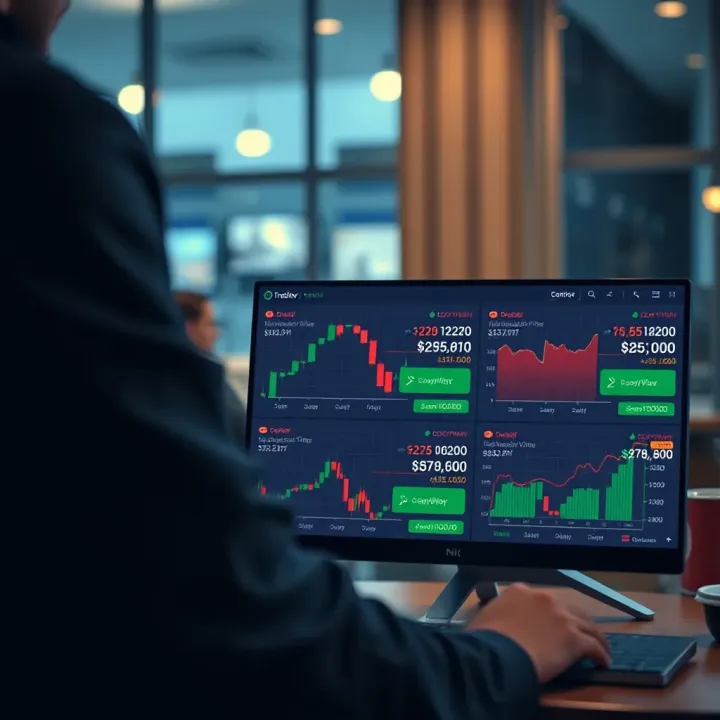
Once your account is ready, diving into chart layouts is where the real fun begins. Rather than using the default single-chart view, customize layouts based on your trading routine. For example, you could set one layout for forex pairs you trade through Deriv, featuring moving averages and RSI indicators, and another for commodities with different oscillators.
TradingView lets you drag and drop indicators, adjust timeframes, and add drawing tools like trendlines or Fibonacci retracements. Making these charts your own helps you spot patterns faster and prevents clutter that can make decisions harder.
After tweaking your charts just right, it’s worth saving them as templates. This way, you don’t have to repeat the setup every time you log in or switch devices—which is crucial when you’re monitoring multiple markets.
Templates can include any combination of indicators, chart styles (like candlesticks or bars), and layout settings. Pakistani traders often juggle several instruments on Deriv, so saving these configurations streamlines their daily workflow.
Remember: A well-prepared chart template equals quicker analysis, leading to faster trade execution.
Linking your TradingView charts with your Deriv account unlocks the power of seamless analysis and execution. Here's a straightforward way to get this done:
Log into your Deriv account and access the API settings.
Generate an API token with required permissions.
Open TradingView and find the option to connect to external services or brokers.
Input your Deriv API token and verify the connection.
Test by placing a small order from TradingView to Deriv to confirm everything is linked properly.
This setup lets you use TradingView’s powerful charting tools, then act on those insights instantly through Deriv’s platform.
Sometimes, the connection between TradingView and Deriv doesn’t go smoothly. Common snags include invalid API tokens, network interruptions, or mismatched permissions.
If your charts don’t update or orders aren’t executing, first double-check your API key and permissions in Deriv. Confirm that your internet connection is steady. Also, ensure both platforms are running the latest version—sometimes updates resolve compatibility issues.
Contacting Deriv’s support can also help clear unusual problems. Keeping a note of when issues occur helps pinpoint patterns and prevents future missteps.
Trading online means safeguarding your accounts, especially when linking platforms via APIs. Avoid sharing your API keys with anyone, and only grant permissions to execute trades if absolutely necessary.
Use strong, unique passwords for both TradingView and Deriv, and enable two-factor authentication where available. Regularly review your API access and revoke tokens no longer in use.
A secure connection not only protects your funds but also safeguards your personal data and trading strategies.
By carefully setting up and connecting TradingView with Deriv, Pakistani traders can create a powerful, efficient environment primed for smarter, faster trading decisions.
When trading on Deriv, having reliable tools to analyze market behavior makes a big difference. TradingView offers a set of easy-to-use but powerful instruments tailored for traders wanting clearer insights. By using these, Pakistani traders can spot trends and key levels much faster, giving them a real edge. It’s not just about making trades—it’s about making smarter trades with confidence.
Traders tapping into the synergy between TradingView and Deriv can see charts come alive with real-time updates, letting them react quickly to market moves. For example, when you're watching the USD/PKR pair, applying TradingView’s indicators can help you find the sweet spot to buy or sell, instead of guessing.
Indicators like Moving Averages (MA), Relative Strength Index (RSI), and Bollinger Bands can feel like your best mates on TradingView. They measure trend direction, momentum, and volatility, letting you know whether the market is overheated or ready to move. On Deriv’s platform, these are especially useful for deciding when to enter or exit a position on assets like forex or synthetic indices.
Imagine using the RSI on a USD/JPY chart. When RSI crosses into the 70+ zone, that’s a sign to watch for a possible reversal or slowdown. This simple oscillator saves you bunches of guesswork. Make sure to combine indicators rather than rely on one alone—this reduces false signals and boosts your confidence.
Candlestick patterns are like stories told in just a few bars. Knowing how to read them helps understand what traders might be thinking and where prices could head next. Patterns such as shooting stars, dojis, or engulfing candles give clues about market sentiment shifts.
In Deriv trading, spotting a hammer or a bullish engulfing pattern near a support level could hint the asset is about to bounce. A Pakistani trader might use this to time a buy during volatile forex times. It’s key to look for confirmation—do other signals back up what the candles are saying?
Support and resistance levels are the invisible floors and ceilings that prices respect most times. Drawing these lines on TradingView charts helps you see where the market has flipped directions before, and likely will again.
For example, if you trade oil CFDs on Deriv, marking the last three highs and lows can highlight strong resistance or support bands. When price approaches these levels, it often pauses or reverses. Knowing this keeps you from jumping in too soon or holding onto losing bets.
Support and resistance aren’t exact lines—think of them as zones where buying or selling pressure tends to pile up. Recognizing these will help keep your trades safer.
TradingView’s alerts act like personal assistants, emailing or pinging you when the market hits your predefined criteria. Say you want to buy gold when it breaks above a certain resistance; you can set an alert to tell you the moment it happens.
For Deriv traders juggling multiple assets, alerts reduce screen fatigue and help catch potentially profitable moves promptly. They work on price levels, indicator thresholds, or even custom Pine Script conditions.
With alerts in place, Pakistani traders can even connect them to automated processes where feasible. Although Deriv doesn’t fully automate TradingView signals directly, using services like webhook integration can bridge this gap.
For example, setting an alert for an RSI drop below 30 could trigger an API to place a buy order on Deriv. While this requires some setup and caution, it saves time and ensures you don’t miss critical moves—even if you step away from the screen briefly.
It’s easy to get overwhelmed if every tiny market twitch triggers a buzz. Managing notifications means setting sensible alert criteria and filtering which signals need your immediate attention.
Prioritize alerts that align with your strategy. For instance, rather than watching every 1-minute candle, focusing on daily breakouts or key indicator crosses makes your phone less noisy and your trading sharper. Turning off less critical alerts during busy market hours can keep you focused.
In sum, TradingView’s analysis tools tied with Deriv’s trading environment offer a practical combination for day-to-day market navigation. Pakistani traders can benefit hugely by mastering indicators, reading charts thoroughly, and smartly using alerts to stay ahead—and not just react blindly.
Building a strong trading strategy is the backbone of consistent success when using platforms like TradingView and Deriv. This section focuses on how Pakistani traders can combine different analysis methods and utilize powerful tools for testing and optimizing their approaches. By blending fundamental and technical insights, and refining strategies through backtesting, traders can avoid costly guesswork and improve their odds in Deriv markets.
Many traders make the mistake of ignoring economic news, yet it plays a huge role in market movements. For Pakistani traders using TradingView and Deriv, keeping tabs on local and global economic events can make a big difference. For example, interest rate announcements from the State Bank of Pakistan or global oil price shifts can cause sudden spikes or drops in currency pairs and commodities.
To make this practical, traders should schedule daily or weekly check-ins with reliable news sources like Bloomberg or Reuters. Integrating this information with TradingView’s economic calendar widget helps streamline decision-making. If an important event is coming up, it might be wise to reduce positions or avoid trading to sidestep unpredictable volatility.
No single indicator or news item tells the whole story. Successful strategies blend multiple signals: technical indicators from TradingView (such as RSI, moving averages, or MACD) combined with fundamental cues from news or economic data.
For instance, if a currency pair shows oversold conditions on RSI but upcoming economic data is strong, the trader might wait before buying to avoid a false signal. Balancing these inputs requires practice and discipline. Pakistani traders should develop a checklist or rule set that weights news impact differently than chart patterns, so decisions don’t come from a gut feeling alone but a balanced view.
TradingView’s Pine Script is a user-friendly scripting language that lets traders create custom indicators and automate strategy testing. Pakistani traders who learn just basic Pine scripting can backtest trading ideas without risking real money.
For example, a trader can write a simple script that buys when the 50-day moving average crosses above the 200-day moving average and sells on the reverse. Running this script on historical data lets the trader see how the strategy would have performed during different market phases, such as bullish runs or periods of high volatility.
Backtesting results offer plenty of numbers, but understanding which metrics matter is essential. Key figures include win rate, profit factor (total profit divided by total loss), and max drawdown (worst peak-to-trough loss).
Suppose backtesting shows a 75% win rate but with a huge max drawdown; this suggests the strategy might nail many small wins but wipe out in rare bad trades. Pakistani traders should focus on achieving a good risk-reward balance rather than just high win rates.
No strategy is set-and-forget. After backtesting, tweak inputs like indicator periods or stop-loss levels to hone performance. For instance, changing the RSI period from 14 to 9 might catch trends earlier but also increase false signals.
It helps to adjust one parameter at a time and retest, keeping a log of changes and impacts. Over time, traders can create versions of strategies suitable for different market conditions—whether trend-following during bullish phases or range-bound in choppier times.
Remember, discipline in applying these tested and adjusted strategies reduces emotional trading and increases chances of steady gains on Deriv using TradingView’s powerful tools.
Navigating the world of online trading with tools like TradingView and Deriv is exciting but far from frictionless. Pakistani traders, in particular, face some unique hurdles that can disrupt their workflow or lead to costly mistakes. Understanding common challenges—like connectivity issues and risk management—and learning how to tackle them is key to trading smoother and smarter.
By addressing these practical concerns head-on, you can protect your trades from avoidable glitches and sharpen your decision-making. Let’s break down these typical pain points and explore solutions that really work for traders relying on both TradingView and Deriv.
A stable internet connection isn’t just a nice-to-have—it’s absolutely essential. In Pakistan, where internet services can fluctuate, even a few seconds of downtime can mean missed trade alerts or delayed order execution, leading to losses.
Opt for a wired connection over Wi-Fi if possible, as cables often offer more reliability.
Use a backup mobile data plan from providers like Jazz or Zong to switch instantly in case your main internet fails.
Keep an eye on network speed using tools like Speedtest by Ookla to spot slacking internet before it affects your trades.
Think of it as keeping your car's fuel topped off—you don’t want to run out just as you hit a steep hill.
Latency, or delay, between TradingView and Deriv can cause your charts and orders to fall out of sync. This matters a lot when you’re scalping or making quick decisions based on live data.
To manage latency:
Regularly refresh your TradingView and Deriv interfaces to sync data more frequently.
Keep open only essential browser tabs or apps to reduce bandwidth hogging.
Review your trading setup—sometimes switching to a less data-heavy chart style or lowering refresh rates improves responsiveness.
For instance, a trader in Karachi ran into the problem where his signals on TradingView came a few seconds late on Deriv, causing missed entry points. Adjusting the refresh interval and upgrading his home router fixed this delay substantially.
Stop loss and take profit orders act like your safety net and goalposts in trading. Setting them realistically helps you avoid emotional decisions and protects your capital during sudden swings.
Here’s how to get it right:
Use recent support and resistance levels from TradingView charts to set stop losses just beyond these points.
Avoid arbitrarily tight stops that might trigger on small market noise; too tight cuts you off prematurely.
Base take profit targets on clear trend projections, not wishful thinking.
Consider a Deriv trader using a 2:1 reward-to-risk ratio backed up by TradingView’s indicators. This simple but disciplined method often keeps losses manageable and profits reasonable.
Market volatility can feel like a wild bull in a china shop. Tracking it using TradingView's built-in indicators like Average True Range (ATR) or Bollinger Bands helps you understand when to tighten stops or step back.
Also, watching overall market trends on TradingView aids in aligning your trades with bigger movements rather than fighting the tide:
If volatility spikes, reduce trade size to cushion the blow.
When trends are strong and clear, consider wider stops and bigger profit targets.
For example, during Pakistan's budget announcement, volatility spiked unusually. Traders who adjusted their exposure and stops accordingly avoided heavy losses and even captured sudden profit swings.
Effective risk management isn't about avoiding risk entirely, but about anticipating, measuring, and controlling it using the best information at hand.
Taking the time to understand these challenges and act on them can make your TradingView and Deriv experience much more reliable and potentially profitable. Being prepared turns obstacles into stepping stones rather than stumbling blocks.
For traders in Pakistan, knowing best practices when using TradingView alongside Deriv isn’t just good advice—it’s essential. Navigating the financial markets requires more than just having sharp analysis tools; it demands a solid understanding of legal frameworks, cost management, and strategic actions that actually translate into better trading outcomes. These best practices help Pakistani traders avoid costly mistakes and maintain a competitive edge without breaking the bank.
Trading in Pakistan is subject to specific legal and regulatory frameworks designed to protect investors and ensure market integrity. Pakistani traders must be mindful of the State Bank of Pakistan regulations and guidelines from the Securities and Exchange Commission of Pakistan (SECP). For instance, certain foreign trading platforms might have restrictions or require special permissions for Pakistani residents. Ignoring these rules can lead to blocked accounts or frozen assets.
Practical tip: Always verify the legality of your trading activities, especially when moving funds internationally or using leveraged products. Consulting with a financial advisor knowledgeable about local laws can prevent unexpected legal troubles that could derail your trading efforts.
Selecting a broker licensed by a recognized regulatory body greatly reduces the risk of fraud or unfair trading practices. For Pakistani traders, it’s critical to pick brokers that are either regulated by Pakistani authorities or reputable international regulators like the UK’s FCA or CySEC. Deriv, for example, operates under several licenses and provides transparency, which adds a layer of trust.
Using licensed brokers ensures that your funds are protected, withdrawals are handled properly, and any disputes can be addressed through official channels. Always check broker credentials before depositing money or linking your TradingView account.
TradingView offers multiple subscription plans, such as Free, Pro, Pro+, and Premium, each unlocking different levels of functionality. Before paying for a subscription, Pakistani traders should analyze their trading styles and requirements. Casual day traders might find the Free or Pro plans sufficient, but active traders using multiple indicators or alert systems will benefit from Pro+ or Premium.
Choosing the wrong plan can mean paying for features you don’t use or being restricted by limitations that hurt your strategy. Consider starting small, then upgrade as your trading volume and complexity grow. Remember, these costs add up, especially when combined with brokerage fees and data charges.
One frequent pitfall is relying too heavily on indicators without understanding the bigger market picture. For example, blindly following buy or sell signals from TradingView without considering fundamental news related to Pakistan's economic conditions often leads to losses.
Another mistake is poor risk management—setting stops that are too tight or too loose can eat into profits or expose you to unnecessary losses. A practical approach is to use TradingView’s alert features tied to Deriv to maintain discipline on stop-loss and take-profit levels.
Consistency and discipline beat luck every time. Avoid overtrading and stay grounded in a well-tested strategy.
In summary, Pakistani traders using TradingView and Deriv should focus on following legal rules, picking trustworthy brokers, carefully selecting subscription plans, and practicing smart risk management. These best practices lay the groundwork for smarter decisions and sustained trading success.
Explore how Pakistani traders can use TradingView.com for advanced charting 📈, community insights 🤝, and smart trading tools 💡 to boost their strategies effectively!

Explore TradingView.com for Pakistani traders: detailed tools, real-time data, social features & tips to improve your trading strategy 📈💹🌍

📈 Discover how to set up and master TradingView in Pakistan! Learn charting, indicators & connect with traders for smarter decisions on this top platform.

📈 Explore TradingView's features, setup tips, and community insights tailored for traders in Pakistan. Master charts and market analysis with ease!
Based on 13 reviews