

How Pakistani Traders Can Use TradingView.com Effectively
Explore how Pakistani traders can use TradingView.com for advanced charting 📈, community insights 🤝, and smart trading tools 💡 to boost their strategies effectively!
Edited By
James Bennett
Trading in Pakistan has gained huge momentum recently, with more people looking for smart platforms to grow their investments. TradingView.com stands out as one of the go-to platforms for traders and investors globally, including Pakistan. But before jumping in, it's important to know what makes TradingView tick, what features will be most useful for local traders, and how you can get the most out of it.
This guide aims to walk you through TradingView.com step by step. Whether you're a day trader hunting for real-time data, a long-term investor wanting better charts, or an analyst looking for deeper market insights, this article has you covered.
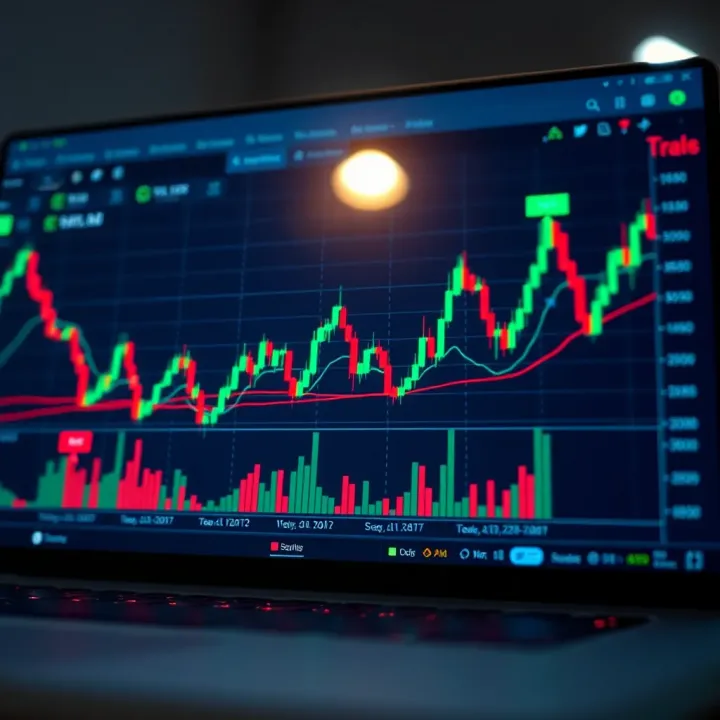
We'll explore how TradingView offers not just charts and indicators, but a lively social network where ideas, strategies, and market sentiment circulate. Also, we will shed light on how Pakistani traders can tackle challenges like data feeds, local market integration, and timing differences.
Understanding tools that fit your trading style can boost confidence and decision-making. TradingView is highly customizable, but knowing how to tune it to your needs, especially from Pakistan, is key.
Throughout this article, expect clear examples, practical tips, and a thorough overview of TradingView’s capabilities, tailored for Pakistani traders. By the end, you should have a solid grasp of what TradingView offers and how to use it effectively in your trading journey.
For traders in Pakistan, getting a solid grasp on what TradingView.com brings to the table is more than just helpful—it's necessary. In a market where information timing and interpretation can make or break trades, TradingView stands out as a versatile platform offering tools that simplify the technical side of trading.
It’s not just about fancy charts and random numbers; it's about having the right insights at your fingertips. Whether you're dealing in the Karachi Stock Exchange (KSE) shares, currency pairs in Forex, or diving into the fast-paced cryptocurrency market, knowing how to use TradingView efficiently can give you an edge. Awareness of what the platform offers also helps you avoid paying for features that you might not need, particularly since budgets can be tight in the local trading community.
Interactive charts on TradingView are one of its standout assets. Unlike static charts you might find in newspapers or basic apps, these charts let you zoom in on specific timeframes, add overlays, and scroll back to check historical prices effortlessly. You can apply multiple types of charts like candlestick, bar, or line charts, making it easier to analyze market action precisely.
Take an example of a trader following the Pakistan Exchange—being able to spot intraday shifts directly on interactive charts without reloading or refreshing data can save precious seconds. This immediacy and responsiveness help traders react faster to market movements.
One of TradingView’s big draws is the ability to customize almost any technical indicator. While there are classic indicators built-in, like Moving Averages or Bollinger Bands, traders can modify parameters or even create wholly new indicators using Pine Script, TradingView's proprietary language.
For instance, a Karachi-based trader might tweak the RSI settings to better reflect local market volatility or combine indicators to form new trading signals tailored to Pakistan’s economic events.
Screeners on TradingView allow you to sift through thousands of stocks, cryptocurrencies, or Forex pairs based on your chosen criteria—performance, volume, price, or technical setups. This tool proves a lifesaver when scanning the Karachi Stock Exchange for undervalued shares or spotting currency pairs ready for a breakout.
Using market screeners effectively means less time chasing leads and more time focusing on quality trades. You can save these scans for quick reference and even receive alerts when conditions meet your preset standards.
TradingView supports a vast range of stocks and indices, including major global markets and smaller exchanges relevant to Pakistani traders. This makes it a handy platform for those who trade KSE100 or watch US indices like the S&P 500 to gauge global trends that influence local markets.
Having access to real-time or near-real-time data on these instruments helps traders in Pakistan align their strategies with both local happenings and international market moves.
Given Pakistan’s heavy interest in Forex trading, TradingView’s comprehensive coverage of currency pairs like USD/PKR, EUR/USD, and others is crucial. Live streaming charts, combined with technical tools, helps traders stay on top of fast-moving currency markets where volatility can spike quickly.
For example, during major political news or economic announcements, watching how USD/PKR reacts in real-time can be vital for making informed trade decisions.
TradingView embraces cryptocurrencies extensively — from Bitcoin and Ethereum to lesser-known tokens. For Pakistani traders stepping into crypto, this platform allows tracking price action, volume changes, and sentiment shifts across numerous tokens.
With rising local interest in crypto, the ability to analyze multi-timeframe data and share ideas in the community paints a clear picture of opportunities and risks.
Commodities like gold, silver, and oil are also accessible on TradingView, key for traders watching global headlines as these assets often react to geopolitical tensions and economic indicators.
Pakistani traders involved in commodities can track futures prices, apply technical analysis, and align trading plans with global supply-demand dynamics in a user-friendly environment.
By mastering these core features and market options, Pakistani traders can optimize their decision-making process, making TradingView more than just a charting tool—it's a gateway to smarter trading choices.
Mastering how to navigate TradingView's interface is a must for traders and investors who want to make the most of this powerful platform. For Pakistani traders, who often juggle data from diverse markets and time zones, a smooth interface can save both time and potential costly mistakes. A well-organized workspace boosts efficiency by allowing quick access to important tools and information.
Starting with chart layouts, TradingView provides flexibility in how you view your data. You can set up multiple charts side-by-side, each with different timeframes or instruments. For example, you might keep one chart for the Karachi Stock Exchange index and another for a forex pair you’re tracking. You can also change the chart type — whether it’s candlestick, bar, or line — to suit your analysis style. This customization helps in visually comparing markets and spotting trends faster.
Once your basic layout is set, adding indicators and tools comes next. TradingView hosts hundreds of technical studies like the Relative Strength Index (RSI) or Bollinger Bands. For Pakistani traders scouting for signals in the KSE 100 or FX markets, adding a few trusted indicators to your charts makes spotting momentum or reversal points easier. The interface allows dragging and dropping indicators or utilizing the search bar to quickly add what you need, without getting lost in menus.
Customizing your workspace is one thing, but saving it for later is where TradingView shines. Templates save your current setup — charts, indicators, drawing tools — so you’re not reinventing the wheel every time you log in. This is especially useful on busy trading days when you want to jump straight into analysis without spending ten minutes setting everything up again. You can save multiple templates tailored to different trading styles or markets and switch between them seamlessly.
Drawing tools help translate market data into actionable insights. Trend lines, for instance, visually show the direction of price action. A Pakistani trader analyzing the textile sector can draw trend lines to identify upward or downward price movements over weeks or months. Channels, which are basically parallel trend lines, help set realistic price targets and stops, giving a clearer picture of potential trading ranges.
Marking support and resistance levels is like having signposts on your trading map. These levels show where prices might find a floor (support) or ceiling (resistance). Using TradingView, you can place horizontal lines right on your charts to denote these areas. For example, if the PSX index keeps hitting 42,500 points and bouncing back, marking this resistance helps you anticipate future price reactions.
Adding notes on charts lets you keep track of your thought process or hypotheses at any given moment. Imagine after analyzing the Pakistan rupee’s recent dip, you jot down a quick reminder about upcoming economic data releases right where the pattern forms. Alerts take this a step further by notifying you when prices hit specific levels, so you won’t miss crucial moments even when away from your screen. This dual ability to annotate and alert keeps your trading disciplined and informed.
Navigating the TradingView interface efficiently isn’t just about aesthetics; it’s about creating an environment where information flows smoothly and decision-making becomes second nature. Pakistani traders who invest time in mastering these elements give themselves a clear edge in fast-paced markets.
By customizing your workspace, actively using drawing tools, and managing templates and alerts, you turn TradingView from just another platform into your personal trading assistant that fits your style perfectly.
Technical analysis is a cornerstone for many traders, especially those navigating markets in Pakistan where price movements can be sharp and timing is everything. TradingView offers a rich toolkit that makes applying technical analysis both accessible and practical. It’s not just about looking at charts but understanding market behaviors, spotting patterns, and making informed decisions.
By using TradingView’s features, Pakistani traders can analyze price action with real-time data (where available), apply technical indicators to spot trends, and assess momentum before placing trades. The platform’s versatility lets traders customize their approach to suit local market quirks, such as preparing for price swings around Pakistan Stock Exchange (PSX) announcements or currency market fluctuations.
Moving averages smooth out price data to help identify the direction of a trend. In Pakistan’s volatile markets, moving averages can filter out the noise caused by sudden spikes or drops. The two most commonly used types are the Simple Moving Average (SMA) and Exponential Moving Average (EMA).
For example, you might use a 50-day EMA on PSX data to spot medium-term trends. When the price crosses above the EMA, it suggests strengthening bullish momentum, signaling a possible buy. Conversely, crossing below might hint at downward trends. These averages also help with spotting support and resistance levels, which are crucial when placing stop-loss orders or setting profit-taking points.
RSI measures the speed and change of price movements and helps to spot overbought or oversold conditions in the market. It ranges from 0 to 100, with values above 70 indicating an overbought state and below 30 suggesting oversold.
Pakistani traders can use RSI to avoid jumping into a rally that’s losing steam, or to identify potential buy points in a dip. For instance, if KSE 100’s RSI hits 80, it may be time to be cautious about new long positions. Conversely, an RSI below 30 often means a rebound could be coming—helpful for swing traders looking to enter at bargain prices.
MACD is a momentum indicator that shows the relationship between two moving averages of price. It consists of the MACD line, signal line, and histogram. When the MACD line crosses the signal line upwards, it’s often taken as a bullish signal; when it crosses downwards, it’s bearish.
In Pakistan’s markets, characterized by sharp movements, MACD can help detect shifts early. For example, a trader in Karachi focusing on currency or commodity charts might notice the MACD crossover just before a price surge or fall, giving a better entry or exit point than simply watching price movements alone.
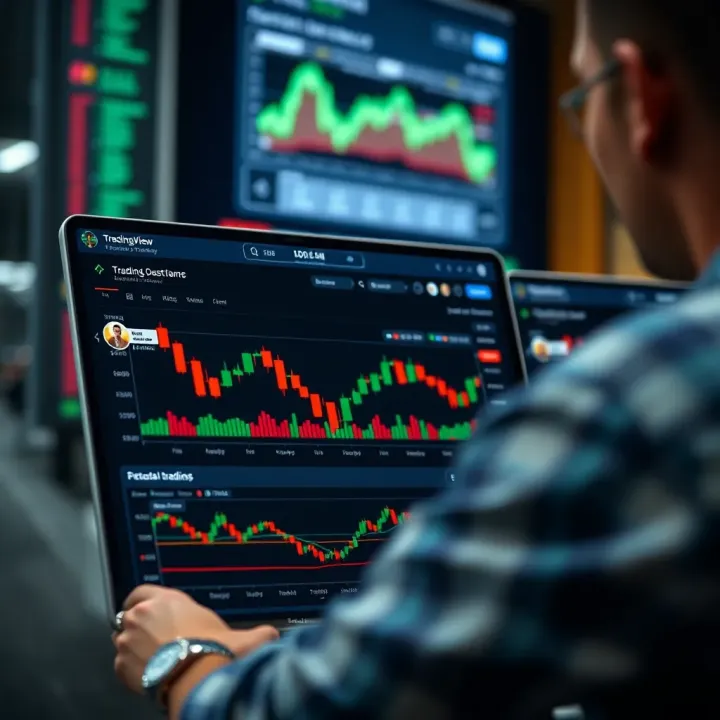
One standout feature on TradingView is Pine Script, a simple yet powerful language for creating custom indicators and strategies. Even if you’re new to programming, Pine Script's syntax is straightforward and well-documented, so you can tweak or craft your own tools tailored for Pakistani markets.
For instance, you could write a script that alerts you when the PSX 100 index moves above its 200-day SMA during high volume days—which could be an interesting signal to act on. This ability to personalize the technical tools means you’re not stuck with generic indicators but can truly adapt them to local trading preferences and realities.
Before trusting any strategy with real money, it’s wise to see how it handled past market conditions. TradingView allows traders to backtest their custom strategies against historical data, showing where a strategy would have won or lost.
Suppose you build a swing trading strategy using the RSI and MACD combination tailored for Pakistan’s exchange hours. Backtesting could reveal that this strategy performs well during stable market phases but struggles during earnings seasons. Such insights save you from costly mistakes and help tweak strategies ahead of live deployment.
TradingView's vibrant community is one of its core strengths. Users often share their Pine Script creations publicly, offering ready-made custom indicators and strategies. For Pakistani traders, tapping into this shared resource can be a shortcut to learning new techniques or improving existing ones.
By sharing your scripts, you not only get feedback from other coders but also build credibility within a global network. Moreover, you can learn which scripts are getting positive traction, hinting at what works in markets similar to Pakistan’s, making your trading more informed.
Using TradingView's technical tools thoughtfully lets you stay a step ahead, especially in Pakistan's unique trading environment. Whether it’s classic indicators or custom scripts, the platform helps turn analysis into an actionable plan.
Accessing real-time market data on TradingView is a game changer for Pakistani traders looking to make swift, informed decisions. In fast-moving markets, having up-to-date prices can mean the difference between catching a profitable move or missing out. TradingView provides a blend of free and paid data feeds, which cater to different needs, ensuring that users stay connected to critical market fluctuations without unnecessary delays.
TradingView offers a basic level of market data for free, which is great for casual traders and those just testing the waters. However, this free data often comes with a delay—usually around 15 to 20 minutes. For active traders dealing in stocks or forex, this lag can be a deal breaker since prices change minute by minute. Paying for a subscription or specific exchange data unlocks real-time feeds.
For instance, if you're tracking Pakistan Stock Exchange (PSX) stocks, the free data will typically update late, which might not suit day trading or scalping strategies. Upgrading to paid plans or purchasing real-time PSX data directly from TradingView means you get the freshest quotes, helping you react instantly to market moves.
TradingView covers a wide array of global exchanges, but Pakistani traders need to pay close attention to local market access. The Pakistan Stock Exchange is supported, but real-time access requires a separate subscription because PSX data can't be included in standard feeds for free. Additionally, currencies like PKR against USD or other forex pairs are available in real-time, which is handy for those also dabbling in forex markets.
Commodity prices relevant to the Pakistani market, such as gold and oil, are generally accessible in real-time through TradingView, often under global exchange data. This helps traders monitor fluctuations that impact local businesses and investor portfolios.
To cut down delays, consider TradingView’s paid plans that include real-time data subscriptions for specific exchanges. The Pro, Pro+, and Premium plans offer flexibility depending on the number of data feeds and features required. For example, the Premium plan allows access to multiple real-time feeds and advanced trading features — perfect for those juggling trades across different markets.
Subscribing to real-time data feeds for Pakistan Stock Exchange specifically costs extra, but it's well worth it for serious traders. Many Pakistan-based traders find that paying a little extra for timely data pays off by reducing missed opportunities.
Sometimes TradingView’s native data might not cover every niche market or instrument. Here, integrating third-party data feeds can fill gaps. In Pakistan, some traders use brokers or data providers like MetaTrader combined with TradingView for more precise or localised data.
This integration typically requires some technical setup but can layer TradingView's powerful charting with fresh, local data streams. By doing this, traders reduce reliance on delayed feeds and get closer to real buy-sell conditions occurring on Pakistan markets. It’s a strategy especially useful for those trading derivatives or less liquid assets where timing is everything.
Pro tip: Before committing to paid plans or third-party integrations, test the free version carefully to understand your exact needs and check how delays impact your trading style.
In essence, real-time market data availability can shape how much confidence Pakistani traders have in their entries and exits. Understanding what each option offers and how to upgrade smartly will keep your trading sharp and responsive in unpredictable market moments.
TradingView isn't just about charts and data; it's also a buzzing community where traders from around the globe, including Pakistan, converge to share ideas, insights, and experiences. For Pakistani traders, connecting with this community means gaining access to diverse perspectives and real-world trading tips that can sharpen strategies and enhance decision-making. Engaging with fellow users brings benefits that go beyond numbers — it helps build confidence, learn from mistakes, and stay updated with market sentiment.
Publishing trading ideas: Every trader has their unique approach, and TradingView makes it easy to share these strategies. Pakistani traders can publish charts highlighting entry and exit points, backed by technical indicators or fundamental data. This process isn't just about broadcasting one's thoughts but inviting feedback and constructive critique. For example, a trader analyzing the Karachi Stock Exchange (KSE) might post a setup identifying a potential rally in a cement stock. By doing so, others can comment, suggest alternate views, or confirm the prediction, turning the platform into a collaborative workshop.
Following expert traders: One of TradingView's strengths is the ability to follow seasoned traders who consistently produce solid analysis. Pakistani users can identify experts who focus on regional markets or specific sectors like textiles or energy. Following these experts helps beginners and even experienced traders keep a pulse on market trends without sifting endlessly through data. The “follow” feature also alerts you when these pros publish new content, keeping your feed fresh and relevant.
Engaging in discussions: Active participation in discussions brings deeper insights and helps clarify doubts. In TradingView’s comment sections or forums, Pakistani traders can ask questions about technical setups, share personal experiences, or debate market forecasts. These conversations foster a sense of community and bring nuanced views that might not be apparent from just watching charts. For instance, someone might explain how local political events affect the stock market, adding context that strict technical analysis can miss.
Market analysis posts: Community posts offer a window into real-time market thinking. Traders regularly upload detailed analysis, often with annotated charts and clear explanations. These posts serve as practical examples, showing how to interpret economic data releases or react to price movements of specific shares like Engro or Lucky Cement. Keeping an eye on such posts can help Pakistani traders stay informed about market sentiment and learn how others apply different analytical methods.
Educational webinars: TradingView isn't just a passive platform — it hosts webinars where experienced traders and analysts discuss various topics. For traders in Pakistan, attending these sessions is particularly valuable because they often cover strategies adaptable to local market conditions. Webinars might delve into subjects like managing risk during volatile periods or using advanced chart patterns to anticipate price action in forex or KSE stocks. These live sessions also allow real-time Q&A, making the learning interactive and practical.
User-generated tutorials: Beyond formal education, the community produces countless tutorials detailing step-by-step guides on using TradingView’s tools. These user-generated materials cover everything from setting up alerts to coding simple Pine Script indicators. Tutorials are especially handy for Pakistani traders new to the platform, providing easy-to-follow instructions without jargon. For example, one might find a straightforward guide on customizing charts for better visibility during Ramadan trading hours.
Community engagement on TradingView equips Pakistani traders with knowledge, diverse strategies, and the confidence needed to navigate both local and international markets effectively.
In sum, connecting with the TradingView community transforms solitary chart-watching into an enriching dialogue with other traders. This social facet is a game-changer, especially for those who want to stay ahead in the dynamic trading environment of Pakistan.
Trading happens fast, and for Pakistani traders, being glued to a desktop isn't always an option. Mobile trading has become a must-have, letting traders keep an eye on markets wherever they are — whether waiting for a bus in Karachi or having tea in Lahore. TradingView’s mobile app packs a punch by bringing its powerful charting and alert tools right to your pocket. This section breaks down how to make the most of TradingView on your phone or tablet without getting bogged down by limitations or security risks.
TradingView’s mobile charts pack many of the desktop features into a smaller screen, which isn’t always an easy thing to pull off. You still get interactive charts where you can zoom in and out, add technical indicators like the RSI or MACD, and draw simple trend lines. For example, a trader in Islamabad tracking the Pakistan Stock Exchange (KSE 100) index can set alerts for price breakouts or critical support levels using the app — that way, they don’t miss any sudden market moves, even without their laptop.
One tradeoff is that the mobile interface isn’t as spacious, so managing multiple charts side by side is tough. Also, highly complex custom Pine Script indicators might not display as cleanly or quickly because of mobile hardware limits. Despite these quirks, TradingView’s app does a solid job providing timely market signals and letting users react on the fly.
One feature that really helps keep things smooth is the synchronization of your mobile app with desktop TradingView. This means your saved watchlists, chart layouts, drawing tools, and indicators carry over automatically. For instance, if a trader sets up a specific chart layout with moving averages and Fibonacci retracements on their desktop, it’ll appear the same when they open TradingView on their phone.
This sync cuts down chaos by making sure users aren’t rebuilding setups every time they switch devices, which also saves time in fast-moving markets. The synchronization runs in near real-time as long as you have an internet connection, making mobile trading feel more seamless and less like a separate experience.
While notifications keep you in the loop, too many can become a headache. For Pakistani traders using TradingView, it pays to customize alerts carefully — only setup notifications for crucial price levels or strategy triggers. For example, if you follow the oil market or currency pair like USD/PKR closely, setting alerts for significant movements or news-driven volatility can be helpful.
Overloading your phone with non-essential pings can cause alert fatigue, making you more likely to miss or ignore important ones. It’s smart to schedule “do not disturb” periods during off-trading hours or when you want to focus, so your phone isn’t buzzing all day.
Trading on mobile means your financial info is more exposed to risks like theft or hacking, especially for Pakistani users who may use shared or public Wi-Fi frequently. To protect your TradingView account, enable two-factor authentication (2FA) and choose a strong, unique password. This adds an extra layer beyond just your username and password.
Also, be wary of apps that request unnecessary access or run in the background, as they could compromise your data security. Regularly update the TradingView app and your phone’s operating system to patch vulnerabilities. Finally, avoid trading over unsecured public networks; if you must, use a reliable VPN to shield your connection from prying eyes.
Mobile trading adds great flexibility but comes with extra responsibilities. Staying organized and secure while using TradingView on the go can make a world of difference for Pakistani traders looking to catch opportunities without missing a beat.
Understanding TradingView's subscription plans is essential for Pakistani traders who want to make the most out of the platform. Since trading styles vary widely—from day traders needing live feeds to investors focusing on long-term trends—choosing the right plan can save both time and money. Whether you're a beginner trying to keep costs low or a pro looking to access advanced features, knowing what each plan offers helps you weigh benefits against costs.
The free plan on TradingView lets you open only one chart layout at a time. This means if you're scanning multiple stocks or currencies, you need to switch between tabs rather than viewing all charts side-by-side. For someone juggling several markets—say tracking KSE-100 alongside Forex pairs—this limitation can slow down decision-making. So, if you rely heavily on comparing several securities at once, consider moving to a paid tier.
With a free account, you can use just three technical indicators per chart. Many casual traders find this manageable, but if you combine moving averages, RSI, and MACD, you're already maxed out. This restriction can stifle more in-depth analysis or custom strategies that require layering multiple signals. For instance, if you're testing a strategy mixing Bollinger Bands with stochastic oscillators, the free plan won't cut it.
Paid plans expand your ability substantially:
Pro allows two charts per layout and up to five indicators, which is a decent upgrade for casual users stepping up their game.
Pro+ increases this to four charts and ten indicators, great for active traders monitoring more markets and deploying complex strategies.
Premium lets you open up to 8 charts simultaneously and use 25 indicators per chart—handy for professional day traders with intricate setups.
Besides charts and indicators, higher tiers offer features like intraday data with no delays, more alert options, and access to extended market data such as futures. Having the ability to set alerts on complex conditions means you don’t have to babysit the screen constantly.
Pricing isn’t exactly pocket change for many traders in Pakistan, where economic fluctuations affect disposable income. TradingView’s plans start around $14.95 per month for Pro and can go up to $59.95 for Premium if billed monthly. Paying yearly reduces costs by about a quarter.
Before subscribing, consider:
Currency conversion rates fluctuating
Potential savings by opting for yearly plans
Shared family plans or group subscriptions if available
Many Pakistani traders weigh these costs against the value of faster, more efficient analysis. If you’re trading KSE or foreign markets, a smart subscription can help you catch trends early, possibly offsetting expenses through smarter trades.
Effective use of a paid plan depends on your trading volume and style. For part-time traders or beginners, free might suffice, but upgrading unlocks vital tools that can sharpen your edge.
In short, understanding the difference between free and paid versions helps you tailor your TradingView experience to fit both your financial situation and trading objectives.
Linking TradingView with other trading platforms can transform your trading experience, especially for Pakistani traders who want both the advanced charting capabilities of TradingView and the robust execution tools of traditional brokers. Integration lets you trade without jumping between different applications, saving time and reducing errors.
TradingView acts as a powerful analysis hub, but to make real trades, you often need to connect it with brokers that execute orders in real markets. This integration ties together smart analysis and quick execution, which can be a game-changer when markets move fast.
TradingView supports a decent list of brokers worldwide, some of which are accessible or relevant for Pakistani traders. Brokers like OANDA, FXCM, and Interactive Brokers allow you to link your accounts directly to TradingView. This means you can track your portfolio, place trades, and manage orders right from TradingView's interface.
For Pakistan, Interactive Brokers is often a favored option because of its global market access and compatibility. Though local brokers may not all support direct integration yet, this is changing as local exchanges push digitization forward.
Connecting your broker account is straightforward: after logging into TradingView, navigate to the brokerage panel and select your broker. Enter your credentials and authorize the connection. Once done, your trades become synchronized.
Executing trades without leaving the chart is one of TradingView’s standout features. This lets you act swiftly on insights without switching platforms. For example, spotting a breakout on the Karachi Stock Exchange chart and quickly placing a buy order through your linked broker reduces reaction time, potentially catching profits others miss.
This feature also lets you place market orders, set stop losses, and take profits—all inside TradingView. The interface often shows your open positions and order status, making management simpler.
While direct trading is handy, it’s vital to test with small amounts at first to avoid errors. Also, remember not all brokers offer the full feature set on TradingView, so checking broker support is key before jumping in.
TradingView allows exporting chart snapshots and certain data sets, useful if you want to do offline analysis or keep records. For Pakistani traders, this might mean downloading historical price data for PSX-listed stocks or forex pairs.
You can export data through the chart interface or Pine Script output, typically in CSV format, allowing import into Excel or other analysis software. This flexibility helps traders run custom calculations or build local models that TradingView alone doesn’t support.
For those who prefer automation, TradingView offers APIs to connect charts and alerts with other tools or platforms. Suppose you run an automated strategy coded with Pine Script; with APIs, you can trigger trades or send notifications to your phone automatically.
This is extremely useful for busy traders in Pakistan who might not monitor charts all day. Set your strategy’s alert on TradingView, have the API trigger trades via your brokerage, and relax a bit more.
Keep in mind, API usage might require technical skills or engaging developers. Also, ensure your broker supports automated trading requests through APIs to avoid unexpected issues.
Integrating TradingView with your trading platforms streamlines your workflow, cutting down time wasted on switching tools and reducing chances of missed opportunities. For Pakistani traders aiming to up their game, it’s a must-explore avenue.
Overall, combining TradingView’s powerful charts and social features with practical trading execution and data management tools creates a full-circle experience. This combo helps you analyze, decide, and act all in one place, making your trading smoother and potentially more profitable.
Security and privacy are not just buzzwords but essential pillars for anyone using platforms like TradingView, especially for Pakistani traders who deal with sensitive financial data and personal information daily. The trustworthiness of TradingView significantly depends on how well it protects user accounts and manages personal data. Ignoring these aspects can lead to serious consequences, ranging from account hijacking to unauthorized use of your trading ideas. This section will unpack the key security features and privacy considerations that every Pakistani trader should keep in mind while using TradingView.
Two-factor authentication (2FA) is one of the simplest yet most effective security measures on TradingView. By requiring a second step of verification—like a code sent to your smartphone—2FA ensures that even if your password slips out somehow, a potential intruder can't just waltz into your account. Think of it as locking your house with two separate locks; it’s way tougher for anyone to break in. Traders should activate 2FA in their account settings without delay to add this immediate layer of protection.
In addition, strong password practices are the backbone of account safety. Using passwords that combine upper and lowercase letters, numbers, and symbols—and avoiding things like "password123" or your birthdate—is non-negotiable. Many Pakistani traders often reuse passwords across multiple platforms, which is exactly what hackers pin their hopes on. Changing passwords periodically and employing password managers such as LastPass or 1Password can simplify managing complex passwords while boosting security.
When it comes to user data handling, TradingView collects info like your trading activity, watchlists, and published ideas. The platform claims to safeguard this data and not sell it to third parties without your consent. For Pakistani users worried about data spilling over borders or being misused, it’s wise to familiarize yourself with TradingView’s privacy policy. You should understand what data is stored, for how long, and who has access.
Content ownership is another important topic. If you publish your analysis or trading ideas on TradingView, you maintain ownership, but the platform may have rights to display or distribute your content within its network. This means your ideas could be seen by millions, which is good for exposure but potentially risky if someone decides to copy your work without acknowledgment. Pakistani traders should keep backups of their intellectual property and carefully consider how much they want to share publicly.
Safeguarding your trading account and data privacy is not just about ticking boxes—it's about protecting your financial future and personal trustworthiness in the digital trading world.
In short, staying vigilant with two-factor authentication, strong passwords, understanding data handling, and knowing your rights on content ownership are vital steps Pakistani traders can take. These practices ensure not only secure trading but also peace of mind while navigating TradingView’s rich yet complex ecosystem.
TradingView offers Pakistani traders a powerful toolkit, but knowing how to fine-tune its features for local market nuances can make all the difference. In this section, we’ll focus on practical tips that help you navigate the Karachi Stock Exchange (KSE), avoid common pitfalls, and ultimately make smarter trades using this platform. Real-world trading isn’t just about staring at charts—it’s about understanding the context and managing risks properly.
The Karachi Stock Exchange behaves differently than markets like NYSE or NASDAQ; volumes can be lower, and external economic or political events can cause rapid shifts. For example, typical momentum strategies used in bigger markets might give false signals here. Using TradingView, Pakistani traders should consider combining volume analysis with fundamental news alerts to confirm entry and exit points.
Setting alerts for specific KSE-listed stocks on TradingView can help you catch sudden price movements triggered by local events, like corporate announcements or government policy changes. Since KSE has certain sectors like textiles or banking dominating, paying attention to sector performance within TradingView's screener can help pinpoint which stocks have higher momentum or are consolidating before a breakout.
Pakistan's economy influences the market heavily, so keeping an eye on some specific economic indicators is smart. Key ones include the State Bank of Pakistan's interest rate decisions, inflation rates, and foreign exchange reserves. These indicators often drive stock movement, especially in sectors sensitive to interest rates like banking and construction.
Using TradingView’s customizable alert system, you can sync these economic indicators with your trading strategy. For example, when inflation data is released and causes currency depreciation, commodities or export-heavy sectors may react on the KSE charts. Tracking the PMI (Purchasing Managers Index) can give clues about economic health, impacting your position sizing.
Always remember, the Pakistani market can be reactive to global trends combined with local economic policies, so combining technical signals with economic insight keeps your trades grounded.
It’s easy to get lost in the sea of TradingView’s indicators like RSI, MACD, or Bollinger Bands. Pakistani traders sometimes fall into the trap of relying solely on these tools without considering broader market conditions. Indicators are lagging by nature—if you blindly trust them, you might miss the bigger picture.
For instance, an overbought RSI during a market correction can still push prices down despite what the indicator suggests. Instead, use indicators as one piece of the puzzle. Try combining them with volume analysis or news feeds for confirmation. Developing your own custom indicator scripts using Pine Script can add more relevant filters specific to Pakistani markets.
Risk management is one area where many traders slip up, especially when excitement takes over. TradingView allows setting stop-loss and take-profit levels directly on charts, but some traders skip these because they feel confident in their analysis.
Ignoring risk management can lead to heavy losses during sudden downturns common in emerging markets like Pakistan. Always define your risk per trade before entering and stick to it. For example, risking 1-2% of your capital per trade keeps your portfolio safer during volatile spells. Also, diversify across sectors rather than putting all eggs in one basket, which TradingView’s screener tools can assist with.
A simple rule: no matter how promising a trade looks, have a clear exit plan. This discipline separates amateur traders from professionals.
By understanding these local market realities and avoiding typical missteps, Pakistani traders can harness TradingView’s capabilities better and protect their capital while aiming for consistent returns.
Explore how Pakistani traders can use TradingView.com for advanced charting 📈, community insights 🤝, and smart trading tools 💡 to boost their strategies effectively!
📈 Learn how Pakistani traders can master TradingView with Deriv for smarter trades! Discover integration tips & strategies for all skill levels.
📈 Explore TradingView's features, setup tips, and community insights tailored for traders in Pakistan. Master charts and market analysis with ease!
Discover how to select the right trading broker in Pakistan! Learn about broker types, fees, regulations, & key tips for safer, smarter trading 📊💼🇵🇰
Based on 12 reviews