
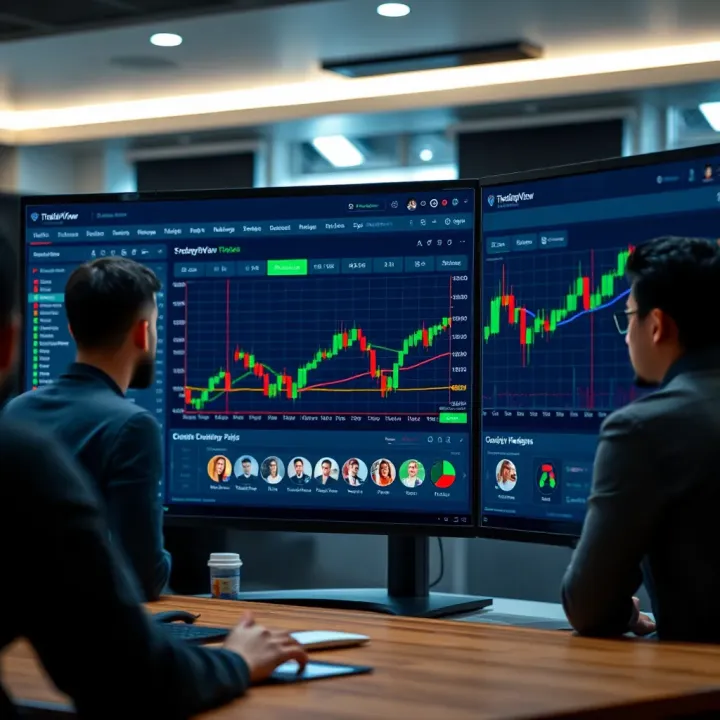
Master TradingView: A Practical Guide for Traders in Pakistan
📈 Discover how to set up and master TradingView in Pakistan! Learn charting, indicators & connect with traders for smarter decisions on this top platform.
Edited By
Henry Wilson
TradingView has fast become a go-to platform for traders and investors worldwide, and Pakistan is no exception. It combines powerful charting tools with a vibrant community where people swap ideas and strategies. Whether you are a beginner just dipping your toes in stock trading or a seasoned analyst looking for sophisticated features, TradingView offers a versatile environment.
This guide covers everything you need to know—from the nuts and bolts of setting up an account, to unlocking its charting capabilities, exploring its social community, and even integrating your brokerage account for live trading. You’ll find practical tips to navigate the platform effectively, ensuring you don’t get lost in its many layers.
Why should this matter to you if you’re trading from Pakistan? Because access to timely data, reliable analysis tools, and a solid trading community can make all the difference between a profitable trade and a missed opportunity. Through real examples and clear directions, this article aims to help you make the most out of TradingView, tailor-fit to the nuances of the Pakistani market.
Trading is not just about numbers; it's about having the right tools and insights at your fingertips to make informed decisions.
Let’s dive in and unpack the features and tools that give TradingView its edge.
TradingView has become a go-to platform for traders and investors around the world, including Pakistan. This section lays down the foundation by explaining what TradingView is, why it matters, and how it fits into the broader trading environment. Understanding this helps us appreciate the tools and features detailed in later sections, and shows how the platform can meet different trading needs.
At its core, TradingView is an online charting and social networking tool built specifically for traders and investors. Rather than being tied to a specific broker or exchange, it's browser-based, giving users quick and easy access to live market data and a rich set of interactive charts. This accessibility makes it especially useful in regions like Pakistan, where desktop installations or broker-specific tools may be limited.
Knowing the basics of TradingView sets the stage to explore its advanced capabilities without feeling lost in jargon or technical details.
TradingView started as a simple charting solution but has grown into an extensive platform serving millions globally. Its user base includes everyone from beginners trying to grasp market trends to professional analysts devising complex strategies.
What makes it practical is the platform’s variety of chart types, indicators, and social features. Users can easily track financial instruments from stocks and forex to cryptocurrencies and commodities. For example, a freelancer in Karachi can analyze PSX stocks alongside global markets right from their web browser during a quick coffee break.
Different users come to TradingView with different goals:
Retail traders want straightforward tools and clear signals for entry and exit points.
Investors focus on longer trends and use fundamental overlays.
Technical analysts crave customization, scripting, and backtesting capabilities.
Educators and coaches use the social and sharing features to teach and collaborate.
Understanding these user groups highlights how TradingView’s flexible features cater to these diverse demands, making it a versatile tool for almost anyone involved in financial markets.
What sets TradingView apart is not just its tools but its user-friendliness and wide market coverage. Compared to MetaTrader or ThinkorSwim, which may have steeper learning curves and be limited to particular brokers or asset classes, TradingView offers a more inclusive experience.
For instance, while MetaTrader is popular for forex trading, TradingView also supports crypto, stocks, and commodities with equal ease, all under one roof. This multi-asset support is a big plus for traders looking to diversify without hopping between different platforms.
One of TradingView’s biggest selling points is that it lives in your browser. There's no need for bulky downloads, and updates happen automatically. For many users in Pakistan, where internet infrastructure may vary across cities, this means they can hop on their laptop at any internet café or office without fuss.
Moreover, the platform works smoothly on various devices, including tablets and smartphones, so traders can stay connected even when they're on the move. This ease of access can make all the difference in fast-moving markets.
Overall, TradingView’s combination of comprehensive charting capabilities, social networking, and effortless accessibility positions it as a standout tool for traders and investors in Pakistan and beyond.
Charting tools are the beating heart of TradingView, the core feature traders and investors turn to when making sense of market movements. Without them, trying to read the market’s pulse would be like navigating in the dark. This section walks through the types of charts, technical indicators, and custom scripts offered by TradingView, revealing how these features equip users with a sharper analytical edge.
TradingView brings a variety of chart types but the candlestick chart is king for most traders. Candlesticks illustrate the open, high, low, and close prices in a clear, visual manner, making it easier to spot trends, reversals, or market indecision. For example, spotting a hammer candlestick pattern on the Pakistan Stock Exchange (PSX) could signal a potential price reversal.
Bar charts, although similar to candlesticks, provide a more stripped-down view focusing on price highs and lows without the extra color-coded emphasis. Meanwhile, line charts are the most basic—plotting just the closing prices over time. This simplicity can help identify overall trends without the noise.
Traders often switch between all three types throughout their analysis to gain different perspectives. For instance, a forex trader might use line charts to confirm the trend detected in candlestick charts before taking action.
One of TradingView’s standout features is the flexibility with timeframes. Users can select standard periods like 1-minute, 5-minute, daily, or weekly charts, while also creating custom timeframes like 3 hours or 45 minutes. This allows traders in Pakistan and beyond to tailor their analysis to suit their trading style — whether day trading forex pairs or holding long-term positions in commodities.
Custom timeframes are especially handy when markets operate in different hours. For instance, a trader watching both PSX stocks and cryptocurrencies can craft unique timeframes to fit market activity patterns, helping capture opportunities across different sessions.
Indicators such as Moving Averages (MA), Relative Strength Index (RSI), and Bollinger Bands come preloaded in TradingView and are widely used by traders. For example, a Pakistani investor might use a 50-day MA to smooth out price data and spot overall market direction for shares like OGDC or KSE100.
The RSI helps gauge if a stock is overbought or oversold, vital for timing entry and exit points. Bollinger Bands provide a visual cue for volatility — when the bands squeeze, a price breakout could be imminent.
It’s these built-in tools that lower the barrier for beginners and offer advanced traders quick access to proven technical setups without messing with complicated configurations.
Beyond indicators, drawing tools are vital for marking trendlines, support and resistance levels, and chart patterns. TradingView includes an array of customizable tools: retracement levels, pitchforks, Fibonacci arcs, and more.
Consider a technical analyst identifying a double bottom pattern on the PSX; drawing horizontal support lines helps confirm the pattern visually. Similarly, trendlines drawn on Forex pairs like USD/PKR provide context on price direction.
The practicality of drawing tools lies in manual input which complements indicator data, offering a hands-on approach to market analysis.
TradingView’s Pine Script language lets traders create their own indicators, alerts, and strategies. Don’t worry if coding isn’t your thing — Pine Script is designed to be approachable, with plenty of templates and community scripts to adapt. For instance, a user might customize a moving average crossover system tailored to trade PSX shares only during market hours.
This scripting flexibility gives traders the freedom to complement default tools or innovate unique approaches, making TradingView not just a platform but a creative space for market strategists.
Backtesting allows traders to test their trading ideas against historical data before risking real money. In TradingView, it’s straightforward to run these tests using Pine Script strategies.
Say a trader develops a simple strategy that buys NBP shares when the price crosses above the 20-day MA and sells at the RSI hitting above 70. Using backtesting, the trader can check how this approach would have performed over the last year, identifying strengths and flaws without guesswork.
This real-world testing is a game changer for anyone serious about trading, enabling data-driven decisions rather than relying on gut feelings.
Tip: Regularly experimenting with drawing tools alongside indicators and backtesting custom scripts sharpens a trader’s skills, making TradingView a one-stop shop for mastering technical analysis.
In summary, TradingView’s charting tools are built for flexibility and depth, catering to beginners and seasoned pros alike. Whether it’s the choice of chart types, handy technical indicators, or the power to build and test custom strategies, these tools create a comprehensive toolkit to analyze and act on market data effectively.
Creating and managing a TradingView account is your first step toward unlocking the platform's full suite of trading and analysis tools. This section is key because having a properly set up account ensures you can customize your experience, track markets efficiently, and make the most of TradingView’s social and technical features. Whether you’re a tinkering newbie or a seasoned trader, knowing how to navigate the registration, subscription plans, and dashboard settings can save you time and effort.
Jumping into TradingView, you’ll notice there’s a bunch of plan options ranging from free to several paid tiers like Pro, Pro+, and Premium. The free plan is a solid starting point — it lets you create up to three charts per layout and use a limited number of indicators. But here's the catch: it also comes with ads and restricted real-time data for certain markets, which might be a dealbreaker for active traders.
Paid plans unlock features such as multiple chart layouts, more indicators per chart, and faster real-time data streams. For example, if you subscribe to the Pro plan, you’ll get five indicators per chart and access to enhanced alert options, helpful if you monitor multiple assets. Traders focused on Pakistani markets might find the data lag in the free version a bit annoying because of regional data delays, so a paid plan could provide significant benefits.
Remember, upgrading to a paid plan is not just about flashy extras — it directly impacts how timely and detailed your market insights can be.
Paying for premium features from Pakistan can be tricky due to some international payment gateway limitations. Fortunately, TradingView supports major payment methods including Visa, Mastercard, and PayPal. Pakistani users often find using Payoneer or international debit cards helpful. In some cases, using virtual cards or payment services supported by local banks can also work.
If you run into blocks, consider reaching out to TradingView’s support or check forums specific to Pakistani traders; they often share practical tips to circumvent regional payment hurdles without risking account safety.
Once logged in, your dashboard acts as your control center. Creating watchlists tailored to your trading interests—say, top PSX stocks like Engro or K-Electric—lets you keep tabs easily. You can organize watchlists by market type, sector, or personal preference.

Alerts on TradingView are a game changer if you can’t stare at charts all day. Setting alerts for price levels, indicator crossovers, or news events means you get notified via app or email the instant something important happens. This is especially useful when trading volatile pairs like USD/PKR or cryptocurrencies.
Pro tip: Set alerts conservatively to avoid alert-fatigue but smart enough not to miss crucial market action.
TradingView lets you fiddle with settings to fit your workflow. This includes theme preferences (light or dark mode), default chart types, and timeframes. If you tend to day trade, setting a default chart to 15-minute intervals saves you a few clicks daily.
You can also customize the way notifications work, choose your preferred language, and organize your saved layouts. These small tweaks create a smoother experience and speed up decision-making when markets are buzzing.
Imagine logging in every day and seeing exactly what you need, without a second wasted on hunting down your favorite charts or settings.
With the right account setup and dashboard adjustments, TradingView becomes more than just a charting tool—it turns into a personal trading assistant tailored to your style and needs.
Access to reliable market data is the backbone of making informed trading decisions. TradingView offers a wide variety of market data and instruments, which makes it a go-to platform for traders and investors around the world, including those in Pakistan. Knowing what markets are covered and understanding the nuances of real-time versus delayed data can help users use the platform more effectively. This section highlights the types of markets available and the challenges users might face, especially with Pakistani market data.
TradingView spans across multiple market types, giving users the flexibility to diversify their analysis beyond just one asset class. There’s coverage for stocks, forex, cryptocurrencies, and commodities. This means a trader can easily check on Apple’s stock price, monitor major currency pairs like USD/PKR or EUR/USD, keep an eye on Bitcoin trends, or track gold prices all within the same interface.
For example, a trader in Karachi might be interested in the commodity markets due to Pakistan’s agricultural exports, while another may focus on forex pairs, considering the volatility in currency rates. Access to multiple market instruments on one platform eliminates the hassle of juggling separate apps or websites.
The broad market coverage also helps users spot correlations—like how a rise in crude oil prices can influence the Pakistani rupee—which is essential for managing risk and spotting trading opportunities.
When it comes to data access, the distinction between real-time and delayed data is crucial. Real-time data means you see price changes as they happen, while delayed data updates after a short lag, often 15 to 20 minutes.
For users focusing on the Pakistan Stock Exchange (PSX), TradingView does provide market data, but it’s not always real-time in the free plan. Due to licensing restrictions and the cost of live data feeds, Pakistani market data often comes with a delay unless users subscribe to premium plans or directly purchase real-time data access.
This delay can be a drawback for traders who rely on split-second decisions, such as scalpers or day traders. However, for swing traders or long-term investors, the delayed data still offers valuable insights without the added expense.
TradingView pulls data from various exchanges and data providers, including global giants like NASDAQ and CME, as well as regional exchanges. The platform partners with data vendors who supply streams according to market regulations and licensing.
Be aware, though, that data availability and quality can vary. For example, while cryptocurrency data tends to be almost instant due to its decentralized nature, some commodity and local stock data like PSX might have restrictions or face interruptions.
Pro tip: If you are trading the Pakistani market actively, consider cross-checking TradingView data with the official PSX website or broker platforms to ensure accuracy, particularly during volatile sessions.
In summary, understanding what types of markets are at your fingertips and the specific nature of the data you receive is essential. Trade smart by knowing the limits of your data feed and adapting your strategy accordingly, especially in markets like Pakistan’s where real-time access can be pricey or limited.
TradingView isn't just about charts and market data; it's also a bustling community where traders of all levels can connect, share, and learn from one another. For traders in Pakistan and elsewhere, these social networking features add a layer of practical insight beyond just numbers on a screen. They foster a sense of collaboration and provide real-time feedback that can help refine your trading decisions. Whether you're testing out a new strategy or just looking for fresh ideas, the social dimension of TradingView can be a game-changer.
Sharing trading ideas is one of the core pillars of TradingView's community. Users post their analysis, trade setups, and predictions right on the platform, often accompanied by annotated charts. For instance, a trader interested in PSX may share a bullish setup on Pakistan Oilfield Limited, detailing the indicators used and the rationale behind the trade. This open exchange helps beginners see how experienced traders think through the markets, while seasoned traders benefit from diverse perspectives which might highlight factors they missed.
One practical tip for users is to regularly browse the "Ideas" section to spot trends in sentiment around specific symbols or sectors. It's also helpful to comment or ask questions directly on posts, sparking a dialogue that can deepen understanding.
Following experts and influencers is another vital feature. By tracking seasoned traders or market analysts, you get direct access to their updates and forecasts as they post them. This can be valuable for staying ahead of market moves or discovering new methodologies. For example, a forex trader might follow an influencer who specializes in currency pairs doing well in the emerging markets, giving insights into technical patterns common in those instruments.
To make the most of this feature, it’s recommended to evaluate the track record and style of the experts you follow. Not every popular trader suits every follower’s risk appetite or strategy, so follow selectively and keep your own trading goals in mind.
How to post charts and scripts on TradingView is straightforward but unlocks a wealth of collaboration opportunities. Users can upload custom-made charts with indicators or Pine Script strategies they’ve developed. This allows others to see precisely what was tested or observed, making it easier to replicate or adapt those methods. For example, a user might share a custom momentum indicator specifically tailored to Pakistan’s stock market volatility, helping others avoid entering trades during choppy sessions.
When posting, clear explanations and cleanly annotated charts help your analysis stand out. Use descriptive titles and add context so that other users can grasp the key points quickly.
Engagement with other users happens through comments, likes, and chat rooms. This interaction often sparks debates, clarifications, and tips that can turn a basic idea into a fully fleshed-out trading strategy. In public chat rooms, traders can ask questions or share news updates relevant to their markets, creating a dynamic hub of information.
Engaging actively also builds your reputation within the community, leading to better feedback on your trades and possible mentorship opportunities. A practical way to enhance engagement is by responding to comments promptly and sharing your own follow-up analysis.
Social networking features on TradingView turn it from a simple trading tool into a live exchange of knowledge, offering traders valuable insights and connections they can't easily find elsewhere.
In short, harnessing TradingView’s social aspects can improve your market awareness, refine your strategies, and expand your trading network—especially useful for traders navigating Pakistan’s unique market environment.
TradingView has become an essential tool for traders focusing on Pakistan’s financial markets, especially because it combines versatile charting with a strong community presence. For anyone looking to analyze market trends in the Pakistan Stock Exchange (PSX) or trade forex and cryptocurrencies from Pakistan, TradingView offers a straightforward yet powerful platform. It helps investors cut through the noise by giving them visual tools, real-time insights, and social interaction that’s hard to find elsewhere in local contexts.
While TradingView supports PSX data, users often run into delays or limited data depth due to how information is sourced from local exchanges. Real-time data for PSX sometimes requires additional paid subscriptions or third-party services. However, a practical workaround is to use TradingView’s delayed data combined with offline analysis of downloaded statements from PSX websites. For active traders, syncing TradingView’s alerts with brokerage platforms that provide real-time feeds—even if limited—is a way to stay ahead.
Moreover, custom Pine Script indicators can be tailored to smooth over some inconsistencies or create alerts based on delayed data. This blend of tools allows traders to work within Pakistan’s somewhat restricted data environment effectively.
Among PSX traders, a handful of symbols see more activity and thus are more suitable for technical analysis. Stocks like Engro Corporation (ENGRO), Pakistan Petroleum Limited (PPL), and Habib Bank Limited (HBL) are widely followed. For these, common technical indicators such as Moving Averages (MA), Relative Strength Index (RSI), and Bollinger Bands can provide useful signals.
For instance, a trader watching ENGRO might use the 50-day and 200-day moving averages to detect trend shifts, while RSI can help spot overbought or oversold conditions. Combining multiple indicators on the platform allows traders to build a more nuanced picture of potential price movements.
Pakistan’s traders show growing interest in forex pairs like USD/PKR and EUR/USD, besides the globally popular pairs such as GBP/USD and USD/JPY. TradingView provides live charts and analysis tools tailored for these pairs, with a strong focus on candlestick formations, support/resistance zones, and trendlines.
On the cryptocurrency front, Bitcoin (BTC), Ethereum (ETH), and Ripple (XRP) typically dominate local trading interest. TradingView not only provides up-to-date price charts for these cryptos but also supports scripting indicators that can factor in unique crypto market traits like sudden spikes or crashes.
One common challenge in both forex and crypto markets in Pakistan is the heightened volatility paired with liquidity constraints, especially during off-hours. Traders need to keep an eye on volume indicators and Average True Range (ATR) metrics available on TradingView to understand how much price movement they should expect and whether a market’s liquidity can support their trade size.
Managing risk becomes vital here; using alerts for sudden volatility shifts can be a lifesaver. For example, a sudden spike in ATR on BTC/USD could signal a high-risk trade environment.
Traders leveraging TradingView’s alert system can act swiftly, mitigating losses and maximizing opportunities by adapting to rapid market changes.
By carefully navigating these features tailored for Pakistan’s market conditions, traders can squeeze out value and make their technical analysis more efficient. Understanding local limitations, using popular symbols wisely, and keeping track of volatility and liquidity are key to getting the most out of TradingView in Pakistan’s trading scene.
Integrating TradingView with broker platforms is a significant step for traders who want to streamline their trading process. Instead of juggling multiple applications, this integration allows execution of trades directly from TradingView’s interface. It makes the workflow smoother, especially if you rely heavily on technical analysis and want to act on signals quickly without switching platforms.
This connection can save time and reduce the chances of missing market movements due to delays. Pakistani traders, in particular, can benefit since local broker service options are becoming more tech-savvy, offering better compatibility with global tools like TradingView.
Linking your TradingView account with your broker lets you place orders straight from the charts. Instead of noting down trade signals and switching to a separate trading app, you click right on TradingView. This means when you see a breakout or a reversal on a chart, you can snap up or offload positions immediately.
The process usually involves authenticating your broker account within TradingView, which then grants permission to send orders via a secure API. Popular brokers like OANDA, Interactive Brokers, and FOREX.com are supported globally, offering features like market, limit, and stop orders directly through TradingView’s interface.
In Pakistan, however, broker support can be limited. Most local brokers aren’t officially integrated yet, but traders often use bridging software or manual methods to keep their charts and execution platforms in sync. Nevertheless, some global brokers that cater to Pakistani users provide smoother integration options.
While TradingView supports many global brokers, Pakistani traders should carefully check if their preferred broker offers connectivity. For example, brokers like Alpari and XM accept clients from Pakistan but might not have direct TradingView integration.
A practical way is to contact your broker’s support and ask for API access or if they offer any plugin compatible with TradingView. Alternatively, using brokers known for better tech infrastructure like Interactive Brokers outside Pakistan is an option, for those with international trading interest.
Tip: Even if direct integration is unavailable, using TradingView alerts with your broker’s platform can help maintain real-time decision-making without constantly toggling apps.
Setting up alerts on TradingView is straightforward but incredibly powerful. Traders can configure notifications for price thresholds, indicator crossovers, or even custom Pine Script conditions. This means you don’t need to stare at screens all day waiting for the perfect moment.
For instance, you can set an alert to notify you when the PSX 100 index crosses a specific moving average or when Bitcoin’s price dips below a resistance level. Alerts can be sent to your phone via push notifications, email, or even SMS.
Creating alerts is as simple as right-clicking on the chart or indicator and selecting "Add Alert." From there, customize the conditions, expiration time, and notification method, tailoring it to your trading style.
Beyond simple notifications, TradingView alerts can be linked to third-party services to automate parts of your trading. Services like Zapier or Webhooks can catch alert signals and trigger actions, such as placing orders on your broker’s platform or sending detailed reports.
For example, a trader in Karachi might set up an alert that triggers a webhook connected to a platform like MetaTrader 4 or 5, which then executes the order automatically. This reduces manual intervention and helps react faster to volatile market moves.
This requires a bit of setup and familiarity with APIs, but it’s a game changer for those wanting a semi-automated or fully automated trading system without costly proprietary software.
Note: Automated trading comes with risks, especially in volatile markets like forex or cryptocurrencies. Always test setups in a demo environment before deploying live.
With these tools at hand, traders in Pakistan can make the most of TradingView not just for analysis, but for taking timely actions backed by automation and direct broker connectivity.
TradingView’s mobile and desktop apps bring the platform’s powerful features right to your fingertips, no matter where you are or what device you use. This flexibility is particularly handy in today's fast-paced trading environment, where timely decisions can make a huge difference. Pakistani traders, investors, and analysts benefit greatly from these apps because they allow continuous market monitoring without getting tied down to a desktop or awkwardly navigating a browser on a phone.
TradingView designed these apps to cater to different use cases. While the mobile app is perfect for quick checks and on-the-move decision-making, the desktop app shines when you need the full spectrum of tools across multiple screens. Both bring their own advantages and quirks that are useful to understand if you want to make the most out of TradingView.
The mobile app puts essential charting tools in your pocket. It lets you view live charts for stocks, forex, and cryptocurrencies with nearly the same range of indicators you get on desktop. For instance, you can quickly switch between candlestick and line charts, apply indicators like RSI or MACD, and even draw trend lines or highlight support and resistance levels—all with a few taps. This means if you spot an interesting pattern waiting to unfold during your commute or lunch break, you can react immediately instead of waiting until you're back at your PC.
Having mobile access is especially practical in Pakistan’s volatile forex and cryptocurrency markets where hourly moves can catch you off-guard if you’re glued to a limited screen or no screen at all.
Push notifications and alerts are a big part of TradingView’s mobile appeal. The app lets you customize these alerts so you only get notified about price movements or indicator signals that matter to you. You can set alerts on specific price points, indicator crossovers, or even custom Pine Script conditions.
What makes this feature stand out is its ability to wake you up from distractions and noisy surroundings with a simple buzz or notification popup. A busy trader in Karachi, for example, might set alerts for PSX shares or forex pairs like USD/PKR. When these crosses a specific threshold, his phone signals him immediately, making it easier to stay ahead without having to constantly watch the charts.
For analysts and traders who spend long hours studying markets, the desktop app provides the muscle and reliability the browser sometimes lacks. It loads chart data faster, uses your computer’s resources efficiently, and supports multiple screens seamlessly. This means you can have several charts side-by-side, each showing different assets or timeframes without slowdowns.
For example, an equity trader in Lahore might keep one screen focused on the Pakistan Stock Exchange while using another to track international commodities or forex rates. The desktop app's stability and smooth scrolling allow for detailed multi-market analysis under a single roof, boosting productivity and reducing the frustration of having to juggle multiple browser tabs.
One often overlooked feature is the desktop app's limited offline functionality. While you can’t trade or get live market data without an internet connection, the app lets you review your saved charts, layouts, and historical data offline. This comes in handy during spotty internet conditions, which can sometimes be an issue in smaller towns or outskirts of Pakistani cities.
You can open your workspace and analyze previous sessions and strategies even if the connection drops momentarily. This offline access ensures your preparation isn’t entirely halted by connectivity troubles and helps maintain rhythm and focus.
TradingView’s mix of mobile convenience and desktop power offers Pakistan’s traders the flexibility to stay connected and informed under any circumstance. Choosing whichever app fits your routine can optimize your trading workflow significantly.
Getting the most out of TradingView isn't just about knowing where to click or what indicators to use. It’s about tailoring the platform to fit your unique trading style and keeping your workflow smooth. This section breaks down practical tips that can ramp up your efficiency and keep you connected to the learning curve.
Templates on TradingView are like your personal shortcut keys, set up to instantly bring your analysis toolset into focus. Instead of rebuilding your chart settings every time, you can save your favorite indicators, drawing tools, and chart types as a template. For example, if you mainly trade PSX stocks, you might create a template with RSI, Bollinger Bands, and volume overlays set to daily candles.
This way, when market action starts heating up, everything you need is just a click away. Templates speed up your decision-making process, allowing you to jump into trades without the usual setup hassle.
Once your workspace looks the way you like, TradingView allows you to save layouts, which is essentially saving the entire screen setup, including multiple charts and watchlists. This comes in handy if you want different layouts for Forex, crypto, or stocks, tailored for quick switching based on what you’re trading that day.
Sharing these layouts supports collaboration with fellow traders or educators. Say you’ve discovered a powerful way to watch trends and want to pass that on; sharing your setup through TradingView’s community can be a game-changer for others trying to up their game.
TradingView offers a wealth of tutorials right from the platform, helping users of all levels grasp everything from basics to complex Pine Script coding. These tutorials are updated regularly to keep up with platform changes and new features, making them a reliable first stop for everyone.
Beyond tutorials, TradingView’s forums buzz with activity. It’s where traders dissect market moves, share tips, and troubleshoot issues. Engaging here can provide insights you won’t find in formal classes, gleaning from wide-ranging real-world experiences.
The trader community on TradingView isn't just a side feature — it’s a rich source of guidance and mentorship. Community channels often host live webinars or Q&A sessions where experts break down their strategies and answer pressing questions. These sessions, often interactive, let traders learn about market nuances and new tool features in real-time.
Regularly tuning into these webinars or joining chats can sharpen your skills, especially if you’re navigating the complexities of Pakistan’s markets, where local nuances can alter typical trading patterns.
Tip: Consistently updating your workspace and tapping into these learning opportunities ensure you remain nimble and ready to adapt as markets evolve.
By customizing your TradingView environment and tapping into its community and support network, you won’t just trade smarter — you’ll also stay connected to the pulse of market trends worldwide, all from your Pakistan-based desk or mobile device.
While TradingView offers a wealth of features and an intuitive interface, it's not without its limitations. It's important for traders, especially those operating in markets like Pakistan's, to be aware of potential drawbacks. This helps in making a well-rounded decision and exploring alternatives that might better suit individual trading styles or technical needs. Understanding these aspects ensures you don't get caught off guard and can plan accordingly.
One of the common challenges with TradingView is the cost related to accessing certain market data. Although the platform offers a generous free tier, real-time data feeds for specific markets like the Pakistan Stock Exchange (PSX) often come at extra charges. These subscription fees can add up, particularly for active traders who need up-to-the-second information.
It's worth noting that while some exchanges provide delayed data for free, delayed quotes may not be sufficient for timely decision-making. For instance, a day trader focusing on PSX stocks might find a five or ten-minute delay costly in terms of missed opportunities. Therefore, budgeting for these extra data fees is necessary if real-time access is a priority.
To manage costs, users can evaluate which data streams are absolutely essential and consider subscribing selectively. For casual or long-term investors, delayed data might suffice, letting them save money without much compromise.
TradingView is primarily an online platform, which means a steady internet connection is a must. In regions with spotty internet service or frequent outages, this dependency can create frustrating interruptions. For traders in Pakistan, where internet speed and reliability can vary greatly, this is an important factor.
Without a good connection, charts won't update in real-time, alerts may be delayed, and order execution linked via connected brokers might suffer. This could lead to missed trades or an incomplete view of market conditions, which can be costly.
As a practical tip, users might consider having backup internet solutions, such as a mobile data hotspot, just in case. Additionally, TradingView's desktop application partly addresses this issue by allowing offline access to saved layouts, but live data still requires connectivity.
When weighing TradingView’s limitations, it helps to look at alternatives that might fill certain gaps. Three notable platforms frequently mentioned alongside TradingView are MetaTrader, ThinkorSwim, and various local tools tailored to specific markets.
MetaTrader (MT4/MT5): Popular especially for forex traders, MetaTrader is known for its robust trading execution, extensive automated trading capabilities, and integration with many brokers active in Pakistan. It handles order routing directly with brokers, which TradingView connects to only through supported integrations. However, its charting features are less visually polished and less social compared to TradingView.
ThinkorSwim: This platform, offered by TD Ameritrade, shines in advanced charting and a feature-rich desktop environment. While it’s not widely accessible in Pakistan, for traders with international accounts, it’s a strong alternative. It also supports paper trading and deep option analytics.
Local Tools: Pakistan-based platforms like PSX’s own portals or broker-provided trading software often offer direct connectivity to local market data without extra subscription fees. However, these local tools tend to lack the global market coverage and social community features of TradingView.
Ultimately, choosing the right platform depends on what you prioritize: chart diversity and community may lead you to TradingView; execution speed and broker integration might push you toward MetaTrader; or simple, direct access to PSX data may be best with local solutions.
Keep in mind, no platform fits everyone perfectly. Testing a few alongside understanding your trading style and local market specifics will pay dividends.
With these points in mind, traders can better optimize their toolkit for the Pakistani market’s needs while staying mindful of costs and connectivity.
📈 Discover how to set up and master TradingView in Pakistan! Learn charting, indicators & connect with traders for smarter decisions on this top platform.
📈 Explore TradingView's features, setup tips, and community insights tailored for traders in Pakistan. Master charts and market analysis with ease!
📈 Explore TradingView's tools, community, and features tailored for Pakistani traders. Learn how to improve your strategies and trade smarter today!
📊 Explore TradingView’s tools, charts, and strategies tailored for binary options traders in Pakistan to enhance your trading skills and results!
Based on 14 reviews