
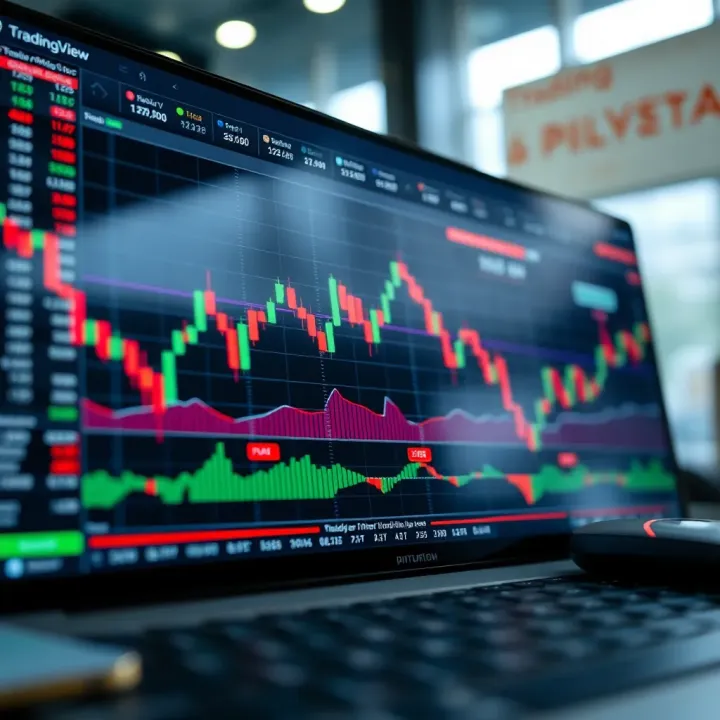
TradingView Guide for Traders in Pakistan
📈 Explore TradingView's features, setup tips, and community insights tailored for traders in Pakistan. Master charts and market analysis with ease!
Edited By
Isabella Kelly
TradingView has quickly become a go-to platform for traders worldwide, and for good reason. It’s not just about fancy charts; it offers a blend of tools that cater to both beginners and seasoned pros. For traders in Pakistan, especially, understanding how TradingView fits into the local market environment can make all the difference.
This guide aims to peel back the layers of TradingView, spotlighting its core features and practical benefits. Whether you're tracking stocks from the Pakistan Stock Exchange or keeping an eye on global commodities, TradingView offers a suite of services to streamline your trading experience.
Expect to dive into everything from the charting tools and indicators to the social trading community that’s buzzing with real insights. We’ll also touch on how you can tailor your strategies to the Pakistani market dynamics using this platform.
TradingView isn’t just about watching prices move – it’s about empowering you to make smarter decisions with data in your hands.
By the end, you’ll have a clear picture of how to integrate TradingView into your trading routine effectively. Let’s get down to business.
Getting to know TradingView is essential for anyone serious about trading or investing today. This platform isn't just another charting tool; it's a full-fledged hub where traders can analyze markets, test strategies, and even connect with a global community. For traders in Pakistan, understanding TradingView's basics helps in making smarter decisions, especially when local market tools can sometimes fall short.
TradingView is an online platform that provides interactive charts and market data across a broad range of financial instruments, including stocks, forex, cryptocurrencies, and commodities. At its core, it's designed to give traders an easily accessible way to visualize price movements, apply technical indicators, and run strategy tests without clutter or complicated setups. Imagine a one-stop shop where you can see real-time market action alongside tools that help predict price moves—this is what TradingView offers.
Not all charting platforms are made equal. Traditional software might require downloads, slow updates, or limited asset coverage. TradingView stands out by being cloud-based, so your charts and data sync across devices instantly. Plus, it supports a wider variety of assets than most local platforms. For example, while some Pakistani broker platforms focus mainly on Karachi Stock Exchange data, TradingView includes global stocks, forex pairs, and cryptocurrencies all in one place. The social function, where users share trading ideas, is also a standout feature seldom found elsewhere.
One factor that hooks traders is TradingView's straightforward interface. Its charts are clean, and tools like drawing trendlines or adding indicators are just a click away without digging through complicated menus. For instance, a new trader can draw support and resistance levels quickly and save the chart layout for future use. It’s like having a friendly assistant guiding you through market analysis.
TradingView doesn’t limit itself to only stocks or forex. It covers everything from major cryptocurrencies like Bitcoin and Ethereum to commodities like gold and silver, plus over 100 forex pairs. This diversity makes it easier for traders to diversify their portfolios and analyze correlations between different markets all in one spot. For example, a trader watching both US tech stocks and crypto can seamlessly flip between the two without switching platforms.
Another practical benefit is the ability to use TradingView on almost any device. Whether you’re analyzing charts on a laptop at a café in Karachi or checking alerts via the mobile app on Islamabad’s bus, TradingView adapts perfectly. This cross-device compatibility means no more scrambling to access market info—your workspace travels with you.
For Pakistani traders juggling multiple markets and limited local tools, TradingView offers an all-in-one solution that’s easy to use and packed with features.
In sum, the introduction to TradingView paints a clear picture: it’s not just a fancy charting tool, but a comprehensive platform enabling better trading decisions through broad market coverage, ease of use, and constant availability. Starting with this foundation makes the rest of the trading journey much smoother.
TradingView's appeal largely stems from its versatile and user-friendly features. For traders, especially those juggling multiple asset classes or trading styles, the platform offers tools that cater to a wide spectrum of needs—from quick visuals to in-depth analysis. Understanding these features is essential, as they influence how effectively you can analyze markets, spot trends, and execute trades.
TradingView doesn’t stick you with just one chart style. Whether you prefer candlestick, line, bar, or more specialized ones like Renko or Heikin-Ashi, you can pick what suits your strategy. For example, candlestick charts are perfect for spotting candlestick patterns used in technical analysis, while Heikin-Ashi can smooth out noise and help highlight clear trends. This variety helps traders interpret market data more accurately and tailor their visual analysis.
Marking support and resistance levels, drawing trend lines, or noting key price points is straightforward with TradingView’s built-in drawing tools. These annotations help keep track of potential breakout points or areas to watch closely. Being able to annotate your charts makes revisiting them easier and allows for clearer communication if you share ideas with others.
No two traders think alike, and TradingView gets this. You can tweak charts in countless ways—from choosing color schemes that are easier on your eyes to adjusting the thickness of lines and the look of volume bars. This customization extends to saving multiple layouts for different markets or strategies, reducing the time you spend setting up your charts.
TradingView comes loaded with over a hundred pre-built indicators like RSI, MACD, Bollinger Bands, and moving averages. These tools help identify momentum shifts, potential reversals, and overall market sentiment. For a trader in Pakistan keeping an eye on KSE 100 Index or international markets, these indicators offer quick insights without the need to code your own.
If the standard setup doesn’t tick all boxes, you can craft your own indicators using Pine Script, TradingView's proprietary scripting language. This flexibility allows for strategies tailored to your specific trading style or market. Say you find a unique way of blending volume and price movements that's not available out-of-the-box—Pine Script lets you build and test it.
Before committing real money, testing how a strategy performs historically can save you from costly mistakes. TradingView offers backtesting features, where you apply your indicator or strategy to past market data. For instance, you might backtest a forex scalping strategy during volatile market hours to see if it held up well or faltered. This process lends confidence and helps optimize your approach.
In trading, timing is everything, and access to live data means you’re not working off outdated info. TradingView provides real-time updates across various asset classes—from stocks and forex to cryptocurrencies. This speed matters when markets can move quickly, such as during major economic news releases.
One standout feature is the ability to set alerts based on price conditions, indicators, or even complex criteria. This means you don’t have to babysit your charts all day. For example, you can get notified when the price of USD/PKR hits a key support level or when a custom momentum indicator signals overbought conditions.
TradingView supports alerts through various channels: email, SMS, pop-ups within the platform, or even push notifications on your mobile device. This multi-channel approach ensures you get timely updates regardless of whether you’re at your desk or on the go.
Having real-time data paired with custom alerts can make all the difference between catching a profitable move and missing the boat entirely.

These key features combine to make TradingView not just a charting tool, but a comprehensive assistant in your trading toolkit. Whether you're analyzing stock trends, forex fluctuations, or the rapidly changing crypto market, these features provide the backbone for smarter decision-making and quicker reaction times.
TradingView isn’t just a one-trick pony; it supports a range of markets, making it a solid choice for traders with diverse portfolios. Whether you're focused on stocks, forex, or crypto, TradingView offers tailored tools that make analyzing each market simpler and more effective. Understanding these market-specific features is key to making TradingView work for your trading style and goals.
TradingView covers thousands of stocks from major exchanges around the globe, which is a big plus for traders based in Pakistan who want to monitor both local and international markets side by side. For example, you can follow companies listed on the Pakistan Stock Exchange (PSX) and also keep tabs on blue-chip stocks listed on the NYSE or LSE — all within one platform. This wide coverage helps traders spot global trends, compare performances, and diversify investments without hopping between platforms.
Stock screeners on TradingView allow users to filter stocks based on criteria like price, volume, market cap, and technical indicators — super handy if you’re hunting for potential winners during market hours. For instance, you might want to find all PSX stocks with increasing volume and a bullish crossover on MACD. Instead of scrolling endlessly, the screener sorts these stocks for you, saving time and keeping your focus sharp.
Forex traders will find TradingView’s extensive list of currency pairs quite resourceful. Majors like EUR/USD, GBP/USD, and USD/JPY are all there, along with less common pairs such as USD/TRY or USD/ZAR, giving traders access to both mainstream and exotic options. In Pakistan, where currency watchfulness is crucial, having forex pairs directly in your charting tool helps in quick decision-making and more responsive trades.
TradingView offers forex traders indicators tailored to currency markets, such as the Relative Strength Index (RSI), Moving Averages, and Ichimoku Clouds — all essential for spotting entry and exit points in volatile FX markets. Plus, features like the multi-timeframe analysis come in handy to gauge trends over different periods without cluttering your workspace.
With digital currencies grabbing the spotlight, TradingView provides real-time data on hundreds of cryptocurrencies like Bitcoin, Ethereum, and Binance Coin. This level of detail supports Pakistani traders, who often deal in volatile tokens, by delivering live prices, volume trends, and market caps to track momentum closely. Real-time crypto data in TradingView can be the difference between catching a winning trade or missing out.
Crypto trading brings a unique set of challenges, and TradingView accommodates this with features like the ability to overlay multiple crypto pairs for comparison or use candlestick patterns specially popular among crypto traders. Moreover, the platform supports integration with crypto brokers for direct trading and includes alerts that notify you when a coin hits a specific price or breaks key support or resistance levels, allowing timely action.
Whether your bread is buttered on stocks, forex, or crypto, TradingView adapts to your market of choice, giving you tools that cater specifically to each trading edge.
Engaging with TradingView’s market-specific features enhances your ability to spot opportunities and limits risk, turning you from a passive observer into an active trader. Remember, the value lies not just in having the tool, but in knowing how to use it effectively for the markets you trade.
TradingView isn’t just about charts and individual analysis; its social and community features bring a whole new level of engagement for traders. These aspects are essential because they create a platform where insights and experiences are shared openly, which can really enhance your trading game. Traders in Pakistan, or anywhere else, benefit by seeing real-life examples, learning from mistakes, and picking up market nuances that textbooks won’t teach.
The power of community lies in collective knowledge and the ability to connect with others facing similar market challenges. Whether you’re a newbie or a seasoned pro, the social features offer something valuable by fostering collaboration and ongoing learning.
Joining TradingView’s social network means you can follow top traders and analysts who post their market ideas regularly. To start, look for traders whose style matches what you’re interested in—say, day trading forex or longer-term stock investments. You can browse through their charts, read their reasoning, and watch how they adjust their strategies over time.
Think of it as having a mentor at your fingertips. To follow an expert, simply click on their profile and hit the ‘Follow’ button. Make a habit of reviewing their daily posts and pay attention to the setups they highlight. This hands-on approach shows you how concepts are applied in practice and helps you avoid common pitfalls before you face them yourself.
Social trading blends the community’s wisdom with your personal analysis, creating a safety net and a new source of ideas. For example, if a trader from Karachi spots a pattern in the Pakistan Stock Exchange that you missed, their alert can save you from a bad trade or encourage you to join a potentially profitable move.
Some key benefits include:
Collective insights: Access diverse viewpoints and trading styles
Real-time idea sharing: Stay updated with market moves as seen by others
Learning curve reduction: Fast-track your skills by observing how successful traders act
Enhanced confidence: Trading alongside community validation can reduce hesitation
For instance, many crypto traders in Pakistan follow experts who regularly post about changes in Binance Coin (BNB) or Bitcoin to grab early signals.
Publishing your own trade ideas on TradingView is a way to solidify your understanding and get feedback. When you post a setup, include charts with clear annotations explaining your reasoning—like why you expect a breakout or where you plan to set your stop loss. This articulates your strategy not just for others, but for yourself to revisit later.
Regularly sharing trade ideas encourages discipline and sharpens critical thinking. Plus, others may point out risks or alternative scenarios you hadn’t considered. This interaction keeps your strategies balanced rather than overly optimistic or pessimistic.
TradingView is alive with discussions. After posting your idea, other users can comment to ask questions, share alternative views, or suggest improvements. Engaging in these conversations turns your solo analysis into a dynamic learning experience.
This interaction helps break down complicated concepts into manageable pieces and exposes you to new tactics. For example, a trader might suggest using the Relative Strength Index (RSI) differently in Pakistan’s volatile stock market, which you might not have known.
Participation in comments isn’t just about being seen; it’s a two-way street where you refine your approach and build credible relationships within the trading community.
In summary, TradingView’s social and community features transform trading from a lonely grind into a more interactive, supportive activity. For Pakistani traders juggling fast-moving markets, these tools can be a real edge toward smarter, more confident decision-making.
Using TradingView isn't just about watching charts; it's about making it a core part of how you trade. This platform brings several tools together that can really make a difference in making your trading more organized, responsive, and effective. Especially for traders in Pakistan who need to juggle market timings and data access, integrating TradingView into your routine can streamline your entire setup.
Customizing charts is one of the first things every trader should tackle. TradingView offers a wide variety of chart types — like candlesticks, bars, and Heikin Ashi — letting you visually analyze market moves your own way. You can tweak colors, add or remove indicators, and set time intervals right there on your screen. For example, if you’re tracking the PSX Index alongside currency pairs, you might want a clear separation by color coding each chart. This makes spotting trends or sudden price shifts quicker and less confusing.
Moving on to saving and organizing layouts, this feature is a bit like having a neat desk rather than a cluttered one. Once you create a chart setup that works for a particular trading style or market, saving it means you don’t have to start from scratch every day. TradingView enables you to save multiple chart layouts, so whether you’re switching from forex pairs to stocks or crypto, everything is ready to go. Pakistani traders juggling local stocks like Lucky Cement and international forex pairs will find this invaluable for keeping their workflow smooth.
Creating meaningful alerts is key, especially when the market doesn’t wait around. TradingView lets you set alerts based on price levels, indicator values, or even complex conditions you create using its Pine Script. For instance, if you want to buy a stock once the RSI drops below 30 signaling an oversold condition, you can set an alert for that exact moment. This saves you from watching charts all day and helps you jump on opportunities right as they happen.
On top of that, managing risk with timely notifications is vital for cutting losses and locking in profits. If you receive an alert when a stop-loss is hit or prices breach your predefined level, you can react quickly either manually or through your broker’s API where possible. For example, if you’re trading KSE stocks and can't monitor the screen all day, alerts keep you plugged in—reducing the chance of emotional decisions or missing key moves due to being offline.
Setting up alerts not only keeps you in the game but also builds discipline, making sure you stick to your strategy rather than chasing the market blindly.
By integrating these elements — workspace customization and alert systems — TradingView becomes more than just a charting tool. It turns into an essential partner for managing trades efficiently and thoughtfully, adapting to the ever-changing rhythms of the markets relevant to Pakistani traders.
Understanding the different plans, pricing, and accessibility options of TradingView is essential for anyone looking to make the most of its features. It’s not just about picking a package; it's about matching your trading style and budget with the right tools and services. Whether you’re a casual trader or someone running complex strategies, knowing what's on offer can save you a good deal of hassle and cost down the road.
TradingView offers a solid free plan which is great for beginners or traders who need basic charting functionalities. The free version includes a limited number of indicators per chart (usually up to three), one saved chart layout, and ads that can appear while you're working. It allows access to live market data, but with some delays depending on the market.
On the flip side, paid plans—Pro, Pro+, and Premium—open up a world of advanced capabilities. These include more indicators (up to 25 on Ultra Premium), multiple simultaneous charts in one layout, and the removal of ads to keep the screen uncluttered.
For example, a forex trader who wants to monitor several currency pairs at once will find the Pro+ or Premium plan invaluable because they allow you to view 4 or 8 charts simultaneously. Day traders aiming for rapid decision-making benefit from real-time alerts and extended trading hours data available in paid tiers. The choice depends on how deep you wish to dive: the free plan serves well for casual use, but paid plans ensure professionals aren’t hamstrung by limitations.
Each subscription tier adds an extra layer of features:
Pro Plan: Adds up to 5 indicators per chart, ad-free experience, and enhanced customer support.
Pro+ Plan: Allows multi-chart layouts (useful for comparing different assets), second-based bar intervals, and more alert options.
Premium Plan: The creme de la creme – unlimited indicators, 8 charts per layout, priority support, and faster data refreshes.
These incremental upgrades make it easier to tailor TradingView to your exact trading needs. Take a swing trader focusing on a handful of stocks; Pro might suffice, but a high-frequency crypto trader might need everything Premium offers to not miss a beat.
Accessibility in Pakistan has generally been smooth, but some users notice occasional delays or restrictions due to local internet service providers or government policies impacting online services. TradingView being a web-based platform is lightweight, so a decent internet connection is usually enough. Still, traders should keep a VPN handy especially during high-volatility periods when access might slow down or be temporarily blocked.
Another point is currency conversion and localization. TradingView doesn’t have a dedicated Pakistan rupee trading data integration, so traders mostly rely on USD or other major currency data feeds. This means some manual adjustments might be needed when analyzing local stock exchanges or forex pairs tied to PKR.
Subscribing to TradingView from Pakistan isn’t overly complicated but requires a bit of planning. The platform accepts major international credit cards and debit cards. However, due to limited availability of international cards for some, many Pakistani traders use services like Payoneer or virtual cards through local banks.
PayPal isn’t widely popular or easy to use in Pakistan for payments, so it’s best not to depend on that. Alternatives like cryptocurrency payments are emerging but are not officially supported yet. For most, making payments via a Visa or Mastercard linked to a local or international account is the quickest route.
"Choosing the right plan and knowing how to pay for it ensures you don’t miss out on vital tools that could change the game for your trading strategy."
By understanding these options, Pakistani traders can better access TradingView’s full potential without surprises. Tailoring your subscription and payment method means focusing more on trading and less on troubleshooting access issues.
Getting the most from TradingView isn’t just about knowing what tools are available; it’s about tailoring those tools to fit your trading style and goals. Traders in Pakistan and beyond often find that without some customization and community interaction, they’re just scratching the surface. This section covers practical advice to help you maximize TradingView’s potential, ensuring you make informed decisions faster and manage your trades more effectively.
Technical indicators are powerful, but a cluttered chart can be more confusing than helpful. Adjusting indicator settings — like smoothing periods, colors, or line thickness — can make them easier to read and interpret. For example, instead of using default colors on a moving average that blend into the chart’s background, change them to bright, contrasting shades. This way, your eye catches important signals quicker.
Another practical tweak is shortening or lengthening the look-back period on indicators such as RSI or MACD to better match the timeframe you trade on. Scalpers, for example, might use a shorter period to catch quick moves, whereas swing traders often prefer longer settings to smooth out noise.
Clear, personalized settings reduce the chances of misreading signals and help maintain focus during fast market moves.
Using indicators in isolation can lead to false signals. Combining complementary indicators can filter out bad setups and improve accuracy. For instance, pairing volume-based indicators like On-Balance Volume (OBV) with trend indicators like the Moving Average helps confirm whether a price move has strength behind it.
Avoid overloading charts with too many indicators—it’s tempting, but more isn’t always better. Stick to two or three indicators that serve different purposes, such as trend direction, momentum, and volume. A forex trader might combine the Relative Strength Index (RSI) for momentum, Bollinger Bands to spot volatility, and a simple moving average for trend confirmation.
TradingView's social aspect is one of its strongest points. Engaging with ideas shared by experienced traders can open new perspectives on market behavior. Don’t just follow blindly; read the reasoning behind posted analyses and ask questions in comments.
For example, during volatile times in the Pakistan Stock Exchange, community posts often highlight support and resistance levels or unexpected market reactions. By actively interacting, you pick up nuances that improve your own analysis. Share your own charts and thoughts too — it’s a learning process from both giving and receiving insights.
Community wisdom can be a double-edged sword. Not every idea posted is bulletproof, so it’s wise to stay critical. Beware of confirmation bias—favoring ideas that only support your own views—and avoid jumping into trades based solely on popular opinions.
Also, be cautious of strategies that guarantee high returns with low risk. If something sounds too good to be true, it probably is. Instead, use shared ideas as a starting point and test them on TradingView’s paper trading feature or backtesting tools before committing real money.
TradingView’s community offers a wealth of shared knowledge, but your judgment must always guide your actions.
Combining thoughtful customization of indicators with active community engagement puts you in the driver’s seat, helping you navigate markets more confidently and avoid costly mistakes.
📈 Explore TradingView's features, setup tips, and community insights tailored for traders in Pakistan. Master charts and market analysis with ease!
Explore top trading apps in Pakistan 🇵🇰 with features, security tips 🔒, payment options 💳, and how they shape the local trading scene 📈. Stay informed!
Explore how integrating TradingView with Deriv enhances trading in Pakistan 🇵🇰. Learn setup tips, charting tools, and strategy advice for smarter trades 📈💡

Explore TradingView's powerful features and tools for traders in Pakistan 📊. Learn charting, social insights, account setup, & trading integration tips today!
Based on 14 reviews