

TradingView Guide for Traders in Pakistan
📈 Explore TradingView's features, setup tips, and community insights tailored for traders in Pakistan. Master charts and market analysis with ease!
Edited By
James Whitaker
Trading in financial markets can sometimes feel like trying to read a map with half the landmarks missing. For traders in Pakistan, combining the strengths of different platforms can be the trick to making smarter decisions. That's where the integration of TradingView with Deriv comes into play.
TradingView offers some of the best charting and technical analysis tools out there, while Deriv brings a user-friendly trading environment with access to various assets. Together, these platforms offer a powerful setup for traders who want to analyze and act quickly.
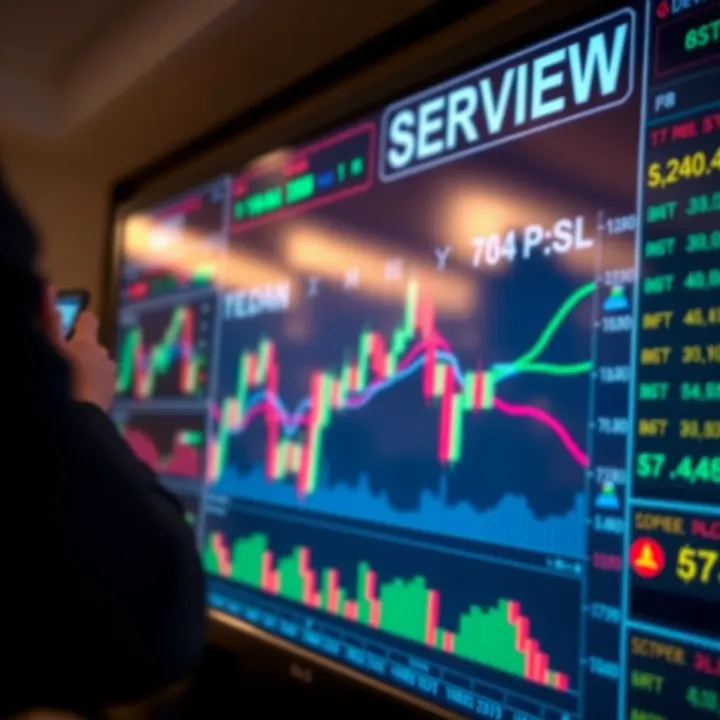
This article will break down how this integration works, the benefits for traders in Pakistan, and practical steps to get started. We'll also touch on how you can develop strategies using both platforms and share tips to avoid common pitfalls along the way.
Whether you're a trader looking to step up your game or an analyst curious about the tools, this guide is meant to provide clear, actionable insights without drowning you in jargon. So let's cut through the noise and get right to the heart of how TradingView and Deriv can boost your trading experience.
Understanding TradingView and Deriv is the first step toward improving your trading game, especially for those trading from Pakistan. These platforms serve two different but complementary purposes—TradingView is primarily a charting and analysis tool, while Deriv is a trading platform that lets you execute orders. Together, they offer an environment where you can analyze markets effectively and act on those insights fast.
By combining TradingView’s robust charting capabilities with Deriv’s versatile trading options, traders get a neat package that saves time and reduces the chances of missed opportunities. For example, if you see a clear breakout pattern forming on TradingView, you can jump into action immediately on Deriv without switching between multiple tools.
This integration is especially relevant in Pakistan, where market hours, popular assets, and trading conditions might differ from other regions. A sound understanding of both platforms helps local traders make smarter decisions, manage risk better, and ultimately trade with more confidence. Whether you're a day trader watching the Pakistan Stock Exchange or someone who prefers forex trading, learning about these two platforms will save you a lot of headaches down the road.
TradingView offers a suite of charting tools that cater to both beginners and seasoned traders. You get access to various chart types like candlesticks, renko, and Heikin Ashi—which can reveal market trends differently. One feature that stands out is the ability to overlay multiple indicators such as Bollinger Bands, Moving Averages, and RSI, so you can identify entry and exit points easily.
Another useful feature is the customizability of charts. For instance, you can save different templates for various instruments, whether you’re analyzing the KSE-100 index or USD/PKR forex pairs. This flexibility means less setup time and quicker analysis, allowing you to react promptly to market changes.
TradingView isn’t just a charting tool; it doubles as a social platform where traders share ideas, strategies, and charts openly. You can follow experienced traders, comment on their analyses, and even publish your own forecasts. This interaction offers a learning environment that’s hard to find in standalone charting software.
For example, if you're unsure about a pattern forming on your chart, you might find someone else’s post explaining the implications or even warning of a reversal. This community insight can be a game-changer because it enhances your understanding and exposes you to diverse perspectives without leaving the platform.
Deriv supports a range of instruments—forex pairs like EUR/USD and USD/PKR, cryptocurrencies such as Bitcoin and Ethereum, synthetic indices, and even commodities like gold and oil. This variety allows traders to diversify their portfolios and trade when conditions in one market get slow or unfavorable.
For example, during Karachi Stock Exchange off-hours, you could still trade synthetic indices or forex pairs on Deriv, ensuring you don’t miss out on profitable opportunities. This is especially important in Pakistan, where local market hours may restrict trading opportunities in traditional stock markets.
Deriv’s interface is straightforward and designed for both desktop and mobile users. The platform boasts an intuitive layout that helps traders place orders quickly and monitor positions without getting lost in menus. Accessibility is a big plus here; you don’t need a high-end device or a complex setup to start trading.
For instance, a trader sitting at a local café in Lahore with just a standard smartphone can open the Deriv app, check live prices, and execute trades smoothly. This ease of use helps beginners avoid the frustration of complicated platforms and keeps their focus on strategy rather than technical issues.
Combining TradingView’s advanced charting tools and social insights with Deriv’s wide market access and user-friendly trading platform gives Pakistani traders a powerful edge. This blend allows traders to analyze more intelligently and act more swiftly in volatile markets.
Linking TradingView to Deriv really changes the way you approach trading by bringing powerful charting tools directly to your trading desk. This integration lets traders take advantage of TradingView’s advanced analysis features while executing trades swiftly on Deriv’s platform, avoiding the hassle of switching screens or copying signals manually.
When you connect your TradingView charts to your Deriv account, you're essentially creating a bridge between comprehensive market insights and execution. This means charts aren’t just pretty visuals; they become an integral part of your trading workflow.
To get started, you first need to link your TradingView account with your Deriv account. This usually involves generating an API key from Deriv’s platform and then inputting that key into TradingView or a connected trading app that supports this integration. Once linked, you can send trade orders from your charts directly to Deriv, making real-time trades without flipping between platforms.
For example, say you spot a bullish breakout on a BTC/USD chart in TradingView. Instead of jotting down the numbers and switching tabs, you can initiate the trade right from the chart with minimal delay. This speed can be a significant edge for intraday or scalping strategies.
The core of this connection depends on API credentials provided by Deriv. You’ll need to:
Log into your Deriv account and find the API section.
Create a new API token, making sure to give it the necessary permissions, like trade execution and balance checking.
Keep your API key safe, as it's your gateway to controlling trades through TradingView.
This setup ensures security while enabling seamless communication between the platforms.
TradingView is well-known for its in-depth technical analysis tools, including customizable indicators, multiple chart types, and an active community sharing ideas. When this analysis feeds directly into Deriv’s trading environment, it empowers traders to make better-informed decisions fast.
Imagine comparing moving averages, RSI levels, and MACD signals all on one chart, then executing the trade without losing the context or time. This not only reduces errors but also lets traders react quicker to changing market conditions.
Once connected, trades placed from TradingView charts go right through to Deriv without manual intervention. This reduces mistakes that happen when copying trades manually and lowers the risk of missing potential opportunities due to platform lag or distractions.
For example, a trader spotting an entry signal in the forex market can instantly place orders, set stop-loss, and take-profit points via TradingView, all reflecting accurately on Deriv. This kind of integration streamlines your trading routine, making it more efficient and less stressful.
Combining TradingView’s charting power with Deriv’s robust trading platform creates a workflow where analysis meets execution flawlessly — a definite boost for traders seeking speed and precision.
In short, understanding how TradingView works with Deriv not only enhances trading accuracy but also the overall experience, particularly for traders in Pakistan looking for smarter ways to capitalize on market moves.

Setting up TradingView for trading on Deriv is a vital step for anyone who wants to bridge powerful analysis tools with a practical trading platform. This setup lets traders combine TradingView's rich charting features with Deriv's trading functionality, allowing for more precise and timely decisions. Whether you're in Karachi tracking forex pairs or in Lahore dealing with indices, the right setup can make a tangible difference in your trading results.
The setup process involves configuring chart views to suit the assets available on Deriv, aligning your technical indicators, and organizing trading instruments so they’re easy to monitor. This customization matters because it helps prevent clutter and ensures you focus on assets that actually relate to your trading style or market conditions. For example, a trader focusing on commodities like gold or oil should be able to quickly access those symbols without digging through irrelevant data.
Picking the right symbols to follow on TradingView is the first step in tailoring your workspace. Deriv offers various instruments like forex pairs (e.g., EUR/USD, GBP/JPY), synthetic indices, and commodities. Traders in Pakistan should pay attention to symbols that best align with their strategies and the active markets they trade during local hours.
TradingView simplifies this by allowing you to search and add symbols directly linked to Deriv’s offerings. Make a habit of customizing your chart to show only the assets you actively trade to reduce distractions. For example, if you mostly trade synthetic indices, avoid loading a bunch of forex pairs. This keeps your workspace neat and speeds up decision-making.
Time frame selection and indicator adjustment play a huge role in how you interpret market data on TradingView. Short time frames like 1-minute or 5-minutes are better for scalpers working on Deriv, while daily or 4-hour charts fit swing traders or those who analyze longer trends.
Indicators such as Moving Averages, RSI, or MACD must be tuned to fit the instrument and time frame you are focusing on. For instance, a 14-period RSI might be standard, but tweaking it to 9 for synthetic indices can catch quicker shifts in momentum relevant to Deriv’s market volatility.
It's good practice to test different combinations of indicators and time frames to see what reliably signals entry and exit points for the assets you trade. This hands-on customization fosters better accuracy instead of relying on default settings alone.
Watchlists are an essential organizational tool for traders who want to keep tabs on multiple symbols without hopping between charts. Setting up watchlists in TradingView tailored to Deriv instruments means you stay updated on price movements, volume changes, and overall market trends in one place.
In Pakistan’s timezone, you might want to create separate watchlists for forex pairs active in Asian sessions and another for synthetic indices that operate 24/7. This simple division makes it easier to monitor assets when they’re most volatile and profitable.
Price and indicator alerts add a layer of automation that keeps you from staring at the screen all day. TradingView allows you to set alerts tied to specific price levels or indicator conditions, like RSI crossing above 70 or a moving average crossover.
For example, a trader could set an alert to trigger when USD/PKR hits a certain support level, so they get notified even if they’re away from their desk. This improves responsiveness and helps catch opportunity windows without constantly refreshing charts.
Smart alert use saves time and ensures you don’t miss critical entry or exit signals, which is especially useful when juggling multiple assets or trading alongside a day job.
In summary, setting up TradingView properly for use with Deriv sharpens your trading edge by keeping you organized and ready to act. From selecting symbols to customizing charts, and from watchlists to alerts, these steps reduce noise and highlight what's truly important for your trading success.
Using TradingView and Deriv together offers a powerful combo for traders who want to mix smart charting with straightforward execution. Popular trading strategies become more effective when you can visualize data clearly on TradingView's charts and then act quickly using Deriv’s platform. This synergy is especially valuable for traders in Pakistan aiming to capitalize on timely and precise market moves.
Popular strategies often rely on technical indicators and price patterns that help traders decide when to enter or exit a trade. The goal here is not just to follow the market blindly but to develop a method that fits your trading style and risk appetite. Without tools like TradingView’s advanced charting and scripting abilities, it's tough to build or tweak strategies that really work.
Let’s break down some common strategies and how you can put them to good use with these platforms.
Moving averages (MAs) smooth out price data to give you a clearer view of the trend. They’re like the market’s way of telling you whether it’s cruising along or reversing direction. The two most common types are the Simple Moving Average (SMA) and the Exponential Moving Average (EMA). While SMA weighs all data points equally, EMA gives more weight to recent prices, responding faster to price changes.
In practice, traders often watch for MA crossovers (say, the 50-day crossing above the 200-day) to spot when trends are shifting. For example, if you spot a "golden cross" on your TradingView chart while trading currencies on Deriv, you might consider opening a position in line with the emerging trend. These averages are invaluable for spotting support and resistance levels too.
The RSI (Relative Strength Index) measures the speed and change of price movements, helping you spot overbought or oversold conditions. Values above 70 typically hint the market might be overbought and poise for a drop, while below 30 suggests oversold and a possible bounce. For instance, if you’re eyeing the USD/PKR pair and RSI shows oversold conditions, you might time your entry accordingly.
MACD (Moving Average Convergence Divergence) is a momentum indicator that shows the relationship between two moving averages. It helps identify trend direction and momentum by the difference between the 12-day and 26-day EMAs, with a signal line to catch crossovers. Traders watching a MACD crossover on TradingView can get alerted to potential buy or sell moments for financial instruments on Deriv, making the process more structured.
Both indicators are staples because they simplify complex price moves into signals you can actually use.
TradingView’s Pine Script allows you to tailor indicators and strategies to your liking. Instead of relying solely on preset tools, you can write or modify scripts that fit your unique trading approach. For example, a trader might code a strategy that combines RSI thresholds with a moving average crossover, sending alerts only when both line up.
This flexibility means you’re not stuck with one-size-fits-all methods. Pine Script lets you craft signals that suit your specific market and instrument focus on Deriv, be it forex, commodities, or synthetic indices.
Before risking real money, you can backtest your strategies on TradingView. Backtesting runs your rules across historical data to reveal how your plan would have performed. It’s like a practice run that helps identify loopholes or strengths in your approach.
For example, if your custom Pine Script triggers trades based on the MACD crossover and RSI levels, you can see how those signals would have fared over the past year for the GBP/JPY pair on Deriv. If results are lackluster, you can adjust parameters before going live.
Backtesting is crucial—it saves you from irritation and losses by spotting underperforming strategies early.
Combining custom coding with backtesting lets traders in Pakistan refine their tactics and build confidence before they put money on the line.
Together, these strategies and tools turn TradingView and Deriv into more than just platforms—they become your trading partners, sharpening decision-making and boosting chances to pull off successful trades.
Trading in Pakistan, especially when using platforms like TradingView and Deriv, calls for some smart tweaks and understanding of local nuances. This ensures traders reap the best results rather than blindly following generic strategies. Implementing practical tips tailored to the Pakistani trading environment improves risk management, ensures better timing, and helps to navigate unique market situations effectively.
Understanding the local trading hours is essential because it influences market liquidity and volatility. For Pakistan, the prime trading windows align closely with Asian markets, especially during the Tokyo and Hong Kong sessions, which overlap with Pakistan Standard Time (PST). For instance, the Tokyo market opens at 6:00 am PST, which means traders can catch early moves if they are active then.
Traders who schedule their analysis and trades around these sessions tend to avoid illiquid periods when spreads widen and slippage increases. For example, a trader focusing on forex should note that the USD/JPY pair tends to show sharper price movements during the Tokyo session compared to other times.
Pakistan-based traders often find currency pairs like USD/PKR or EUR/USD particularly relevant, but Deriv also offers broader global indices like the DAX, NASDAQ, or FTSE. Managing these pairs means paying attention to economic news that affects them uniquely. For example, fluctuations in Pakistan’s import-export numbers directly impact PKR pairs.
It helps to narrow watchlists to pairs and indices with active price action within your focused trading time frame. If you’re trading during Pakistan market hours, it’s wise not to spread yourself too thin watching all global indices. Instead, focus on those which show liquidity and volatility during these hours to avoid stale or deceptive signals.
Effective risk management starts with defining exit points before entering a trade. Both stop-loss and take-profit orders are crucial in limiting losses and locking in profits. For instance, if a trader buys GBP/USD at 1.3500, setting a stop-loss at 1.3450 limits the downside risk to 50 pips, while a take-profit at 1.3600 secures a targeted 100 pips profit.
On platforms like Deriv integrated with TradingView, these orders can be placed directly through the trade interface or automated with alerts on TradingView charts. Don’t skip this step because allowing emotions to dictate exits often leads to bigger losses.
Before jumping into any trade, deciding how much capital to risk keeps your account afloat in the long run. A common approach is never to risk more than 1-2% of your trading capital on a single trade. For example, if your trading account has $1,000, risking $10-$20 on any trade is a measured approach.
This method prevents a single bad trade from wiping out your account. Using TradingView’s chart analysis to estimate potential loss (stop-loss distance) helps calculate the right position size. For instance, if your stop-loss is 50 pips away and you want to risk $10, your position size adjusts accordingly to not exceed this risk.
Well-planned risk controls protect you from sharp market moves and create a foundation for steady profits. Overtrading with big positions or ignoring stop-loss can be a quick way to blow up your account.
Mastering these tips fine-tunes your trading in Pakistan, ensuring you stay responsive to market rhythms and protect your funds with smart precaution. TradingView's rich charting combined with Deriv's trade execution can work smoothly if you respect these local and practical factors.
When you combine platforms like TradingView and Deriv, some hiccups are almost inevitable. Knowing common challenges and ways to fix them can save you a lot of time and headache. Whether you’re a seasoned trader or just starting out in Pakistan’s trading scene, understanding these issues ensures smoother, more reliable trades. Plus, it helps you use both platforms to their full potential without getting stuck at awkward moments.
Connectivity hiccups between TradingView and Deriv can throw a wrench into your trading flow. For example, if your trades aren't executing instantly or chart updates lag behind, it might be due to unstable internet or API connection interruptions. Practical steps to manage this include checking your internet stability and refreshing the API token if you use one. Sometimes, the problem comes down to simple things like firewall settings blocking necessary ports or outdated software versions. Making sure your browser and plugins are up-to-date often fixes such issues quickly.
Keep in mind, a lag just a few seconds long can mean missed opportunities in fast markets. Regularly monitoring your connection health is key.
Not all browsers behave the same way with TradingView and Deriv — Chrome, Firefox, or Microsoft Edge may handle scripts and APIs a little differently. If you're noticing glitches or unusual slowdowns, switching to a more compatible browser can resolve these quirks. TradingView generally works best on the latest versions of popular browsers, so using outdated versions is a common cause of problems. Clearing your browser's cache and disabling conflicting extensions may also improve responsiveness.
For Pakistani traders, where multiple browser options are popular, sticking with Chrome or Firefox tends to give the most consistent experience.
Having up-to-the-minute data is the backbone of effective trading. But sometimes, data from TradingView or Deriv can feel a bit behind, especially if your internet connection dips or if the data feed encounters delays. A practical way to verify you're seeing real-time info is by comparing charts on TradingView to those directly in your Deriv platform. Discrepancies often signal a lag.
Using a dedicated, wired internet connection rather than Wi-Fi can dramatically cut down on delays. It’s also worth noting that some financial instruments have slightly slower update intervals depending on the market hours and the provider, and knowing these timings helps here.
Price feed differences between TradingView and Deriv may puzzle many traders. For instance, the same forex pair might show slightly different prices on each platform. This happens because each source pulls data from various liquidity providers or exchanges, where prices fluctuate minutely.
To deal with this, many traders choose to trust the execution price on Deriv since that's where trades happen. Meanwhile, TradingView is best treated as a tool for analysis rather than the final execution price. Setting up alerts on both platforms can also catch these differences early, helping avoid costly mistakes.
When in doubt, always double-check the contract specifications and the source of your price feeds to better understand why differences exist.
By anticipating these common issues and applying straightforward solutions, traders in Pakistan can keep their TradingView and Deriv experience as smooth as possible, letting them focus on what matters most: making smart, timely trades.
Using TradingView alongside Deriv offers a solid foundation, but exploring alternatives and complementary tools can broaden a trader's perspective and improve decision-making. These tools fit neatly into different parts of the trading workflow, from charting to strategy refinement. By diversifying the resources traders use, one can avoid blind spots and adapt better to different market conditions.
MetaTrader integration: MetaTrader platforms—especially MT4 and MT5—are well-known for their robust trading environment and customizable interface. Many traders pair Deriv with MetaTrader due to its strong algorithmic trading support, wide community of script developers, and access to numerous custom indicators not always available on TradingView. Practically, a trader might run expert advisors (automated strategies) on MetaTrader while using Deriv to execute trades with live quotes. This creates a more hands-off trading experience, especially for those comfortable with automated systems. Plus, MetaTrader supports extensive backtesting features which can complement the exploratory nature of TradingView’s charts.
Standalone technical analysis apps: Apps like Investing.com or StockCharts offer dedicated technical analysis tools that can be accessed independently of your primary trading platform. They often include features like economic calendars, technical scan filters, and proprietary indicators. These tools can provide additional insights or confirm signals you see on TradingView or Deriv. For example, a trader might use Investing.com’s scanner to find trending stocks or forex pairs and then switch over to Deriv for placing trades, guaranteeing efficient workflow without jumping between too many complicated interfaces.
Educational content and webinars: To level up trading skills, tapping into quality educative resources is a must. TradingView frequently hosts webinars that break down how to use their platform effectively, explore new indicators, or showcase strategy building using Pine Script. Similarly, Deriv offers tutorials and live Q&A sessions that explain platform features and market basics. These sessions often include real-world examples, making the concepts easier to grasp and apply. For traders in Pakistan, participating in these webinars can bridge knowledge gaps quickly without resorting to trial and error in live markets.
Trading communities and forums: Joining active trading communities can be a game-changer. Forums like TradingView’s own community boards or even local groups on platforms like WhatsApp or Telegram help traders exchange ideas, share setups, and solve platform-specific problems. Being part of these discussions often surfaces fresh viewpoints or highlights new, effective trading techniques. It’s where you can ask about the latest indicator tweaks, get feedback on your strategy, or hear about market nuances affecting Deriv instruments in the Pakistani context.
Combining complementary tools and resources not only sharpens one's trading edge but also builds confidence, especially when the market acts unpredictably. Diversify wisely and keep learning along the way.
In summary, while TradingView and Deriv offer powerful integration, expanding use with platforms like MetaTrader, standalone analysis apps, and engaging in educational content and communities gives Pakistani traders a fuller toolbox to work with. Each tool or resource brings something unique, helping traders stay nimble and informed.
📈 Explore TradingView's features, setup tips, and community insights tailored for traders in Pakistan. Master charts and market analysis with ease!
📈 Explore TradingView's tools, community, and features tailored for Pakistani traders. Learn how to improve your strategies and trade smarter today!
📈 Learn how Pakistani traders can master TradingView with Deriv for smarter trades! Discover integration tips & strategies for all skill levels.

📈 Explore TradingView's charting tools, community insights, and tailored strategies to boost trading success for traders in Pakistan. 🇵🇰
Based on 14 reviews