

Using TradingView for Binary Options in Pakistan
📈 Discover how TradingView enhances binary options trading in Pakistan with key tools, strategies, and tips to boost your trading game effectively.
Edited By
Oliver Shaw
When diving into binary options trading, especially in markets like Pakistan's, having the right tools at your fingertips can make all the difference. TradingView is one such tool that's gained a solid reputation among traders worldwide for its powerful charts and user-friendly interface.
But what makes TradingView stand out for binary options trading? It’s more than just pretty graphs; the platform lets you analyze price movements, spot trends, set alerts, and use technical indicators without drowning in complicated jargon. This makes it a practical choice whether you’re a rookie trying to get your feet wet or a seasoned trader looking to refine strategies.
In this article, we'll break down how TradingView’s features can sharpen your decision-making process in binary options trading. We’ll cover everything from setting up your charts to spotting entry points and avoiding common mistakes many traders run into. By the end, you should feel more confident wielding TradingView as a tool that fits your trading style and goals.
Mastering how to read the market on TradingView can be a real game-changer. It’s about working smarter, not harder.
Whether you’re trading on short-term expiry options or looking for better market timing, understanding how to use TradingView effectively can boost your chances of success. Let’s get started and see why so many traders in Pakistan are turning to this platform for clearer market insights.
TradingView has become a go-to platform for many traders diving into binary options, especially in Pakistan where access to reliable, real-time market data can be tricky. Binary options trading demands quick, informed decisions since the trades often last only a few minutes. This makes having a clear, interactive chart and instant indicators crucial. TradingView offers just that—a user-friendly interface loaded with advanced tools tailored for timely market analysis, helping traders spot patterns and predict price moves efficiently.
Imagine you're watching the price of a currency pair like USD/PKR. Without a good setup, you might miss a narrow window to place a trade that expires in 5 minutes. TradingView’s visual and customizable charts give you that edge, making it easier to digest the information a glance. This section lays down the foundation by explaining how TradingView serves as a powerful ally for binary options traders and what you need to know before you dive deep.
TradingView is primarily a web-based charting platform combined with social networking features for traders. It offers a broad spectrum of tools for analyzing financial markets—stocks, forex, commodities, and crypto. What sets it apart is the ability to customize charts extensively, from adding your choice of technical indicators to setting up personal trade alerts. For binary options traders, this means you have a real-time, versatile tool at your fingertips that helps interpret price action without clutter.
Practical tip: If you're tracking a volatile asset like crude oil futures, you can layer moving averages and RSI over the price chart on TradingView. This lets you quickly gauge momentum and potential reversal points before placing a binary trade.
TradingView boasts millions of users worldwide, from casual investors to professional traders. This sheer volume means the platform’s ideas and scripts repository is huge—offering countless strategies shared by the community. For a Pakistani trader, it opens up valuable learning opportunities by observing what peers and pros do. Plus, the community aspect adds a layer of real-time feedback, which is rare in traditional charting software.
A trader in Karachi can join discussions, ask questions about a forex pair like EUR/USD, and see how experienced traders might set up their charts or read indicators. It helps beginners avoid costly mistakes and pick up hands-on insights that textbooks rarely cover.
One of TradingView’s biggest draws is how easy it is to access. It works smoothly on any device with internet access—whether you’re on a desktop in Lahore or using a smartphone on the go in Islamabad. Mobile apps bring full charting and alert functionalities, so you won’t miss a beat even when away from your computer.
For instance, if you get alerts on your phone about a potential breakout on the USD/JPY pair, you can react instantly without booting up your PC. This real-time availability is vital for binary options where seconds matter.
Binary options are simple, straightforward trades with fixed risk and fixed reward. You’re essentially betting whether an asset’s price will be above or below a certain level at the expiry time. The payout is known upfront, and if you’re wrong, the loss is limited to your initial stake.
Key characteristics that matter:
Short expiry times: Trades often expire within minutes to an hour.
Fixed return: Win or lose, you know the exact payout or loss.
Limited risk exposure: Unlike traditional trading, losses never exceed your stake.
This simplicity attracts many who want clear outcomes without the complexity of stop losses or margin calls.
Unlike forex or stock trading where you own the asset or can hold positions indefinitely, binary options are all-or-nothing bets on price direction. You don’t buy or sell the asset; you only predict the direction within a timeframe.
For example, a regular forex trader might set a buy limit order on GBP/USD and hold it for days. A binary options trader, however, chooses a 15-minute expiry and bets on whether the price will rise above the current level in that brief period.
This distinction means your analysis on TradingView must be precise and timely—spotting short-term momentum shifts rather than long-term trends. It also puts a premium on platforms like TradingView that provide visual tools and alerts to help seize fleeting opportunities.
Remember, binary options trading is about swift, confident decisions. Knowing the platform and the basics well puts you ahead in a sharply competitive space.
TradingView stands out for binary traders because it offers tools that align perfectly with the fast-paced decision-making needed in binary options trading. Unlike traditional trading, binary options require predicting the direction of an asset price within very short timeframes, so having reliable, precise, and customizable features is a game changer. From detailed charts to versatile technical indicators, TradingView’s toolkit helps simplify the complex nature of short-term market analysis.
TradingView provides a variety of chart types such as candlestick, bar, line, and area charts. Candlestick charts are especially popular among binary traders due to their rich information packed into each candlestick—open, high, low, and close price—all in one glance. This helps traders easily spot trends and reversals. For example, a hammer or doji candlestick might hint at an upcoming price reversal, giving a crucial edge for timing binary option entries.
The platform includes an intuitive set of drawing tools like trendlines, Fibonacci retracements, and shape annotations. These tools are vital for marking key support and resistance levels or highlighting patterns directly on the chart. Say you're watching the USD/PKR pair; quickly drawing a Fibonacci retracement from a recent low to high helps estimate potential pullback levels to make more informed binary calls. Annotations also aid in keeping track of observations or potential trade setups, acting almost like your trading journal directly on your chart.
Binary options trading often happens on very short timeframes—sometimes even one minute or less. TradingView lets you customize these timeframes, unlike many broker platforms, allowing traders to analyze the same chart in multiple perspectives—1 minute, 5 minutes, 15 minutes—side by side. You can also save chart layouts tailored to different assets or trading strategies, enabling quick switches during active trading sessions without losing valuable analysis time. This flexibility is a huge boon when markets move fast.
Moving averages (like the 50 EMA or 200 SMA), RSI (Relative Strength Index), and Bollinger Bands are among the top favorites. They help signal momentum, overbought/oversold conditions, and potential price volatility—key elements in binary options where timing and direction matter most. For example, spotting RSI dropping below 30 can warn you that an asset might soon reverse from oversold territory, perfect for a binary “call” option.
TradingView’s drag-and-drop interface makes it simple to add multiple indicators to your charts and tweak their parameters. Whether you want to adjust the RSI period from 14 to 7 to catch quicker signals or change the colors and thickness of moving average lines for better visibility, these customizations ensure your charts stay clear and relevant. For beginners, starting with default settings often works well, but refining parameters based on your trading style improves precision over time.
Relying on a single indicator can be like driving blindfolded. Combining indicators—say, an RSI reading confirmation with a crossover on a moving average—can filter out false signals. For example, in the Pakistan trading context, if the RSI suggests an oversold condition but the 50 EMA is still trending downward, it might be best to wait before entering a “put” option. Synergizing indicators helps binary traders avoid costly mistakes and confirm their market view.
Tip: Always balance your indicator use with watching price action directly. Indicators don't replace market understanding, they complement it.
By exploring these key features and applying them thoughtfully, Pakistani binary traders can significantly increase their chances of making timely, informed trades using TradingView. From sharp charts to insightful indicators, the platform offers a competitive edge when navigating short-term markets.
Understanding how prices move is the bread and butter for anyone engaged in binary options trading. TradingView offers a rich set of tools to dissect price data, which can help traders from Pakistan and beyond make informed and timely decisions. Analyzing these movements goes beyond just watching numbers flicker on the screen—it’s about reading market sentiment, spotting entry and exit points, and ultimately improving trade accuracy.
The platform’s visual charts provide instant clarity on price history and current trends, making complex market behavior easier to grasp. Practical benefits include the ability to identify turning points in the market, avoid risky trades, and capitalize on short-term price swings crucial to binary options. When traders understand these price signals, they are better equipped to predict where the price might head next, which is essential for deciding if a binary option will expire in the money or not.
Candlestick charts are a staple on TradingView, mainly because they pack a lot of information into a small visual format. Some commonly looked-for patterns include the Doji, Hammer, Engulfing, and Shooting Star. For example, a Hammer pattern appearing after a decline might hint that the market is rejecting lower prices and could reverse upwards.
Recognising these patterns gives binary options traders clues about short-term price direction. Unlike long-term investing, where trends are king, binary trading thrives on pinpointing immediate price movements. So, when a trader spots an Engulfing pattern—a big bullish candle swallowing a smaller bearish one—it can be a good cue to enter a call option expecting price to jump.
On TradingView, traders can zoom in or out and adjust timeframes to spot these candle patterns more clearly. While some use manual inspection, the platform also supports custom scripts and alerts to flag specific patterns automatically. This tech boost helps cut through noise and saves time, especially in fast-paced markets.
A practical tip is to combine candlestick patterns with volume data or other indicators rather than relying solely on them. For instance, a bullish Engulfing pattern backed by rising volume carries more weight than one with weak volume. Getting proficient at spotting patterns requires steady practice but is a game-changer for timing binary trades.
Support and resistance lines act like invisible barriers where prices tend to bounce or hesitate. Traders can draw horizontal lines on TradingView charts at price points where the asset repeatedly reversed or stalled in the past. For example, if the USD/PKR currency pair has bounced upward several times near 160.50, that level becomes a strong "support" worth watching.
Identifying these levels on TradingView is straightforward thanks to its intuitive drawing tools. Highlighting these zones helps traders anticipate where price might stall or break through, which is vital for making informed binary trading calls.
Once these key levels are marked, traders can align their trades accordingly. If price approaches a well-established resistance level, a put option might be suitable, expecting price to fall back. Conversely, nearing a support level could signal a call option opportunity anticipating a bounce.
Effective binary trading uses these levels to set entry points and exit triggers with minimal guesswork. Additionally, combining support and resistance with candlestick patterns or indicators increases the odds of profitable trades. For instance, if a bullish pattern forms at support, it can reinforce confidence in taking a call option.
Mastery of price movement analysis on TradingView means you’re no longer flying blind. Instead, you’re reading the market’s story and ready to move when the timing is right.
In short, analyzing price movements via candlestick patterns and support-resistance levels lets binary options traders base decisions on solid evidence. The depth of TradingView’s charting and analytical tools gives every trader the chance to perform this work efficiently, turning market chaos into understandable signals.
Developing a solid trading strategy is like building a trusty toolkit before heading into the market fight. TradingView offers a rich set of tools that let binary options traders craft strategies tailored to their style and the market conditions they face, especially in the Pakistani trading scene where market volatility can be quite unique. Using TradingView not only helps with spotting opportunities more clearly but also brings a level of discipline by relying on clear rules and visual aids.
Moving averages are one of the simplest yet powerful tools in any trader's arsenal. They smooth out price fluctuations, giving a clearer picture of the overall market direction. For binary options traders on TradingView, simple moving averages (SMA) or exponential moving averages (EMA) can indicate whether the price is trending up or down. For example, when a shorter-term EMA (like the 9-period) crosses above a longer-term EMA (like the 21-period), it's often a sign that an upward trend may be starting. Traders might decide to place a call option in such cases.
What makes moving averages helpful here is their ability to filter out the 'noise'—the little ups and downs that can be misleading—helping traders focus on the bigger picture. This clarity can be crucial in binary options where trades are timed and fixed in duration.
Volume acts like a stamp of approval for price moves. If a price trend happens with rising volume, it suggests strong trader interest and a more reliable direction. On TradingView, traders can add volume indicators to their charts and watch for spikes that accompany moving average crossovers or price breakouts.
For instance, if a currency pair like USD/PKR shows a bullish EMA crossover followed by increasing volume, the trend is likely to have substance. This confirmation can be a green light for placing an upward binary option trade, helping reduce the chance of false signals that often cause losses.
Markets don’t climb or fall in straight lines; they often get stretched too far in one direction. Spotting when an asset is overbought or oversold helps traders anticipate reversals—a handy skill in binary options where timing is everything.
Indicators like the Relative Strength Index (RSI) on TradingView provide this insight by measuring the speed and change of price movements. If RSI goes above 70, an asset might be overbought, hinting prices could soon drop. Conversely, values below 30 often indicate oversold conditions, suggesting a possible price rebound.
Pakistani traders watching currency pairs such as EUR/PKR can combine this info with candlestick patterns to catch potential reversal points, helping make smarter binary call or put decisions.
Oscillators like the Stochastic or MACD help spot momentum changes within a range-bound market. TradingView’s customization allows traders to set these tools with parameters fitting the binary options timeframes, whether they focus on 5-minute or 15-minute expiry trades.
When oscillators show divergence—say price is making higher highs while the oscillator makes lower highs—it signals momentum is weakening and a reversal may be near. Traders can use this info to opt for counter-trend trades, which would otherwise look risky without such clear signals.
A balanced strategy using trend-following tools like moving averages combined with momentum indicators like oscillators helps traders stay one step ahead, navigating between riding the trend and picking reversals.
In summary, TradingView equips binary traders with accessible and practical tools for developing strategies that suit different market moods and trading styles. Mastering these techniques can improve timing and trade quality, both crucial for success in binary options trading in Pakistan or beyond.
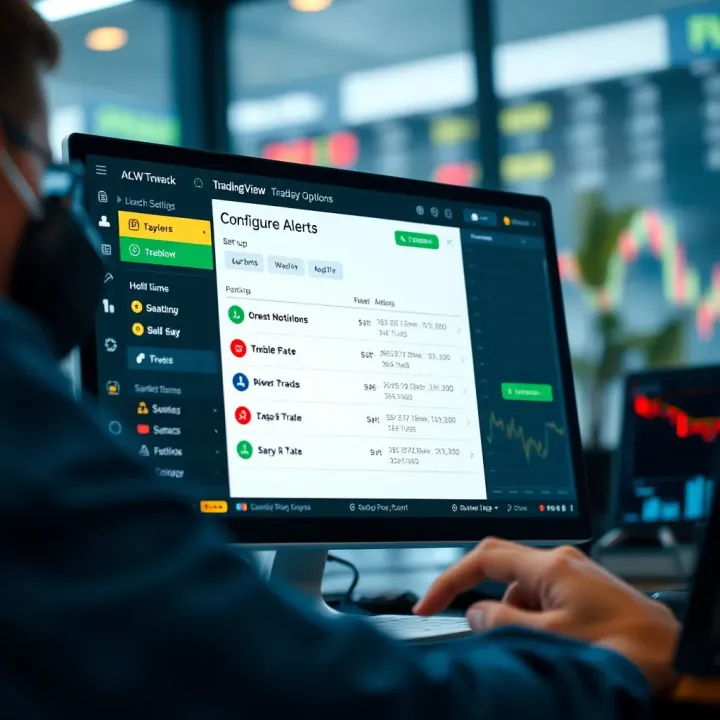
Receiving the right information at the right moment can make all the difference in binary options trading. TradingView’s alert and notification system gives traders an edge by keeping them informed about market changes without having to stare at screens all day. For binary options traders, where timing is everything, setting up alerts ensures you never miss crucial price moves or indicator signals that could affect your trade decisions.
Alerts act as your personal assistant, calling your attention when a price hits a level you care about or when an indicator flips a signal. This feature frees you from needing to be glued to the charts while still keeping you connected to market action. Especially in fast markets like forex or crypto, a well-timed alert can be the difference between a winning binary option trade and a missed opportunity.
Creating alerts based on specific criteria
TradingView lets traders tailor alerts according to precise rules. For example, if you want to know when EUR/USD breaches the 1.3800 support level, you can create an alert that triggers exactly at that price crossing. Or you might want an alert when RSI crosses the 30 mark, signaling an oversold condition. These alerts aren’t limited to simple price points; you can set alerts on indicators, drawing objects, or even combined conditions.
This kind of customization means you get notified exactly when your trading criteria are met — no more and no less. Say you use the MACD for signal confirmation, you could set an alert when the MACD line crosses above its signal line. Such flexibility helps binary options traders react quickly and make trades that fit their strategy without overloading them with irrelevant notifications.
Managing alert notifications effectively
Once you have alerts set, managing how you receive notifications is just as important. TradingView supports alerts through pop-ups, emails, or even SMS, letting you pick what fits your trading style and lifestyle best. For a busy trader in Pakistan who can't keep checking the platform constantly, receiving a push notification on your mobile ensures you can act fast whenever a trade setup appears.
To avoid drowning in alerts, group them logically and turn off those that aren’t useful for your current trading focus. For instance, disabling alerts for price levels that are too far away from current action helps keep distractions low. Managing notifications well means you stay informed without feeling overwhelmed.
Examples of alert setups for timely decisions
Imagine you’re watching USD/JPY and your strategy says to enter a call option when the 50-period moving average crosses above the 200-period moving average. Setting an alert on this moving average crossover means the moment your conditions are met, your phone buzzes or your screen pops up a notification. This immediate alert allows you to jump into a trade without delay, matching the short expiration times binary options often require.
Another example: if you trade based on Bollinger Bands, setting alerts for price touching the upper or lower band can signal potential reversal points. Catching these moments live maximizes your chances for quick wins in fast-moving markets.
Combining alerts with strategy signals
Alerts get even more powerful when you combine them with your overall trading system. Suppose your strategy relies on both RSI being below 30 and a key support holding on the chart. TradingView lets you set alerts for multiple conditions simultaneously, ensuring you don’t act on one signal alone but when your full strategy lines up.
This layered approach reduces false signals and improves trade quality. For example, an alert that triggers only if RSI hits an oversold zone and the support level remains unbroken can give more confidence before entering a trade. In binary options, where every second counts, this combo system helps to minimize guesswork.
Effective alert and notification setup is less about having as many alerts as possible and more about having the right ones at the right time to keep your trading sharp and responsive.
By mastering these alert features on TradingView, traders can stay ahead and capitalize on market swings with greater precision, avoiding missed setups and maximizing potential gains in the Pakistan binary options market.
Integrating TradingView data with your binary options broker can make a real difference in how smoothly and effectively you trade. The idea is pretty straightforward: you want to use TradingView not just for analysis, but also to connect it somehow with the platform where you execute trades. This can save time, reduce errors, and help react faster to market changes—particularly important when binary options trades often have short expiry times.
For traders in Pakistan, where market conditions can be volatile and fast, having real-time chart synchronization or alerts directly tied to your broker's platform is a huge advantage. However, it's important to understand the limits of integration options, especially since not all brokers support deep connections with TradingView.
Some brokers offer browser extensions or API connections that allow your TradingView charts to sync with the broker's trade execution window. This means when you spot a setup on TradingView, your broker’s platform might automatically reflect the same asset, timeframe, and chart indicators, streamlining the trade entry process.
For example, users of platforms like IQ Option or ExpertOption sometimes use browser extensions that mimic this effect by keeping TradingView and broker tabs linked. Though unofficial, it can speed up placing trades based on TradingView analysis by reducing the need to manually find the same chart and timeframe in the broker’s interface.
API integration takes this a step further, allowing some traders or developers to build custom tools that push signals directly from TradingView alerts to place orders automatically or semi-automatically. However, since binary options brokers often limit API access or do not offer full API functionalities, this is more common in forex or stock trading than in binary options.
While the idea of fully automated trades from TradingView to binary brokers is appealing, in practice, it’s often limited. Most binary brokers don’t provide open APIs for placing trades directly from external platforms.
This means fully synced, one-click trade execution is rare. Traders usually have to execute manually, which adds a slight delay – but with well-timed alerts, this delay can be minimized. Also, unofficial browser-based integrations come with risks: they might not be stable and can break after browser updates or broker site changes.
However, there remains plenty of potential if brokers improve API support. Meanwhile, traders in Pakistan should focus on integrations that enhance workflow efficiency without relying on full automation.
Most traders combine TradingView’s powerful analysis tools with manual order placement on their broker's platform. This means you analyze the charts, spot entry and exit points, then switch over to your broker to input the trade details. It’s simple but effective.
This method requires discipline to act quickly, especially with expiries sometimes lasting just 1 or 5 minutes. Having a well-organized screen setup—like splitting windows or using multiple monitors—helps you glance between TradingView and your broker with ease.
To get the best out of manual trading alongside TradingView:
Set alerts smartly: Use TradingView alerts to tell you when the price hits key levels or your indicators trigger signals. This way, you won’t miss the chance even if you’re away from the screen.
Prepare your broker interface: Before trading, have all your common assets and expiry times pre-selected, so you can place a trade in seconds.
Stick to your plan: Don’t rush entries without confirmation from TradingView signals. Watch for false signals or sudden market news.
Manage risk properly: Even with great signals, always use sensible trade sizes and be aware of your risk tolerance.
Manual execution might sound less efficient, but many successful traders prefer it. TradingView gives you a detailed map, and you control the final trade move—this balance often leads to smarter, more thoughtful trading.
By understanding both integration capabilities and the manual workflow, traders can tailor their approach to fit their style and broker constraints, making TradingView a highly valuable tool in Pakistan’s binary options scene.
When diving into binary options trading using TradingView, many traders often stumble over certain common pitfalls that can heavily impact their results. Understanding and steering clear of these mistakes isn’t just helpful — it’s essential for sustaining profitability and building confidence in trading decisions. While TradingView provides a host of tools and indicators, misusing them or neglecting risk management can lead straight to frustration and loss. This section highlights key errors traders often make and offers practical advice to avoid them.
Indicators can be tempting — colorful lines and oscillators make the price action seem easier to decipher. But putting all your faith in indicators without interpreting price action can mislead you.
Importance of price action interpretation: Price action is the story told by the market itself. It includes candlestick formations, support and resistance levels, and trend movements directly visible on the chart. While indicators are based on past prices, price action provides a real-time feel of what buyers and sellers are doing. For example, a hammer candlestick at a support level could hint at a reversal, even if the indicators haven't yet signalled it. Traders who miss this subtlety might enter late or exit prematurely.
Balancing indicators with market context: Indicators shouldn’t blindly dictate your trades. Instead, treat them as a supplement to what the price chart already shows. Say the RSI signals overbought conditions, but the price continues to push through resistance with strong volume; ignoring this market context could cost you trades. Use indicators alongside volume analysis, trend strength, and basic chart patterns to get a fuller picture. For example, combining an EMA crossover with a breakout through a clear resistance zone tends to be more reliable than relying on one signal alone.
Skipping sound risk management is like gambling, not trading. Many traders overlook this, especially when they are caught up in the momentum or the lure of quick gain.
Setting stop losses and trade sizes: Even in binary options, deciding how much capital to risk per trade matters. Typically, risking more than 2% of your trading capital on a single trade can drain your account quickly. Although binary options have fixed payouts, knowing when to pull out if a trade is turning sour is critical. Stop losses in classic terms don’t apply exactly, but deciding a maximum loss threshold before entering a trade is wise. For size, keep the trade amounts reasonable to avoid blowing up your account in one or two bad decisions. For instance, if your account has 10,000 PKR, placing trades of 200 PKR or less can help you stay afloat.
Avoiding emotional decision-making: This is probably the trickiest part. Emotions like fear or greed can lead to chasing losses or overtrading. It helps to have a defined trading plan and stick to it regardless of recent wins or losses. For example, if you planned only three trades a day but are tempted to dive into more after a loss, pause and reassess. Keeping a journal to review your trades and emotions can pinpoint where things go off track.
Even the sharpest eyes on TradingView can't save you if you ignore risk control or fall prey to emotions.
Properly managing these common mistakes will sharpen your use of TradingView and bolster your binary options trading in Pakistan’s market with more confidence and less chaos.
When you're trading binary options in Pakistan, it's not enough just to know the basics. You need to tailor your approach to the unique market quirks here. TradingView is an amazing tool, but using it right means considering local factors like market hours, relevant currency pairs, and access to reliable data. These tips will help you squeeze the most out of TradingView to spot good opportunities and avoid pitfalls.
One of the first steps to making wise decisions on TradingView is using accurate, up-to-date data. Without reliable data feeds, your charts and indicators are basically guesswork.
Using appropriate data sources on TradingView: Pakistan traders should choose data sources known for their accuracy and consistency. For instance, TradingView offers data from exchanges like NSE and FXCM, which provide solid live updates on currency pairs and indices relevant to the region. Opting for these will save you from making trades based on stale or incorrect prices. Always double-check the data provider behind your chart to match your trading asset.
Ensuring market hours awareness: Unlike forex markets running 24/5, local trading hours matter a lot, especially since Pakistani traders often focus on currency pairs like USD/PKR or commodities linked to regional times. Make sure you understand when these markets open and close to avoid trading during illiquid periods, which can lead to erratic price behavior and slippage. Setting your TradingView’s timezone correctly is important to sync alerts and strategies with the actual market action.
Reliable data and timing aren’t just details; they’re the foundation. Trading without respecting these is like sailing without a compass.
Pakistan's market environment isn't one-size-fits-all. To improve your edge, it's wise to adjust your approach to what the local situation demands.
Considering currency pairs relevant to Pakistan traders: While many traders worldwide focus on majors like EUR/USD or GBP/USD, Pakistani traders often monitor pairs like USD/PKR and EUR/PKR that can be volatile due to local economic changes. TradingView lets you track these pairs carefully with customized alerts. Paying attention to these currency pairs helps you catch moves driven by Pakistan-specific news, such as changes in interest rates or government policies.
Adjusting timeframes for market volatility: Volatility spikes can happen at odd hours in Pakistan, especially when international markets open or close. Using shorter timeframes, like 5 or 15-minute charts, might be best during active hours to catch quick bursts. But during thinner trading periods, longer timeframes might avoid noise and false signals. Experiment by combining timeframes, say using the 1-hour chart to identify trend direction and 5-minute to time entries.
These adjustments aren’t just technical tweaks; they mean you’re trading smarter by respecting how the local market moves.
In a nutshell, knowing where your data comes from, timing your trades to the proper sessions, and focusing on relevant pairs with adaptable timeframes will boost your success on TradingView in Pakistan’s binary options market. Stick to these tips, and you'll trade with far more confidence and info to back you up.
📈 Discover how TradingView enhances binary options trading in Pakistan with key tools, strategies, and tips to boost your trading game effectively.
Discover how to use TradingView with Binary.com for smarter binary options trading 📈. Learn chart setups, key indicators, and risk tips tailored for Pakistan traders.
Boost your binary options trading in Pakistan by combining TradingView’s charts with Binary.com. Learn setup, strategies, and avoid common mistakes 📈💼

📊 Explore TradingView’s tools, charts, and strategies tailored for binary options traders in Pakistan to enhance your trading skills and results!
Based on 9 reviews