
How to Use TradingView Charts for Market Analysis
📊 Learn to master TradingView charts with tips on customization, indicators, alerts & tools for smarter trading decisions in financial markets.
Edited By
Isabella Turner
Real-time market analysis is the backbone of successful trading, especially in fast-paced environments like Pakistan's stock and forex markets. Using live charts effectively can mean the difference between catching a profitable trend and missing the boat. TradingView, a leading platform in market visualization, offers live charts that give traders up-to-the-minute insights directly through their desktops or mobiles.
Why does this matter? Markets don’t wait, and neither should traders. With TradingView, users can track price movements in real time, apply technical indicators, and even connect with brokers for streamlined trading. This article aims to lay out how you can use TradingView’s live chart features to sharpen your market watch, make faster decisions, and improve your trading results.
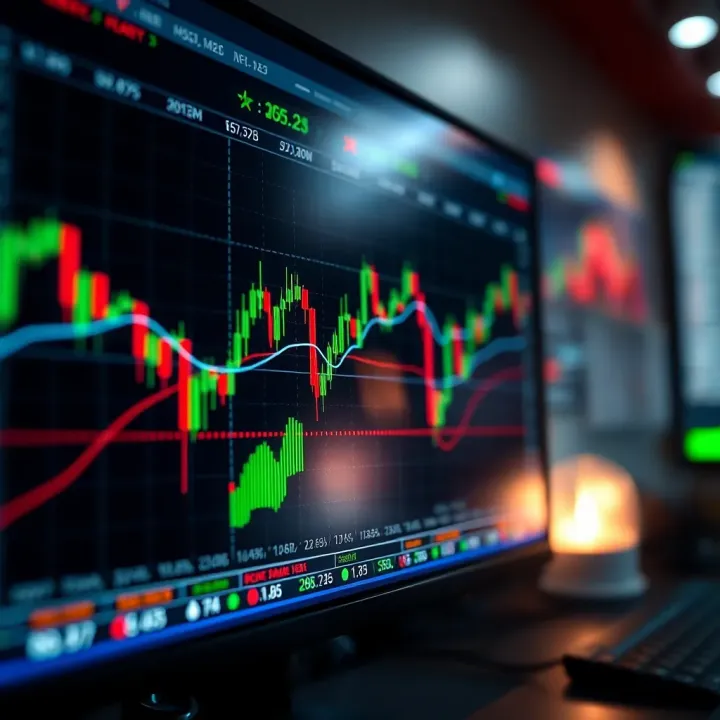
TradingView's real-time charts bring the pulse of global markets into your hands, letting you act quickly based on reliable data. For anyone dabbling in the Karachi Stock Exchange or foreign exchange arenas, missing real-time updates costs money.
We’ll walk through the platform’s key features, from customizable indicators to broker integration, practical tips tailored for Pakistan’s trading scene, and how to get started without feeling overwhelmed. Whether you’re a seasoned investor or fresh to the game, understanding these tools can clear the fog and boost your confidence in market moves.
In short, this isn’t just an overview; it’s a practical guide for those looking to elevate their trading tactics with TradingView’s powerful live charts.
TradingView live charts are becoming a staple tool for traders looking to stay ahead of market swings. These charts provide real-time snapshots of market activity, allowing users to see price changes exactly as they happen. For anyone seriously involved in trading—in Pakistan or elsewhere—this immediacy can mean the difference between catching a good trade and missing out.
What sets TradingView apart is not just the live data but also how user-friendly and accessible the platform is. Whether you're on a desktop or mobile device, the charts load quickly and offer a clear visual dive into market trends. This is especially useful in dynamic markets like Forex or Pakistan’s PSX where prices can shift rapidly.
Understanding the basics of these live charts is a first step to getting comfortable with market analysis. From tracking sudden price drops in the oil market to spotting emerging trends in tech stocks traded globally, this section lays down the foundation for effectively reading and using TradingView charts for trading decisions.
Live charts on TradingView pull market prices directly as they update, which means there’s hardly any lag. For traders, this means no more waiting for end-of-day summaries or delayed info. For example, if the price of Karachi’s PSX index is moving due to political news, users see this shift immediately and can react accordingly, whether by buying, selling, or holding their positions.
One reason these live charts are so widely used is their global appeal. Traders from New York to Lahore tap into the same platform, enabling a broad exchange of ideas and strategies. This worldwide base also means data coverage is extensive, ranging from cryptocurrencies to traditional equities, making TradingView a one-stop shop for many.
TradingView’s design keeps the user experience simple yet powerful. The interface doesn’t bombard you with clutter but instead balances detailed information like volume bars, moving averages, and RSI scores, all easy to toggle on or off. For Pakistani traders especially, this ease of use means less time wrestling with software and more time focusing on market moves.
In today’s market, speed counts. Live charts help traders respond right away to price fluctuations or breaking news. Consider a sudden drop in oil prices due to geopolitical tensions—knowing this instantly lets you adjust trades without delay, helping protect profits or minimize losses.
Having up-to-the-minute data means decisions are based on the most current information, not guesswork. This clarity reduces the risk of relying on outdated signals or bad timing. For instance, combining live price action with technical indicators on TradingView can help confirm trends, so your trading choices feel more confident.
TradingView’s live charts allow monitoring several markets or instruments simultaneously. You could keep an eye on currency pairs like USD/PKR, alongside commodity prices such as gold or oil, within the same workspace. This multitasking helps spot correlations or divergences, which can be key to crafting smart, diversified strategies.
Using live charts thoughtfully lets traders cut through the noise of volatile markets by focusing on what matters now, not yesterday’s news. It’s about staying in the moment to make clearer, quicker trading moves.
With this understanding of TradingView live charts and their benefits, you’re ready to dive deeper into the specific features that can further empower your trading approach.
Understanding the different chart types available on TradingView is fundamental to getting the most out of your market analysis. Each chart presents data uniquely, influencing the way you interpret price movements and make trading decisions. Whether you're tracking stocks, forex, or cryptocurrencies, knowing which chart to use can save you time and improve accuracy.
Traders benefit from exploring these options since some charts highlight trends better, while others reveal volatility or patterns that inform entry and exit points. For instance, beginners often start with line charts for their simplicity, then graduate to candlestick charts for more detail. This section helps you navigate through these chart types to pick what suits your trading style and objectives.
Visualizing price movements
Candlestick charts are the go-to for many traders because they pack a lot of information into each “candle.” Each candlestick shows the opening, closing, high, and low prices for a given time period. This makes it easy to visualize how the price moved within that timeframe — whether it was bullish, bearish, or indecisive.
For example, during volatile market hours, candlestick charts can help traders spot sudden shifts in momentum by examining the length and position of wicks (shadows) and body size. This visual shorthand allows you to gauge market sentiment quickly without sifting through numbers.
Reading candlestick patterns
Beyond just seeing price movement, the real magic lies in interpreting candlestick patterns. Patterns like the "Doji," "Hammer," or "Engulfing" offer clues about potential reversals or continuations. A Hammer at the bottom of a downtrend might hint that buyers are stepping in, signaling a possible upward move.
While no pattern works 100% of the time, combining candlestick reading with other indicators can improve your timing. New traders can experiment by highlighting patterns during live market hours on TradingView to see how they play out in real time.
Simplified price trends
Line charts strip down price action to just one point per time period—usually the closing price—connected by a simple line. This gives a clear, uncluttered view of the overall trend. If you're interested in the bigger picture without the noise of intraday price swings, line charts deliver a straightforward snapshot.
For example, investors tracking long-term trends in the Pakistan Stock Exchange might prefer line charts when considering major support or resistance levels over months or years.
Comparison with candlestick charts
While candlestick charts provide granular details, line charts sacrifice depth for clarity. Candlesticks depict price volatility and market psychology, something line charts don’t capture.
Bar charts sit somewhere in between. They show the open, high, low, and close prices but are visually less detailed than candlesticks. For traders who find candlesticks too busy but still want more than a line chart, bar charts offer a handy balance.
Heikin Ashi charts
Heikin Ashi charts modify how candlesticks are calculated to smooth out price fluctuations. This makes trends more apparent and reduces “noise” that can confuse traders during sideways markets. They’re particularly useful for identifying sustained trends and minimizing false signals.
Pakistan traders watching the volatile forex markets might find Heikin Ashi charts helpful to stay focused on significant moves rather than every minor price wobble.
Renko and Point & Figure charts
Renko charts focus solely on price movement by building blocks of a fixed size without considering time. This helps traders quickly spot support, resistance, and trend direction without distraction from minor price changes.
Point & Figure charts also ignore time and volume but plot price changes based on predefined increments, filtering out small fluctuations. They’re useful for seeing pure supply-demand imbalances.
Usage scenarios for each
Heikin Ashi: Best for trend-followers wanting clear visual cues and fewer false signals.
Renko: Ideal for traders focused on breakout trading and filtering noise from choppy markets.
Point & Figure: Suited for those keen on support/resistance levels and swing trading.
Picking the right chart type depends largely on your trading style and the market conditions. Experimenting with different charts in TradingView will help you find the best fit for your strategy and the assets you trade.
Technical indicators are the bread and butter of market analysis on TradingView. They transform raw price data into insightful signals that guide trading decisions, helping traders spot trends, reversals, and momentum shifts. For anyone serious about real-time market analysis, mastering these indicators offers a clearer edge rather than flying blind.
TradingView makes it easy to apply, tweak, and combine a wide array of indicators right on live charts, allowing traders to tailor their setups for better timing and accuracy. Let's explore some of the most common indicators and how they fit into your trading toolkit.
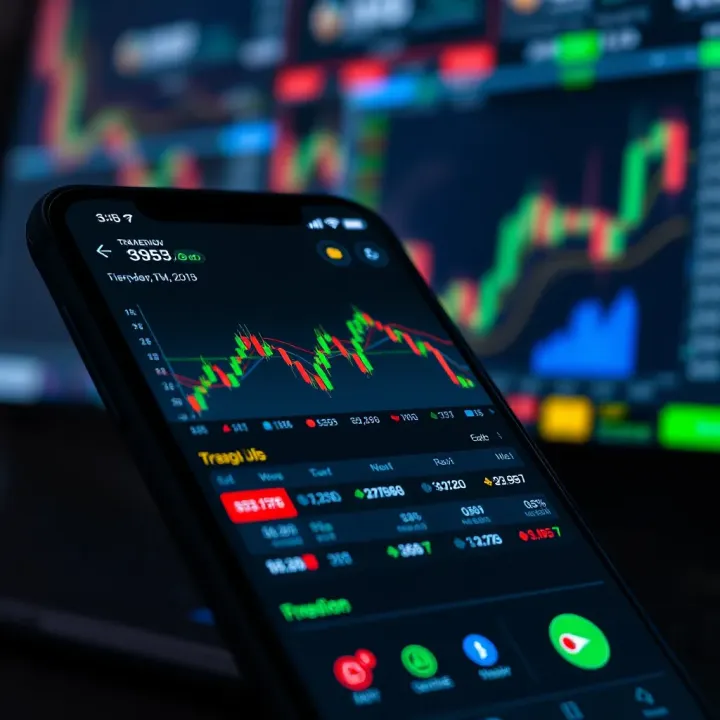
Moving averages smooth out price data by creating a constantly updated average price, which helps filter noise from unpredictable short-term movements. The two most common types are the Simple Moving Average (SMA) and the Exponential Moving Average (EMA).
For example, the 50-day SMA gives a mid-term view of the market trend, while the 200-day SMA is often used to identify long-term support or resistance zones. Traders watch for crossover signals — such as the "golden cross" where a short-term average passes above a long-term average, indicating potential bullish momentum.
In practice, if you're tracking the PSX (Pakistan Stock Exchange) index on TradingView, applying a 20-day EMA can help you see recent price swings more clearly and spot entry points aligned with local market rhythms.
RSI gauges the speed and change of price movements to identify overbought or oversold conditions. It’s plotted as a value between 0 and 100, with readings above 70 typically signaling an overbought state, and readings below 30 hinting at oversold levels.
For example, a sudden spike of RSI above 80 in a popular stock like Engro Corporation might suggest it’s due for a price pullback, giving traders a chance to exit or short the position. Conversely, an RSI dipping below 30 could signal a potential rebound.
RSI’s practical value lies in helping traders avoid chasing breakouts that are due for corrections, making risk management tighter.
The Moving Average Convergence Divergence (MACD) shows the relationship between two moving averages (usually 12-day and 26-day EMAs), producing signals via crossovers and histogram trends. It’s handy for spotting momentum changes and generating buy or sell cues. For instance, when the MACD line crosses above the signal line, it’s often a green light for buyers.
Bollinger Bands consist of a moving average with upper and lower bands typically two standard deviations away. They provide a dynamic range to identify price volatility and potential breakout or breakdown points. When prices hug the upper band on a volatile day, it could mean the asset is overheated; prices touching the lower band might flag support.
Together, MACD and Bollinger Bands equip traders with both momentum and volatility insights, key for crafting balanced strategies.
No one-size-fits-all here. Each market and trading style calls for tweaks in indicator settings. For example, day traders on Karachi’s Oil & Gas Development Company stock might prefer a shorter moving average period (like 9 or 10 days) to catch rapid shifts, while a long-term investor might stick with 50 or 200 days.
TradingView lets you adjust parameters such as period length, source price (close, open, high, etc.), and signal thresholds, so your indicators react the way you need them to.
Using just one indicator can be like looking at the market through a narrow lens. Combining indicators can provide more reliable signals and reduce false alarms. For instance:
Use RSI to confirm if a trend suggested by moving averages is overextended
Combine MACD crossovers with Bollinger Band squeezes to anticipate breakouts
By layering these insights, you sharpen your decision-making—kind of like having a second opinion from a savvy trading buddy with a different perspective.
Pro tip: Avoid piling on too many indicators, which can clutter your chart and cause analysis paralysis. Focus on a handful that complement each other and suit your trading style.
In summary, leveraging technical indicators on TradingView turns market data into actionable signals, helping traders in Pakistan and beyond make smarter moves and better manage risk. Customize these tools to fit your individual strategy, and you’ll find your market analysis much more grounded and confident.
Getting your TradingView chart set up just right is a game-changer when it comes to real-time market analysis. It’s not just about choosing a cool background or colors — this step tailors the whole experience to your trading style and goals. Setting up time frames, adding drawing tools, and saving your preferred layout make your workflow smoother and help you spot market moves quicker. Let’s break down why personalizing your TradingView chart matters and how it helps you stay ahead.
Choosing the right time frame for your chart is like picking the right lens for a camera; it shapes how you view the market.
Selecting suitable time frames means understanding your trading style. If you’re a day trader in Pakistan’s fast-moving markets, 5-minute or 15-minute charts can catch sudden price swings and help you act fast. On the other hand, swing traders or investors might lean toward daily or weekly charts to get a bigger picture and avoid noise. By matching time frames to your strategy, you avoid information overload and stay focused on what really counts.
Using intraday versus longer-term charts is a practical choice, too. Intraday charts are perfect when you’re glued to the screen and ready to jump in or out, ideal for catching tiny push-ups or pullbacks. Longer-term charts become your best friend when planning ahead or confirming trends because they smooth out random ups and downs. For example, if you spot a breakout on a 15-minute chart, comparing it with the daily chart can confirm whether it’s just a blip or the start of a bigger move.
Drawing tools are more than doodles; they’re visual aids that make complex market data easier to read.
Trendlines and support/resistance levels are foundational tools every trader should master. Drawing a trendline along rising lows or falling highs can highlight the general direction of a stock or index. Support and resistance lines mark price points where the asset repeatedly bounces back or falters, often indicating strong buyer or seller interest. For example, setting a resistance line just above Pakistan’s PSX 100 index peak could alert you when the market might face selling pressure.
Fibonacci retracement and other tools add another layer of insight. Fibonacci levels help you estimate potential pullback points during a trend, suggesting where prices might find support or resistance. Other tools like channels or pitchforks can also help map out probable price paths. These tools become handy when you combine them with volume data or RSI for more reliable trade setups.
Once you’ve set up your perfect chart, there’s nothing worse than starting from scratch every time. That’s where saving layouts steps in.
Preserving chart settings means you save your chosen indicators, time frames, and drawing tools so that every time you open TradingView, you can pick up right where you left. Think of it as bookmarking your work; it saves time and keeps your analysis consistent.
Configuring price and indicator alerts is essential, especially if you can’t stare at the screen all day. Alerts can notify you when an asset hits a certain price or when an indicator, say the RSI, crosses a threshold. This lets you react promptly without being glued to your device. For instance, an alert set to trigger if the USD/PKR exchange rate breaks a critical support level can keep you ahead without constant monitoring.
Setting up and personalizing your TradingView chart turns market data into actionable insights. It’s about making TradingView work for you — not the other way around. Spend time here, and your trading decisions will feel sharper and more confident.
Connecting TradingView directly to brokers and external platforms is a real time-saver for traders who want to act on market insights quickly. This integration means you don't have to bounce between different sites or apps to check charts and place trades. Especially for traders in Pakistan and worldwide, it stitches analysis and execution together, cutting down delays and reducing the risk of missing critical price moves.
This connection does more than just convenience—it's about efficiency and better control. By syncing TradingView with a broker, you get live price updates paired with a direct line to execute trades, which can be a game-changer during volatile market swings.
TradingView supports a variety of brokers globally, enabling users to link their brokerage accounts for seamless trading. For traders in Pakistan, brokers like Interactive Brokers, OANDA, and FXCM are popular choices compatible with TradingView, offering access to markets beyond local borders.
These integrations are typically done through secure API connections provided by both TradingView and the broker, allowing account data and orders to flow smoothly. It’s vital to verify if your broker supports this feature because not all do, and some might have limited capabilities.
Having these options means you can monitor your positions and execute trades without leaving your charting workspace, saving precious time and reducing distractions.
One of the standout features of TradingView's broker connections is the ability to place trades right from the chart interface. Instead of juggling multiple platforms, you can spot an entry point, place your order, and set stop-loss or take-profit levels all within the same screen.
For example, with Interactive Brokers through TradingView, you can submit market, limit, and stop orders instantly. This reduces the latency between analysis and execution, which is crucial in fast-moving markets. It also helps traders maintain their focus on the market’s flow without switching context.
Exporting data from TradingView allows serious traders and analysts to perform deeper dives beyond what the platform's built-in tools can offer. By downloading historical price data or indicator readings, users can feed this into spreadsheet software like Excel or more advanced analytics tools such as Python or R for custom backtesting or strategy refinement.
This flexibility is crucial for traders who want to validate their setups against large data sets or build reports for clients and colleagues. Clear, well-structured export options also mean you can combine TradingView data with information from other sources seamlessly.
For developers and tech-savvy traders, TradingView offers API interfaces that enable custom connections to third-party software or automated trading systems. These APIs can pull live chart data, indicator values, or trade signals to build automated bots or integrate TradingView insights into proprietary platforms.
Suppose you run a hedge fund or a trading firm in Pakistan; these API connections make it possible to feed TradingView’s live data straight into your existing software, ensuring your strategies react instantly to market shifts. It opens doors for highly tailored workflows that are unique to your trading style or business need.
Connecting TradingView with brokers and external tools isn't just about ease—it's about creating a smooth, responsive trading environment where you can act on your analysis without missing a beat.
Overall, integrating TradingView with brokers and external platforms boosts a trader's agility and enhances market engagement, which can turn incremental gains into significant outcomes.
In today’s fast-paced trading environment, keeping an eye on market movements in real time isn't just nice to have — it’s essential. TradingView's mobile app makes this possible for traders who can’t sit glued to a desktop screen all day. Especially for Pakistani traders, where market conditions can shift quickly, having a reliable mobile solution is a big advantage. It brings all the power of TradingView’s live charts right into your pocket, allowing for quick decisions whenever and wherever.
The TradingView mobile app delivers nearly the same charting features that you’d find on the desktop version, which isn’t always common in mobile apps. This means you can view candlestick charts, bar charts, Heikin Ashi, and more right on your phone screen. You also get access to a comprehensive suite of technical indicators like RSI or Bollinger Bands. Traders can draw trendlines, mark support and resistance levels, and even apply Fibonacci retracements—all while on the move. The clarity and responsiveness of charts make it simpler to spot opportunities or risks without needing a laptop.
One of the best parts about TradingView’s ecosystem is the seamless sync across devices. If you lay out a few charts on your desktop and add specific indicators or alerts, these settings are automatically mirrored on your mobile app. This continuity means you won’t miss a beat just because you're away from your desk. For example, a trader analyzing Pakistan Stock Exchange trends during office hours can continue tracking the same setups on their commute home. This handshake between devices makes mobile trading smoother and less prone to mistakes due to lost context.
Mobile data can be a concern in Pakistan, where internet packages might have limited bandwidth. The TradingView app can consume a fair amount of data, especially with live charts updating constantly. To save on data, turn off auto-updates for charts when actively not trading, limit the use of multiple indicators on mobile, and switch to lower time-frame updates when checking less frequently. Also, using Wi-Fi whenever possible is a simple but effective way to keep data costs under control.
Alerts are a lifesaver for mobile traders. TradingView allows you to set price alerts, indicator alerts, and even custom alerts based on Pine Script. Once set, these notifications appear instantly on your phone, letting you know when a stock hits a target or if a trend changes direction. For instance, a local trader tracking the cement sector can get immediate alerts and react fast. Using these push notifications effectively means you don’t need to watch the charts constantly. Just trust the alerts to guide when it’s time to act.
Staying connected to live market data through your phone doesn’t just add convenience – it can directly impact your trading results by allowing for faster reactions and smarter decisions.
By leveraging these mobile features properly, Pakistani traders can gain an edge even when they’re away from their usual setups. The TradingView mobile app is more than just a backup; it’s a true partner for real-time market analysis on the go.
Getting started with TradingView can feel like diving into a sea of numbers and graphs – overwhelming, to say the least. That’s why having some solid beginner tips is a lifesaver. These tips help new traders avoid common slip-ups and build a good foundation for understanding live charts efficiently. By focusing on easy-to-understand tools and steady learning, beginners can boost their chances of making smarter trading decisions without getting lost in the noise.
When you’re new, sticking to basic chart types like candlestick or line charts is a good move. These charts show price movements clearly and help you spot simple patterns without the clutter. In TradingView, tools like the Moving Average or Relative Strength Index (RSI) are beginner-friendly because they give clear signals about price trends or potential reversals without requiring a PhD in technical analysis.
Remember, picking beginner-friendly tools means choosing indicators that aren’t too sensitive to every tiny change. For example, a 20-day moving average smooths out the noise compared to a 5-day one, which jumps around too much. This steadiness can help you focus on the bigger picture instead of chasing every twitch.
Taking a gradual learning approach also pays off. Instead of adding five indicators at once, start with one or two and understand what each tells you. Trade with demo accounts or paper trade first to test your ideas. Over time, layer in more tools only when you’re comfortable. It’s like learning a new language: you don’t cram all the vocabulary overnight—you build it steadily, day by day.
One trap beginners fall into is overreliance on indicators. Some traders think indicators are foolproof and can predict the market with no fail. Reality check: no indicator works perfectly all the time. Markets are affected by countless factors, from news to trader psychology. So, relying solely on indicators without looking at price action or market context can lead you astray.
Another frequent issue is chasing false signals. For example, your RSI might show overbought conditions, suggesting a sell, but the price could keep climbing because of strong momentum or external news. Recognizing false signals means cross-checking indicators, using time frames wisely, and being patient. If you jump the gun on every little signal, you might end up taking losses more often.
In trading, patience and perspective often beat impulse and guesswork. Developing a critical eye for your charts helps you avoid getting hoodwinked by misleading signals.
Here are quick tips to avoid these pitfalls:
Combine indicators with price patterns and volume data for confirmation.
Use multiple time frame analysis to see if signals align.
Keep an eye on major news that could affect markets beyond the numbers.
By starting simple and learning to spot these traps, beginners can use TradingView’s live charts with confidence, making smarter calls in real-time market analysis.
Using advanced tools on TradingView turns simple chart watching into a powerful market analysis experience. These features help traders and investors dig deeper into market data, creating personalized setups that fit unique strategies. When you’re not stuck with generic charts and can tweak every detail, your chances of spotting good trades increase drastically.
For example, say you're monitoring both the Karachi Stock Exchange and the Nasdaq simultaneously. Advanced tools let you compare trends side-by-side or even program your own indicators to catch market moves before others. This kind of customization saves time and boosts confidence when the market gets noisy.
Beyond basics like drawing trendlines or setting alerts, TradingView offers scripting capabilities and multi-chart layouts which seasoned traders find quite handy. These features are especially valuable in volatile markets where seconds matter and every detail counts.
Pine Script is TradingView's built-in scripting language, designed so even traders new to coding can create their own indicators or strategies. It's lightweight but powerful enough to capture complex market behavior. Unlike heavy programming languages, Pine Script is tailored for financial charts—making it straightforward to tweak moving averages, RSI thresholds, or build completely new tools.
The practical benefit? You’re no longer stuck with predefined indicators. Instead, you can personalize them, aligning perfectly with your trading style. If you feel the standard RSI doesn't give you the insight you need, Pine Script lets you adjust it to your exact needs.
For Pakistani traders, Pine Script offers freedom to reflect local market peculiarities in your tools—something off-the-shelf indicators might miss.
Creating a custom indicator might sound intimidating but consider this example: You want a volume-weighted moving average that adapts based on market volatility. With Pine Script, you can write a few lines to:
Calculate volatility using the average true range (ATR)
Adjust the moving average length dynamically
Plot the result directly on your TradingView chart
Here’s a snippet of what that could look like: pinescript //@version=5 indicator("Volatility-Adjusted MA", overlay=true) atr = ta.atr(14) length = atr > 1 ? 10 : 20 ma = ta.sma(close, length) plot(ma, color=color.blue)
This little indicator highlights market shifts by changing sensitivity based on volatility—helpful when deciding entry or exit points.

### Multi-Chart Layouts for Comprehensive Analysis

#### Setting up multiple charts

TradingView allows you to open several charts in a single window, each showing different assets or the same asset in various timeframes. This is a lifesaver for traders juggling multiple stocks, forex pairs, or cryptocurrencies at once.

Setting them up is straightforward: select the multi-chart layout option in the upper right corner, pick how many charts you want (up to eight on some plans), and customize each with your preferred chart type and indicators. This lets you switch perspectives quickly without losing track.

For instance, you might watch a 5-minute chart of PSX for short-term trades alongside a daily chart for overall trend direction. It's like having a trading desk with multiple monitors but packed neatly into one screen.

#### Managing different assets simultaneously

With multiple charts, you can analyze various markets side-by-side, catching correlations or divergences you might miss otherwise. This helps in building diversified portfolios or hedging positions smartly.

Imagine monitoring the Pakistan Rupee (PKR) against the US Dollar on one chart, and crude oil prices on another. Since Pakistan's economy is affected heavily by oil prices, spotting trends between these assets can guide better trading or investment decisions.

> Multi-chart setups also reduce the chance of missing sudden price moves when your attention is divided. You get a fuller picture without flipping between tabs or screens.

By leveraging these advanced tools, Pakistani traders can tailor TradingView to their exact needs, whether they trade local assets, international stocks, or commodities. The platform becomes not just a charting tool, but your personal market analyst working around the clock.

## Understanding Market Data Provided on TradingView

Knowing where your market data comes from and how reliable it is can make a world of difference in trading decisions. TradingView pulls data from various providers around the globe, tailoring access for users in Pakistan as well. This section sheds light on these data sources and the nuances between real-time and delayed data — crucial for traders who depend on up-to-the-second information.

### Sources of Market Data and Their Reliability

TradingView partners with well-known data vendors like CBOE, NASDAQ, and local Pakistan Stock Exchange feeds to provide comprehensive market coverage. For Pakistani traders, the Pakistan Stock Exchange data feed is vital since it reflects the active trading landscape at home. The quality and update speed of these data sources affect how promptly price changes appear on your charts.

Understanding which provider supplies your data enables you to assess accuracy and responsiveness. For instance, cryptocurrency prices might come from CoinMarketCap or Binance, whereas forex pairs could pull from providers like FXCM. Knowing these details prevents surprises when data behaves unexpectedly during volatile periods.

Another important factor is whether you’re viewing real-time or delayed data. Many free TradingView accounts default to delayed information, which might lag by 15 minutes or more. This delay can mean missed opportunities or misreading the market momentum. Paying for premium subscriptions often grants you direct access to real-time data across a wide range of markets.

> Traders relying on real-time updates tend to have an edge, especially during fast-moving sessions. It’s like driving with a current GPS rather than an old map.

#### Real-time versus Delayed Data Options

Real-time data streams update instantly as trades occur, critical for active day traders and scalpers who make decisions by the second. In contrast, delayed data is usually suitable for longer-term investors who don’t mind the slight lag.

TradingView offers both options depending on account level and market segment. For example, Pakistani equity prices on the Pakistan Stock Exchange can be real-time only if you subscribe to the relevant plan. Otherwise, your chart reflects price history a few minutes behind.

Carefully consider your trading style before choosing data settings. Real-time feeds come at a cost but offer precision; delayed data cuts expenses but sacrifices immediacy. This balance impacts your analysis, especially when using indicators sensitive to the smallest price changes.

### Handling Market Volatility with Live Charts

Reading volume alongside price action helps make sense of wild swings common in markets like Pakistan’s, where liquidity varies throughout the day. Volume spikes can confirm breakout moves or hint at traps, while price action reveals how buyers and sellers engage in real time.

Traders can watch how volumes ramp up during major announcements on TradingView live charts. For example, sudden surges in volume paired with upward price moves might indicate genuine buying interest, whereas heavy volume but price stalls could signal hesitation.

When volatility kicks in, adjust your strategies accordingly. Tight stop-losses may cause premature exits, so some prefer wider stops during these swings. Combining volume analysis with support and resistance zones drawn on the charts often helps identify realistic entry and exit points.

> In choppy markets, patience and flexibility win over chasing every price move—it’s better to ride the trend than get whipped around by noise.

By mastering these aspects of market data on TradingView, Pakistani traders can improve their real-time market analysis and sharpen trading strategies to suit their risk tolerance and time frames.

## Cost and Subscription Options for TradingView

Understanding the cost and subscription options for TradingView is essential for traders who want to balance their budget with the features they need. While the free tier can be quite helpful, some traders benefit significantly from upgrading to paid plans to access advanced capabilities. Knowing what each plan offers helps avoid paying for features you don’t use, or conversely, missing out on tools that could boost your trading strategy. For example, a day trader relying on multiple indicators during a fast-moving market might find the paid plans worth every penny, whereas a casual investor checking charts occasionally may be fine with the free version.

### Free Features and Limitations

TradingView’s free plan offers basic charting and indicators that fit the needs of beginners or those trading casually. You get access to standard charts like candlesticks, line charts, and a handful of popular indicators such as Moving Averages and RSI. This level is enough to get a clear sense of market trends and perform straightforward technical analysis without paying a dime.

However, there are some limitations to keep in mind. For instance, with the free tier, you can only apply **one indicator per chart** and open a single chart layout at a time. If you want to analyze complex patterns using multiple indicators or compare several assets on different charts simultaneously, you’ll find the free version quite restrictive.

Other than limited features, users on the free plan will notice the presence of advertisements while using the TradingView platform. These ads, although not overly intrusive, can cut into the smooth flow of analysis, especially if you check charts multiple times daily. Ads are designed to promote paid options or partner products, offering a subtle nudge for you to consider upgrading.

> Even if you’re just starting out, using the free plan lets you test the waters without any financial commitment. Just be aware that for more intensive analysis, the free version has clear boundaries.

### Paid Plans and Additional Benefits

For traders ready to step things up, TradingView offers multiple paid plans—such as Pro, Pro+, and Premium—that unlock a host of additional tools and conveniences.

**More indicators and charts per layout** is one of the standout benefits. With paid plans, you can apply multiple indicators on the same chart and open several charts side by side for multi-asset analysis. For example, you might monitor both the KSE-100 index and USD/PKR forex pair in parallel, each with different indicators tailored to those markets. This capability is a game-changer for traders looking to track multiple markets or use layered strategies.

Another major perk is **priority data access**, which means you get quicker and more reliable real-time updates. During volatile market hours, milliseconds count, and premium users often spot price movements a bit faster. This feature is particularly valuable in Pakistan’s active trading environment where inflation or political news can cause sharp price swings.

Lastly, paid subscriptions offer an **ad-free experience**. Removing ads not only gives you an uncluttered interface but also speeds up page loading times, eliminating distractions during crucial market moments. For regular users, this smoother experience is worth the monthly fee alone.

To sum up, choosing between free and paid TradingView plans depends largely on your trading frequency, the complexity of your analysis, and how much you value speed and convenience. Traders conducting deep technical analysis with several indicators will find premium plans invaluable, while beginners or casual traders can make good use of the free setup initially.


Getting the right plan means you can tailor TradingView’s powerful tools to your trading style without paying for features you won’t use. In the Pakistan market context, where resources and internet speeds might vary, this flexibility is important to get the best results from live market tracking.

## Common Questions About TradingView Live Charts

Addressing common questions about TradingView live charts can save traders a lot of hassle and guesswork. These FAQs highlight essential features and clarify how the platform operates in real time. Understanding these points helps traders make quicker decisions without second-guessing, especially when the market’s moving fast.

For example, knowing how often the data updates or if one can trade directly through the charts can clarify workflow and efficiency. These insights also uncover how TradingView fits into daily trading habits and supports different trading strategies. Let's break down some of these common concerns to offer a clearer picture.

### How Often Is the Data Updated?

One major concern traders have is about the freshness of market information. TradingView updates its data frequently, but the exact timing depends on the asset and the exchange. Typically, users can expect latency as low as a couple of seconds for many instruments.

Understanding this is vital because a slight delay can mean the difference between landing a quick profit and missing the boat. For example, an intraday trader focusing on forex pairs like USD/PKR can rely on TradingView’s real-time feeds to make split-second decisions. However, some less liquid or international markets might have a delay of 10 to 15 seconds.

> It’s always good to check the data source on each chart since some exchanges offer real-time data for free, while others require a subscription for priority access.

### Can  Trade Directly from TradingView?

#### Broker Integration Overview

TradingView allows placing trades directly from its interface via integration with select brokers. For Pakistani traders, this is particularly useful since it eliminates switching between software platforms. Brokers like Saxo Bank and Interactive Brokers provide such connectivity, facilitating easier order placement.

This feature lets traders analyze market conditions and execute trades in one place, cutting down time and reducing errors from juggling between charts and order screens. It works through secure connections with brokers' systems, ensuring orders comply with usual trading limits and regulations.

#### Order Execution Process

When you place an order via TradingView, the platform sends your instruction to the connected broker’s system. From there, normal broker processes handle the execution and confirmation. This means execution speed depends heavily on the broker's infrastructure and market conditions.

For instance, a trader placing a limit order on Pakistan Stock Exchange stocks will see the order reflected in their broker account within seconds, but actual fills depend on market liquidity. Alerts and trade confirmations appear natively inside TradingView, letting you stay focused without flipping between apps.

> Knowing your broker’s execution quality is just as important as having great charts. So, it pays to pick brokers well-matched to TradingView compatibility and your trade volume needs.

By understanding these commonly asked questions, traders can make better use of TradingView’s powerful tools while keeping their eyes open for real-world practicalities in data timing and trade handling.📊 Learn to master TradingView charts with tips on customization, indicators, alerts & tools for smarter trading decisions in financial markets.
📊 Learn to master TradingView charts with this practical guide tailored for traders in Pakistan. Set up, analyze, and save your work confidently! 🇵🇰
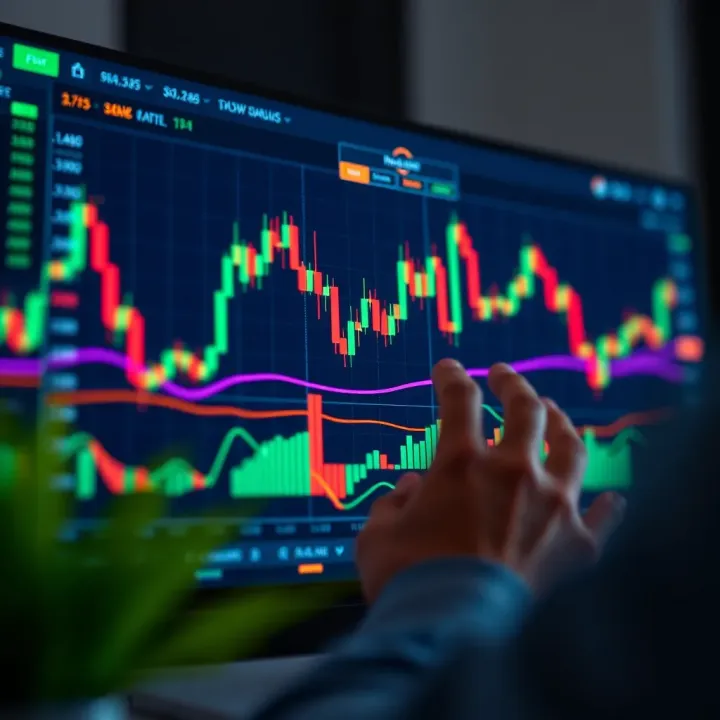
Explore TradingView.com for charting and market analysis 📊. Learn to use its powerful tools for smarter trades in stocks, forex, and crypto in Pakistan 🇵🇰.
📈 Discover how to use TradingView for smart market analysis in Pakistan 🇵🇰. Learn chart setups, indicators, and broker integration for better trades!
Based on 11 reviews