
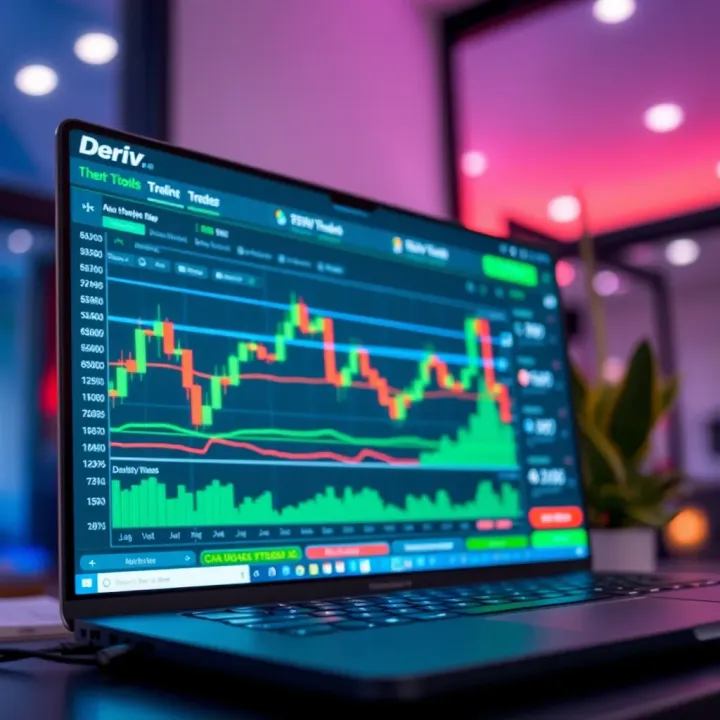
How to Use TradingView on Deriv.com for Better Trading
📈 Discover how to use TradingView on Deriv.com with practical tips, advanced charts, and indicators to sharpen your trading skills in Pakistan today!
Edited By
James Bennett
Trading in today's fast-moving markets requires access to reliable tools that offer both precision and flexibility. For traders in Pakistan, combining platforms like TradingView and Deriv isn't just a neat trick—it's becoming a must-have strategy to stay competitive.
TradingView is well known for its robust charting features and social trading community, while Deriv provides a flexible trading environment with a variety of financial instruments. Together, they can help traders analyze market movements and make informed decisions more efficiently.

This article aims to unpack how these two platforms can work together to deliver better insights and enhanced trading performance. We will cover the key features of each, walk through the setup process, and share practical tips tailored for traders operating in Pakistan. Whether you're a seasoned investor, broker, or just starting out, understanding this integration can add a significant edge to your trading arsenal.
In the world of trading, having the right tools linked together can turn a routine session into a winning one. Let's see how combining TradingView with Deriv fits that bill.
Understanding each component and how to link them will offer a clearer picture of the market and, hopefully, better outcomes for your trades. Let’s get started.
Understanding the key features of both TradingView and Deriv is essential for anyone looking to enhance their trading experience. This section outlines what each platform brings to the table, so you know why integrating them can make a difference for traders in Pakistan and beyond.
TradingView is widely recognized for its powerful charting tools and technical analysis capabilities. It offers a rich selection of customizable charts and technical indicators, which traders rely on to spot market trends and make informed decisions. For example, using moving averages or Fibonacci retracements on TradingView helps a trader visualize support and resistance zones clearly.
Beyond just tools, TradingView benefits a lot from its community scripts and ideas. Real users share their trading strategies and custom indicators, which means you can tap into a pool of crowd-sourced insights. This is particularly handy if you're looking to try out new approaches without building everything from scratch.
A major convenience is TradingView's multi-device access. Whether you check your charts on a desktop at home or via a smartphone while on the move, all your settings and watchlists stay synced. This flexibility allows for spontaneous trade checks without being glued to a single device.
Deriv is known for providing a wide range of markets and instruments, including forex, synthetic indices, commodities, and cryptocurrencies. For instance, a trader can easily switch between trading EUR/USD forex pairs and synthetic indices that simulate real-market movements, all within one platform.
The platform supports various trading types such as contracts for difference (CFDs), digital options, and multipliers. This variety caters to different risk appetites and trading styles. If you prefer quick trades, digital options might suit you, while multipliers offer amplified exposure for those comfortable with higher risks.
User interface plays a big role in trading efficiency, and Deriv doesn’t disappoint. The platform is straightforward, with clean dashboards and easy navigation, making it accessible even for newer traders. Plus, its web-based nature means no heavy software to install, and Pakistani traders can access it comfortably without worrying much about heavy system requirements.
A smooth user interface combined with diverse market access makes Deriv particularly appealing for traders who want a one-stop platform without jumping through hoops.
By grasping what TradingView and Deriv offer individually, traders can better appreciate how their integration can sharpen analysis and execution steps. The fusion of TradingView’s detailed charts and Deriv’s versatile trading environment sets the stage for smarter trades and better control over your investments.
Integrating TradingView with Deriv offers a significant edge for traders who want to sharpen their market analysis and speed up the trading process. While Deriv provides a user-friendly platform for trading various financial instruments, combining it with TradingView’s advanced charting and community-driven insights takes your decision-making a notch higher. This combination is especially relevant in volatile markets, like those often encountered in Pakistan, where speed and accuracy are key.
Improved chart visualization
TradingView excels with its sleek and highly customizable charts, which give traders a crisp and clear look at price moves. Unlike standard charts, TradingView lets you layer multiple indicators, draw complex trend lines, and spot patterns that might be hidden otherwise. For instance, a trader on Deriv can customize candlestick charts in TradingView to highlight sudden price spikes or reversals with color-coded alerts, making it easy to spot entry or exit points visually. This improved visualization helps reduce guesswork, providing a clearer roadmap before placing trades.
Access to advanced analytical tools
With TradingView, you're not just getting basic indicators; it offers a whole suite of analytical tools like Fibonacci retracements, Elliott Waves, and a library of community-created scripts. These tools allow traders to analyze market trends beyond surface-level data, giving deeper insight into potential price movements on Deriv’s platforms. For example, by using a custom RSI script from TradingView’s community, a trader might pinpoint overbought or oversold conditions in Deriv’s forex pairs more precisely, helping fine-tune entry points.
Real-time market insights
Speed is the name of the game when it comes to trading. TradingView pulls live data from multiple exchanges and shows price action as it unfolds, which when paired with Deriv’s quick execution engine, lets traders act on the freshest info. It’s like having a radar that detects market shifts instantly, keeping you ahead of the crowd. For instance, during sudden news events impacting currency pairs relevant to Pakistani traders, this real-time insight means you can react almost immediately rather than waiting for delayed information from less integrated setups.
Faster execution based on signals
Beyond just observing charts, TradingView’s integration allows traders to set up alerts or even semi-automated actions based on specific technical signals. Suppose you have set up a Moving Average crossover alert on TradingView for a Deriv asset; once it triggers, you can jump into Deriv and place your trade rapidly, shaving off precious seconds that might otherwise be lost navigating multiple platforms. The seamless relay of signals to Deriv not only increases efficiency but helps lock in better prices, crucial in fast markets.
Combining TradingView with Deriv equips traders with sharper analysis and quicker response times, making this pairing an effective combo for those serious about maximizing their trading edge.
This approach arms traders in Pakistan with practical benefits: stronger confidence in entry and exit points, a toolkit to dive deeper into market behaviors, and the ability to ride the waves of fast-moving markets more smoothly and profitably.
Getting TradingView and Deriv to work smoothly together is a stepping stone for any trader looking to combine deep charting insights with fast execution. This setup is where the rubber meets the road—getting it right means you’re able to spot opportunities on TradingView and jump right into the market on Deriv without missing a beat.
By setting up your accounts properly and linking your charts to trades, you cut down on guesswork and delays. Traders in Pakistan, where access and speed can sometimes be a challenge, particularly benefit from having a streamlined connection between the two platforms. It’s about making the tech work for you, not the other way around.
Starting fresh on TradingView and Deriv is straightforward but important to get done correctly. On TradingView, you need an email address and a password to sign up, or you can use existing Google or Facebook accounts for a quicker start. Once your profile is active, you can explore free chart tools and community ideas right away. The Deriv registration demands a bit more – aside from your email and password, you'll provide your country of residence, including Pakistan, for regulatory reasons.
It’s worth ensuring every detail matches on both accounts to avoid hiccups later when linking them together. For example, setting your timezone correctly on TradingView saves you confusion when your Deriv trades execute at local market times.
Verification steps differ slightly but are crucial, especially on Deriv, to comply with financial regulations. You’ll need to upload a government-issued ID like a CNIC or passport and proof of address such as a utility bill or bank statement—items easily handled in Pakistan.
TradingView’s verification is less strict by comparison, focusing mainly on email confirmation and, if you want to access premium features, payment details. Keeping these documents handy and following the instructions carefully speeds up the process, ensuring you don’t hit roadblocks when activating automated trading or integrations.
Note: Deriv places heavy emphasis on verification to comply with anti-money laundering laws, so incomplete verification can delay or block your ability to trade.

For many traders, the default way to use TradingView with Deriv is manual: you analyze a chart on TradingView, then place your trade on Deriv separately. This hands-on approach gives you full control but can slow you down if you’re juggling multiple trades.
Automated integration, while more technical, lets you execute trades directly from TradingView signals using scripts or third-party tools that connect the two platforms. For example, some traders configure Pine Script alerts on TradingView that trigger API calls to Deriv, placing trades with pre-set parameters.
Though this requires some coding knowledge or using services built for this purpose, it saves precious seconds—and in markets like binary options or forex, those seconds count.
TradingView offers a rich library of signals and alerts, from simple moving average crossovers to complex custom indicators. You can set alerts on price levels, indicator thresholds, or pattern formations and receive notifications via app, email, or SMS.
When used with Deriv, these alerts become your trading triggers. For instance, a trader might get an alert for an RSI dip below 30 (oversold condition) on TradingView, then promptly enter a buy option on Deriv. This keeps analysis and execution tightly linked, reducing the chance that emotions get in the way.
The trick lies in tailoring alerts that fit your strategy and market of interest on Deriv, whether it’s forex pairs, indices, or commodities. Over time, you’ll want to refine alerts to reduce noise—too many false positives can lead to fatigue or losses.
By combining TradingView’s rich analytical environment with Deriv’s flexible trading instruments, you set yourself up for smarter, faster market moves, suitable for Pakistan’s active traders who prefer hands-on control but also appreciate tech-savvy shortcuts.
When trading on the Deriv platform, having the right analytical tools can make all the difference. TradingView indicators are a vital part of this toolkit, offering traders visual clues and signals that help them make informed decisions. These indicators analyze price trends, momentum, and volatility, which are essential factors for Deriv markets where rapid shifts often occur.
Using TradingView indicators alongside Deriv’s trading options enriches your ability to spot entry and exit points clearly, minimizing guesswork. For example, instead of just watching candlestick patterns, you get confirmations through technical signals, making your strategy more structured and less prone to emotional decisions.
Moving averages smooth out price data by creating a constantly updated average price, which helps highlight the trend direction. For Deriv traders, simple moving averages (SMA) or exponential moving averages (EMA) are especially useful.
Imagine you are trading currency pairs on Deriv, and you apply a 50-period EMA. If the current price stays above this average, it's a strong indicator the market may continue in an uptrend. Conversely, a drop below suggests a downtrend might follow. This simplicity makes moving averages effective for spotting trend changes or confirming ongoing trends. They perform well with larger timeframes, such as hourly or daily charts, common when trading on Deriv.
RSI measures the speed and change of price movements to assess overbought or oversold conditions. An RSI above 70 often signals an overbought market, while below 30 indicates oversold realms. This is particularly handy for Deriv traders dealing with volatility in short bursts.
Say you're watching a stock index and notice the RSI hitting 75; it might be a hint to prepare for a reversal or at least a price correction. In this sense, RSI offers a peek into market sentiment and potential turning points, which is a smart edge when your trades depend on accurate timing.
Bollinger Bands consist of a moving average with two standard deviation lines above and below it, showing an asset's volatility range. When bands widen, it means higher volatility; when they contract, the market is calmer.
For Deriv traders, this indicator helps spot breakout opportunities or times when the price may bounce back within its range. If the price touches the upper band during a strong trend, it might continue pushing higher. If the price starts moving outside the lower band, caution for a potential reversal is warranted. Bollinger Bands adapt well to different markets available on Deriv, including forex and commodities.
TradingView allows you to adjust indicator timeframes to fit your trading style and the Deriv instruments you're focusing on. Shorter timeframes, like 5 or 15 minutes, suit day traders looking for quick movements, while longer frames like 4-hour or daily charts help position traders spot broader trends.
By tuning indicators to shorter timeframes, a trader might catch intraday momentum, but this could also introduce "noise"—random price movements that don’t reflect underlying trends. Balancing the timeframe ensures you don’t get overwhelmed with false signals while still reacting in time.
Relying on a single indicator rarely provides a complete picture. Combining several indicators, like moving averages with RSI, can validate signals and reduce the risk of false decisions. For example, when the 50-period EMA indicates an uptrend and the RSI confirms the asset isn’t overbought, this alignment boosts confidence to enter a trade.
Some traders also pair Bollinger Bands with RSI to measure volatility and momentum together. This combination helps spot when a price is breaking out but without excessive strength, avoiding premature trades.
Combining multiple indicators and adjusting their settings according to Deriv’s trading environment gives an edge, making your strategy more resilient to sudden market changes.
In practice, experimenting with these settings in demo accounts before applying them live lets traders in Pakistan build a personalized approach, accounting for local market access and timing. Fine-tuning indicators is less about finding a silver bullet and more about building a dependable trading compass on the Deriv platform.
Trading in Pakistan using platforms like Deriv, combined with tools like TradingView, offers a unique set of opportunities and challenges. It's not just about knowing how to analyze charts or execute trades; practical tips tailored to local conditions can make a big difference. Understanding the market dynamics, regulations, and payment systems specific to Pakistan helps traders avoid pitfalls and maximize their success. These actionable tips address real-world scenarios Pakistani traders face and ensure smoother trading experiences.
Setting stop-loss and take-profit
Using stop-loss and take-profit orders is one of the simplest yet most effective ways to manage risk. For example, if you enter a forex trade on Deriv, setting a stop-loss limits your loss if the market suddenly moves against you. A take-profit order locks in gains once the price hits your target. It’s like having an invisible safety net, letting you step away without worrying too much. Without these, traders often get caught in emotional decisions, which usually don't end well.
To set these wisely, watch your asset’s average volatility. If the market swings a lot, set wider stop-loss limits to avoid premature exits. For instance, with volatile commodities like gold, giving your stop-loss some breathing room helps. Otherwise, on more stable pairs like EUR/USD, tighter stops work better. Always combine stop-loss and take-profit levels with TradingView’s indicators to time your exits smartly.
Position sizing strategies
Position sizing is about how much of your trading capital you put into a single trade. It’s often overlooked but plays a critical role in staying in the game long term. Suppose you have $1,000, it wouldn’t make sense to risk $500 on one trade, even if you’re pretty sure about it. Common advice is to risk only 1-2% of your capital per trade. That way, a string of losses won’t wipe you out.
One easy-to-use method is the fixed fractional position sizing — you calculate the size based on the stop-loss distance and how much you’re comfortable risking. For example, if your stop-loss is $10 away from your entry price and you only want to lose $20, your trade size would be 2 units. This approach keeps your losses manageable and helps you scale your trades up as your account grows.
Legal considerations
Trading through platforms like Deriv is mostly legal in Pakistan, but it's essential to be aware of nuances. The Securities and Exchange Commission of Pakistan (SECP) regulates local brokers, but online international platforms fall into a bit of a grey zone. This means traders should proceed with caution, ensuring they comply with tax laws and avoid illegal brokerage services.
Understand that while Deriv is accessible, local laws might impact depositing or withdrawing funds. It's wise to consult local financial advisors or keep track of policy updates. You don’t want to get tangled up in legal complications that could freeze your assets or cause penalties.
Efficient payment methods
Smooth fund transfer is crucial for Pakistani traders to fully utilize TradingView and Deriv’s capabilities. Bank transfers are common but slow and sometimes come with high fees. More popular now are e-wallets like JazzCash and EasyPaisa, which many traders use to fund their Deriv accounts instantly.
Another good option is using cryptocurrencies, which some users prefer for anonymity and speed. However, be mindful of the fluctuating crypto market and local regulations on its use.
Choosing the right payment method saves time and avoids costly delays, something every trader in Pakistan needs to keep in mind.
Trading with a solid grip on risk and legal awareness boosts confidence and sets a foundation for consistent success on platforms like Deriv. Tailoring these practical tips to your own trading style and local environment is the key to navigating Pakistani markets effectively.
When merging TradingView with the Deriv platform, users often hit a few snags that can trip up even seasoned traders. This section sheds light on typical issues and the fixes, helping you navigate smooth waters while trading. Knowing how to tackle these challenges cuts your downtime and keeps your trades sharp and timely.
Sync delays between TradingView charts and Deriv trades can be a real headache, especially when every second counts in volatile markets. These delays happen when TradingView's signaling or chart updates don't immediately reflect in Deriv's trading interface. For example, a buy signal may appear seconds or even minutes late, causing missed opportunities or late entries.
To address this, ensure both your platforms are updated to the latest version and that your internet connection is stable. Some traders use manual refresh options or set alert check intervals to more frequent rates within TradingView to minimize lag. Also, keep an eye on Deriv’s API status updates for any downtime or performance issues that might affect syncing.
Sometimes, the price data displayed on TradingView charts can differ slightly from what Deriv shows. This happens because TradingView and Deriv might source their market feeds from different providers or update their data at different intervals. For instance, you might notice TradingView’s candlestick closing price slightly off compared to Deriv’s tick data.
To handle this, match your TradingView chart's time interval as closely as possible with Deriv’s timeframes. Avoid relying solely on one source when making snap decisions; cross-verify critical entry or exit points with other data, if possible. Setting alerts based on wider confirmation signals rather than tight price levels can reduce the impact of these discrepancies.
Market volatility can throw off many technical indicators by triggering false buy or sell signals. On TradingView, this might look like a sudden RSI spike or an unexpected crossover on moving averages that doesn’t pan out.
To dodge these traps, combine multiple indicators to confirm signals. For example, pairing RSI with Bollinger Bands on TradingView before executing a trade on Deriv helps filter out noisy market movements. Also, adjust indicator sensitivity—lowering the RSI's length settings or smoothing moving averages—can reduce whipsaws during high volatility.
The market rarely sticks to one rhythm, so your trading strategy needs the same flexibility. With TradingView’s live charts and Deriv’s responsive platform, you can monitor shifts in momentum or volatility in real time and tweak your approach.
This means if you notice sudden volatility spikes on TradingView charts, you might tighten your stop-loss on Deriv or reduce position size on the fly. Conversely, during calm periods, you could loosen risk limits. Dynamic tweaking lets you protect capital and capitalize on short bursts of high activity without sticking rigidly to a preset plan.
Dealing with technical hiccups and market ups and downs smartly turns these challenges into opportunities. The key lies in quick detection, thoughtful response, and making tools like TradingView and Deriv work in sync rather than in conflict.
By staying alert to integration delays and data quirks, and learning to read volatility with a critical eye, traders can keep their edge sharp and executions more reliable.
While TradingView offers a strong charting platform integrated with Deriv, it's smart to consider other tools that can fine-tune your trading operation. These alternatives provide options for users who want different interfaces, unique analytical features, or additional risk management options beyond what the basic setup offers. Exploring these tools helps traders avoid putting all their eggs in one basket, ensuring they have the best instruments suited to their individual trading styles and goals.
MetaTrader 4 and 5 remain popular alternatives for many Deriv users, especially those familiar with Forex trading. What makes MetaTrader stand out is its support for automated Expert Advisors (EAs), which can execute trades based on predefined strategies without manual input. This can be a game changer for traders wanting to automate repetitive tasks or test strategies without constantly staring at the screen.
MetaTrader’s vast community also provides countless custom indicators and scripts, similar to TradingView’s community features. However, its charting interface is often considered less modern, which might be a downside for some. That said, if your focus is on leveraging algorithmic trading and you want a platform with deep broker integrations, MetaTrader could be the right fit.
Beyond platforms like TradingView and MetaTrader, third-party analytics software can offer enhanced data crunching and additional perspectives on markets available via Deriv. Tools such as NinjaTrader or ProRealTime provide specialized features like heat maps, order flow analytics, and deep market depth visualization, often missing in more straightforward platforms.
These tools usually require a separate subscription but can provide a more granular look at price movements and liquidity, helping traders refine entry and exit points. Users should consider if the cost and learning curve match their trading frequency and strategy complexity.
Keeping track of your trades, emotions, and outcomes is vital, especially when using multiple tools like TradingView and Deriv. Apps like Edgewonk or TraderSync allow traders to log every detail of their trades, analyze mistakes, and identify patterns that might be affecting performance.
These journaling tools often come with powerful analytics features — for example, spotting whether you perform better in volatile markets or certain trading sessions. This insight can help traders in Pakistan adapt their strategies to local market conditions or personal preferences.
Missing a critical price movement could cost money. Automated alert services, like those provided by TradingView Pro or third-party apps such as TradeStation alerts, ensure you never miss key signals. They send notifications based on price levels, indicator triggers, or even news events.
For active Deriv traders, these alerts mean faster reaction times without having to watch the screen all day. You can customize the alerts to suit your trading style, ensuring that you only get pinged for truly important moments, cutting down on noise and distraction.
When combining the right platforms and risk management tools, you not only boost your analytical capabilities but also your overall discipline and reaction speed in trading.
By considering these alternatives and additional tools, traders can build a trading environment that suits their personal needs better and helps avoid pitfalls common in single-platform reliance. Ultimately, the right combination can improve decision-making and potentially increase profitability on Deriv.
📈 Discover how to use TradingView on Deriv.com with practical tips, advanced charts, and indicators to sharpen your trading skills in Pakistan today!

📈 Learn how to integrate TradingView charts into Deriv for smarter trading. Explore setup, customization, and tips tailored for traders in Pakistan and beyond.

Discover how to set up and trade confidently on app.deriv 📈. Get practical tips and explore features tailored for traders in Pakistan 🇵🇰 today!
📊 Learn how to set up and customize TradingView for detailed financial charting. Tips, integration methods, and best practices for traders and developers.
Based on 5 reviews